EasyManua.ls Logo

LCI Smart Jack - User Manual

Default Icon
6 pages
Print Icon
To Next Page IconTo Next Page
Loading...
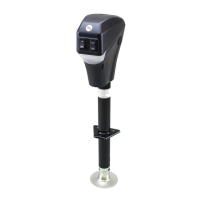
Smart Jack
OEM INSTALLATION MANUAL
Question and Answer IconNeed help?

Do you have a question about the LCI Smart Jack and is the answer not in the manual?

Summary

Smart Jack Operation

Setting Hitch Height Memory

Stores the current vertical position of the Smart Jack in memory by pressing both up and down arrows simultaneously for 5 seconds.

Normal Operation

Extends the Smart Jack by pressing the up arrow and retracts it by pressing the down arrow.

Return To Hitch Height Operation

Returns the jack to the original hitch height by pressing up/down arrows 3 times, holding the third press.

Auto Retract Operation

Retracts the jack automatically after the tow vehicle is reconnected, by pressing the down arrow 3 times, holding the third press.

Summary

Smart Jack Operation

Setting Hitch Height Memory

Stores the current vertical position of the Smart Jack in memory by pressing both up and down arrows simultaneously for 5 seconds.

Normal Operation

Extends the Smart Jack by pressing the up arrow and retracts it by pressing the down arrow.

Return To Hitch Height Operation

Returns the jack to the original hitch height by pressing up/down arrows 3 times, holding the third press.

Auto Retract Operation

Retracts the jack automatically after the tow vehicle is reconnected, by pressing the down arrow 3 times, holding the third press.

LCI Smart Jack Specifications

General IconGeneral
BrandLCI
ModelSmart Jack
CategoryControl Panel
LanguageEnglish

Related product manuals