EasyManua.ls Logo

Lea NetPlug200+ - User Manual

Lea NetPlug200+
2 pages
Print Icon
To Next Page IconTo Next Page
Loading...
ON if NetPlug200+
is operational
ON if data is being
transferred on the
PLC network
ON if Ethernet
connection is working
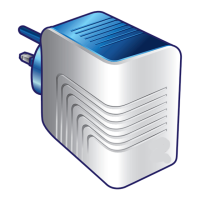
LEDs / Buttons / Connector
GREEN: high transfer speed
ORANGE: medium transfer
speed
RED: low transfer speed
None: no transfer speed
To optimize transfer speed:
2 Plug the NetPlug & other equipment
into different outlets and avoid using
the same extension strip
2 Avoid plugging the NetPlug next to a
telephone charger
2 Avoid using anti-surge extension strips
Installation Guide
NetPlug200+
The LED color indicates the transfer speed on the PLC network:
RESET button
To reinitialise the NetPlug to
its original status
PAIRING button
To add other NetPlugs on the
PLC network. Refer to “Adding
of 3
rd
NetPlug200+” section.
Ethernet connector
To connect to the modem, PC,
set-top box, ...
Powerline Communications (PLC) is a secure and intelligent technology that
enables one to set up home network and exchange digital information (audio,
computer files, and video) quickly and easily via existing household power sockets.
The NetPlug200+ are compatible with other HomePlug certified products.
1 2
Ethernet
w
w
w
Internet
Modem ON
w
w
w
Internet
Ethernet
Installation of 2 NetPlug200+
Plug in the 1
st
NetPlug
Plug in the 2
nd
NetPlug
Connect the
Ethernet cables
The 1
st
NetPlug is
ready for use
Connect the
Ethernet cable
The 2 NetPlugs are now ready for use.
You may switch on your PC.
w
w
w
Internet
Ethernet
Modem ON
PC ON
Ethernet
Modem
PC
Data transfer on
the PLC network
is activated if PC
application is working
ON
Ethernet
link OK
1
2
zoom
zoom
PLC network
N.B. Use the ETH
port corresponding
to your application
!
In case of problems, please consult the
“Technical Support” section
1
1
2
1
2
2
1
Question and Answer IconNeed help?

Do you have a question about the Lea NetPlug200+ and is the answer not in the manual?

Summary

LEDs, Buttons, and Connectors Overview

NetPlug200+ Status Indicators

Details on the operational status LEDs and their meanings.

Transfer Speed Indicators

Explanation of LED colors indicating data transfer speed.

Device Buttons and Ports

Description of the RESET and PAIRING buttons and Ethernet connector.

Optimizing Transfer Speed Tips

Recommendations for improving data transfer performance.

Installing Two NetPlug200+ Devices

Connecting the First NetPlug

Step-by-step guide to plugging in and connecting the initial NetPlug.

Connecting the Second NetPlug

Steps for connecting the second NetPlug to establish the network.

Adding Additional NetPlugs

Pairing and Linking NetPlugs

Details the process for adding a third NetPlug to the network, including pairing.

Example Setup and Operation

Illustrates a typical network setup and data transfer activation with multiple devices.

Technical Support and Troubleshooting

Contacting Technical Support

Provides guidance on resolving installation issues and contacting technical support via email or web.

After-Sales Service and Warranty Information

Warranty Period and Claims

States the 2-year warranty period and advises contacting the reseller for defects.

Further Configuration Information

Directs users to online guides for complex network configurations.

Safety Instructions and Compliance

Product Safety Precautions

Lists important safety warnings and precautions for using the device.

Regulatory Compliance

Confirms the product's compliance with applicable European Community security standards.

Lea NetPlug200+ Specifications

General IconGeneral
ModelNetPlug200+
CategoryNetwork Card
TypePowerline Adapter
InterfaceEthernet
Data Transfer Rate200 Mbps
Encryption128-bit AES
WirelessNo
CompatibilityHomePlug AV