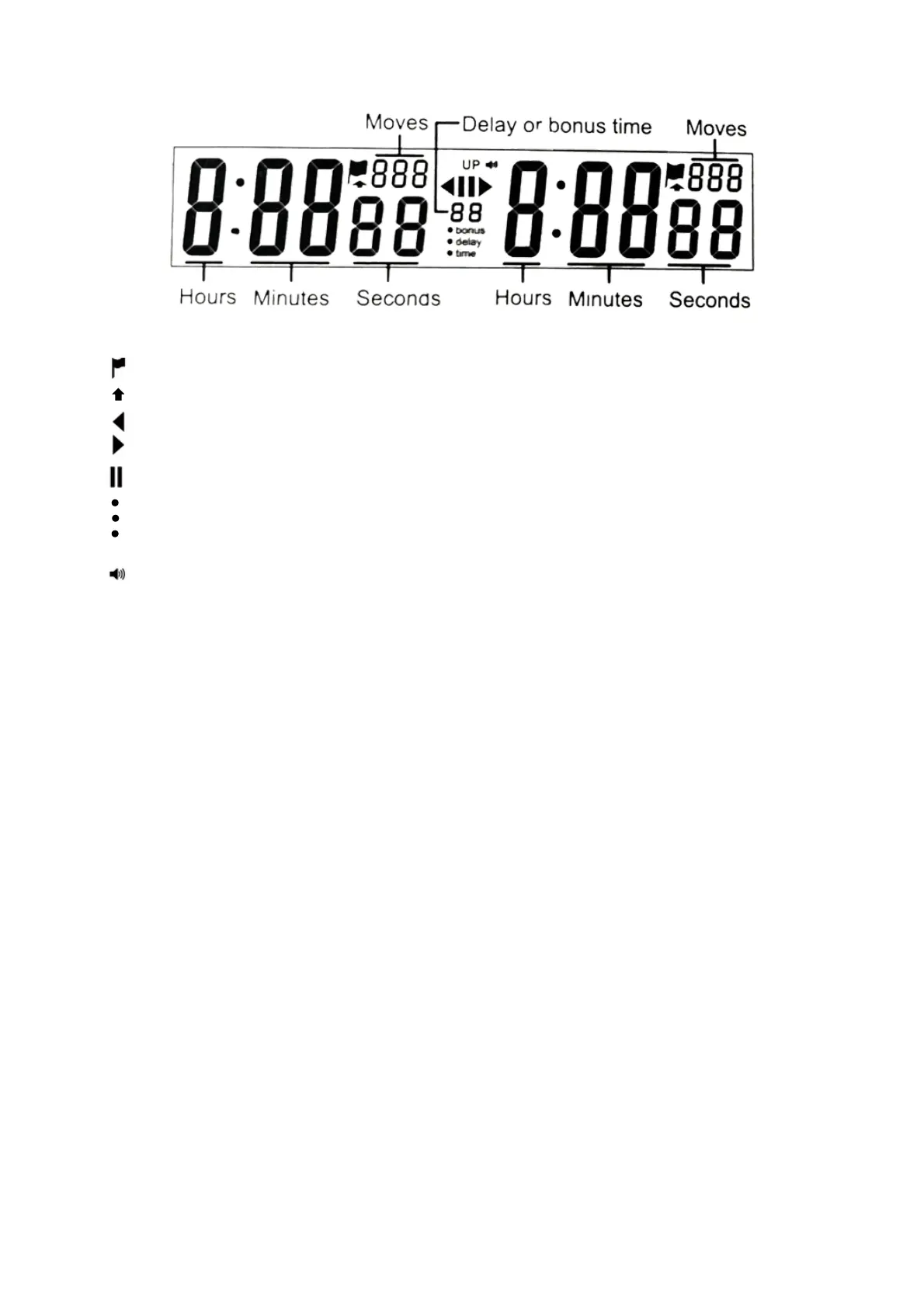
III. Display
III. Display
UP
bonus
delay
time
When displayed the player’s time has expired
Displayed when count up time is active
Indicates the left side of the timer is running
Indicates the right side of the timer is running
Indicates the timer is paused
Displayed when bonus time is enabled
Displayed when delay time is enabled
Displayed when count down time is active
Auto switching to count-up time from countdown is active
When displayed the alarm is turned on
IV. Operating Instruction
1) On/Off
After installing an AA battery, press the ON/OFF button on the bottom of the timer to turn
on. When the timer is turned off and the battery remains installed, the timer will save the
last used timing settings and will start with those settings.
When battery is removed and reinstalled, the timer will beep.
When turned on adn the timer will return to the default factory setting displayed with no
delay or bonus and the alarm is turned off.
2) Alarm on/off
Press and hold button (1) for three seconds to turn on or off alarm. When sound is
activated, the sound icon is shown in the display and a beep will be heard at 10 seconds and
each second of the last 5 seconds of a period. There will be a long beep for two seconds
when the time is out.
3) Choose preset (time/bonus/delay) time rules
Before time start, use the (3) button or (1) button to scroll to the timing mode you want.
When choose (time) mode, the time is only basic 5 minutes count down, no delay and no
bonus on this mode. When choose (bonus) mode, the display will show 30 minutes game
with 5 seconds of bonus time added per move. When choose (delay) mode, the display will
show 30 minutes game with 5 seconds of delay time added per move.



 To Next Page