The LeapFrog 100 Animals Book is an interactive learning toy designed to introduce children to one hundred animal words in both English and French. This device aims to build vocabulary, a crucial skill for early reading success, through engaging activities, songs, and sound effects.
Function Description:
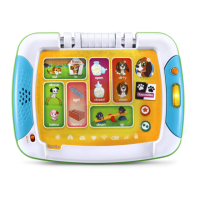
The 100 Animals Book features 12 interactive pages, each dedicated to a different category of animals. Children can press pictures on these pages to learn animal names, hear fun facts, or listen to animal sounds and music. The device offers three distinct play modes:
- Animal Names Mode: In this mode, children can press any picture on the book pages to hear the name of the animal in the selected language. This helps with early vocabulary acquisition and recognition.
- Fun Facts Mode: When this mode is selected, pressing an animal picture will trigger a fun fact about that animal. This encourages curiosity and provides educational content beyond simple naming.
- Fun Sounds Mode: This mode allows children to explore the sounds associated with each animal. Pressing a picture will play the animal's characteristic sound or a musical tune, enhancing auditory learning and engagement.
The book also includes a dedicated Music Button that, when pressed, plays three different learning songs. These songs are designed to be catchy and reinforce the learning content in either English or French, depending on the selected language.
Important Technical Specifications:
- Power Source: The device requires 2 new AA (AM-3/LR6) batteries for operation. The use of new alkaline batteries is recommended for maximum performance.
- Automatic Shut Off: To conserve battery life, the 100 Animals Book automatically shuts down after 30 seconds of inactivity. The unit can be turned back ON by opening the book or changing the mode.
- Language Support: The device supports two languages: English and French, selectable via a dedicated Language Switch.
- Volume Control: An Off/Low/High Volume Switch allows users to turn the unit ON and adjust the sound level to suit their environment.
Usage Features:
- Handle: The book is equipped with a handle, making it easy for children to carry and transport.
- Mode Switch: A sliding Mode Switch allows users to easily switch between Animal Names Mode, Fun Facts Mode, and Fun Sounds Mode, offering varied play experiences.
- Language Switch: A Language Switch enables seamless toggling between English and French, providing a bilingual learning experience. This switch affects the spoken words, directions, and songs.
- Interactive Pages: The 12 interactive pages are designed with touch-sensitive pictures, making interaction intuitive and engaging for young learners.
- Music Button: A prominent, light-up Music Button provides direct access to learning songs, adding an auditory dimension to the play.
Maintenance Features:
- Cleaning: The unit should be kept clean by wiping it with a slightly damp cloth. This helps maintain hygiene and extends the product's lifespan.
- Environmental Protection: It is important to keep the unit out of direct sunlight and away from direct heat sources to prevent damage to internal components and maintain optimal performance.
- Battery Management:
- Batteries should be removed when the unit is not in use for an extended period to prevent leakage and damage.
- Exhausted batteries must be removed from the toy promptly.
- Non-rechargeable batteries should not be charged.
- If rechargeable batteries are used (and removable), they must be removed from the toy before charging and charged under adult supervision.
- Batteries should be inserted with the correct polarity.
- Do not short-circuit the battery terminals.
- Do not dispose of batteries in fire.
- The device is designed to be durable, but users should avoid dropping it or exposing it to excess moisture. It should not be dismantled.
- Troubleshooting: In case of malfunction (e.g., program stops working, unit can't be turned on), a troubleshooting procedure is provided:
- Turn the unit OFF.
- Interrupt the power supply by removing the batteries.
- Allow the unit to stand for a few minutes.
- Replace the batteries.
- Turn the unit back ON.
- If the unit still does not work, replace with an entire set of new batteries.
- Environmental Disposal: The product and its batteries should be disposed of responsibly, in accordance with local regulations, as indicated by the crossed-out wheelie bin symbols. This signifies that they should not be disposed of with domestic waste due to substances that can be damaging to the environment and human health. Information on recycling is provided (e.g., www.recycle-more.co.uk, www.recyclenow.com).

 Need help?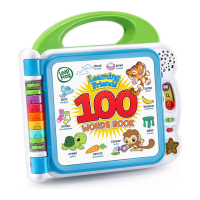




 To Next Page
 General