EasyManua.ls Logo

Leapster L-Max - User Manual

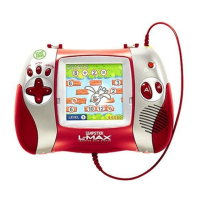
Leapster L-Max
14 pages
Print Icon
To Next Page IconTo Next Page
Loading...
Kindergarten
Welcome to Carnival Marvel!
Step right up to play 6 learning
games that teach over 45
essential reading and math
skills for kindergarten.
1st Grade
Join Leap, Lily and Tad at the
Beach Boardwalk, and play 6
learning games that teach over
70 essential reading and math
skills for 1st grade.
Finding Nemo
Enter tropical waters to
experience love, laughter, fear
and friendship in Disney/Pixar’s
Finding Nemo. This electronic
book teaches pre-K and
kindergarten skills including
science, phonics, reading
and math.
The Incredibles
Meet the Incredibles and engage
in an extraordinary battle of
wits and superpowers. This
educational game teaches 2nd
and 3rd grade skills including
spelling, grammar, math and
problem solving.
© Disney /Pixar
© Disney /Pixar
Actual package art may vary. All titles may not be available in all markets.
Images are representative of gameplay and do not re ect actual screenshot pixelation.
The Leapster L-Max Recharging System
is the fast, kid-friendly way to recharge
the Leapster L-Max learning game
system! It’s easy! Just insert the included
rechargeable battery packs, and then
dock Leapster L-Max handheld to
recharge the batteries. In about 4
hours, you’re ready for more action-
packed learning fun! An AC adapter is
also included, so you can power the
Leapster L-Max handheld directly
from an AC outlet!
Includes:
• Recharging dock
• AC adapter
• Rechargeable battery pack
These protective
backpacks hold all
of your Leapster
L-Max gaming gear,
including the Leapster
L-Max handheld,
AC adapter, TV cables
and 10 cartridges!
Leapster Games also work with the
Leapster L-Max
Handheld for learning on the go.
This guide contains
important information.
Please keep it for
future reference.
www.leapfrog.com

© Disney /Pixar
© Disney /Pixar
© Disney /Pixar

Questions and Answers

Summary

Getting Started with Leapster L-MAX

Battery Installation

Instructions for correctly installing batteries in the handheld device.

On-the-Go Learning Setup

Steps for preparing the Leapster L-MAX for use without a TV.

Game Selection Screen Overview

Guidance on navigating and selecting activities on the game screen.

Connecting Leapster L-MAX to TV

Detailed steps for connecting the handheld to a television for gameplay.

Using the Pen Button

Explanation of how to use the pen for interaction on the Leapster L-MAX.

The Leapster L-MAX Advantage

Introduction to Leapster L-MAX

Overview of the Leapster L-MAX learning game system.

Multisensory Learning Approach

How the system uses animation and audio to enhance learning.

Learning Progression and Levels

Details on how game difficulty adjusts from preschool to 4th grade.

Online Features and Codes

Information about secret codes and the Leapsterworld.com website.

Tutorial System Explained

How tutorials break down complex skills for better comprehension.

Included Activities: Game Guides

Rabbit River - Math Guide

Details on gameplay, math skills taught, and home practice.

Rabbit River - Reading Guide

Details on gameplay, reading skills taught, and home practice.

Color;Colour Corral Art Studio Guide

Details on gameplay, creativity skills, and home practice.

System Operation and Settings

Touch Screen Calibration

Steps to adjust the touch screen for accurate input.

Country Selection

How to adjust settings for country-specific language pronunciation.

Care and Maintenance

Battery Information and Safety

Guidelines for battery usage, replacement, and safety precautions.

AC Adapter Usage

Information and precautions for using the AC adapter.

Troubleshooting and Support

Troubleshooting Common Issues

Solutions for common problems encountered with the device.

Customer Service Contacts

Contact information for US, Canada, and UK consumer support.

Warranty Information

Leapster L-Max Specifications

General IconGeneral
BrandLeapster
ModelL-Max
CategoryGame Console
LanguageEnglish