Need help?
Do you have a question about the lec medical Pharmacy Plus Series and is the answer not in the manual?
Discusses the intended use and specific warnings for the equipment.
Provides advice on how to optimize energy efficiency during operation.
Highlights key details about the refrigerant and its properties.
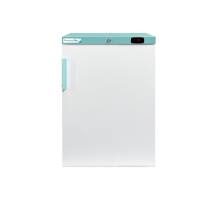
Lists specifications for Pharmacy Plus and Neonatal refrigerator models.
Specifications for FMS units designed for storing flammable materials.
Details specific information about Pharmacy Plus refrigerator models.
Provides specific details for Laboratory Plus refrigerator models.
Details specific information regarding Laboratory Plus freezer models.
Information on specific models of Laboratory Plus Fridge/Freezer Combi units.
Guidelines for placing and safely operating the refrigerator.
Instructions on how to safely move the refrigerator.
Details on how to properly connect the unit to the power supply.
Overview of the controller interface and its symbols.
Guide to obtaining and setting up the LEC Medical mobile application.
Steps for establishing a connection between the app and the appliance.
Overview of the main screen and functions within the LEC Medical App.
How to view recorded minimum and maximum temperature data via the app.
Procedure to reset recorded minimum and maximum temperatures using the app.
Instructions for customizing the appliance name within the app.
How to adjust the appliance's temperature set point using the app.
How to control the internal lighting of the appliance.
How to turn the appliance on and off remotely via the app.
Procedure to unlock the controller interface for interaction.
How to view and reset min/max temperatures directly on the controller.
How to switch between displaying Air and Load temperatures on the controller.
Method to display the recorded maximum and minimum temperatures.
Steps to reset maximum and minimum temperature readings on the controller.
How to adjust the appliance's temperature set point using the controller.
 General
| Category | Medical Equipment |
|---|---|
| Series | Pharmacy Plus Series |
| Manufacturer | Lec Medical |
| Type | Pharmacy Refrigerator |
| Temperature Range | 2°C to 8°C |
| Lockable | Yes |
| Digital Temperature Display | Yes |
| Audible and Visual Alarms | Yes |
| Automatic Defrost | Yes |
| Door Type | Solid |

 To Next Page