Memory function:
Switch the lamp off by remote or power switch for more than 20 seconds and the lamp
remembers the latest setting
Change settings by power switch: switch the lamp off and on within a few
seconds (less than 20 seconds) and the lamp change the color setting.
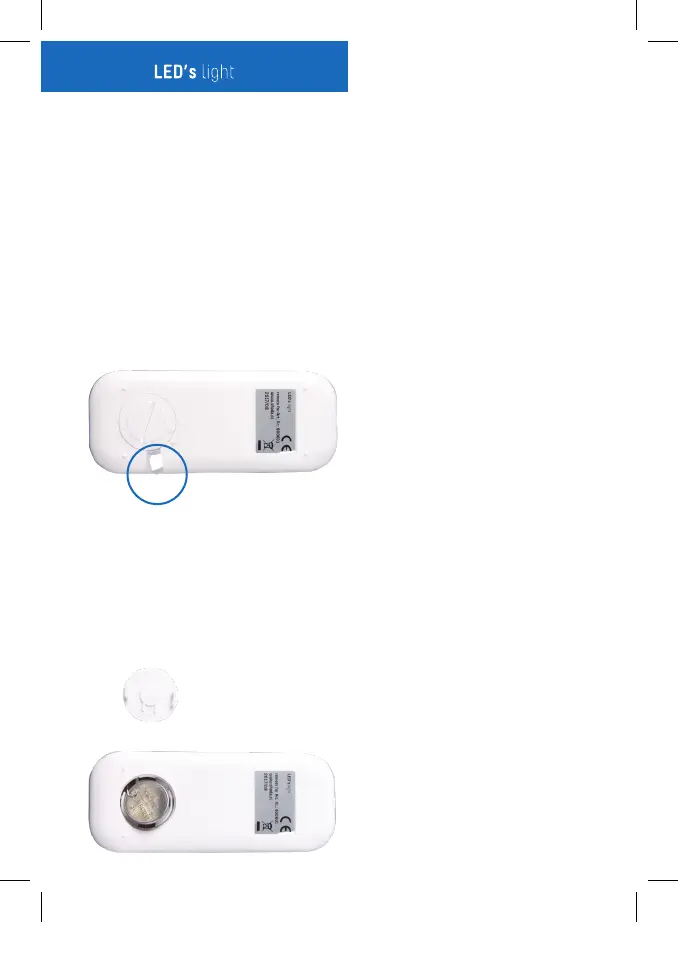
Activate the Remote:
Pull out the plastic strip on the backside of the remote
When the battery is empty:
1. Turn the battery cover on the backside of the remote 45° to the right.
2. Remove the empty battery
3. Place a new battery and take care the metal hook is on the top of the
battery and visible
4. Put the battery cover back and turn in 45° to the left.
1. On/off
2. Brightness + The lamp would stay the same color and become brighter
3. Brightness - The lamp would stay the same color and brightness decrease
4. CCT+ The color temperature increased to cool white (up to 6500K)
5. CCT- The color temperature decrease to warm white (low to 2700K)
6. Backup light The lamp switch to the first mode (white color)
7. Mode The lamp switch to 4 different status: warm white/ night-light/
neutral white/ cool white
8. Night light The lamp switch to night-light
80060x-MAN-REMOTE-ML-2017120601-SHA.indd 3 2017-12-06 14:49:13



 To Next Page