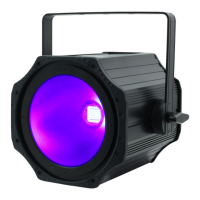
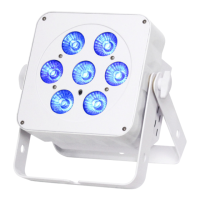
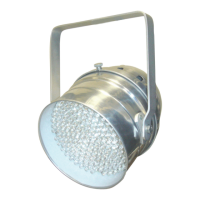
LEDJ PAR CAN 56 CONTROL OPTIONS
Manual Control Options
Colour Selection
• With Dip Switch 1 only set to ON you obtain static RED
• With Dip Switch 2 only set to ON you obtain static GREEN
• With Dip Switch 3 only set to ON you obtain static BLUE
You can have any combination of switches 1,2,3 to obtain static colour mix.
Flashing Mode
Once you have selected a static colour you can make it ash by using Dip Switches 4,5,6, 4 is
slow ash, 4&5 is medium ash and 4,5 & 6 is fast ash.
For example if you wish to obtain a purple wash with a medium speed ash you would put
dipswitches 1 and 3 (red & blue) to ON to obtain purple, and the Dip switches 4 & 5 to ON to
obtain a medium speed ash.
With all the Dip switches set to off this activates an internal slow colour mixing change and fade
programme.
Blackout Mode
With only dipswitch #10 set to ON the LED-56 will blackout.
DMX Control Mode
Operating in a DMX control mode environment gives the user the greatest exibility when it comes
to customising or creating a show. In this mode you will be able to control each individual trait of
the xture and each xture independently. The LED Par 56 uses 4 channels of control.
Enable the DMX control by setting dipswitch No: 10 to the ON position. Use dipswitches 1 – 9 to
address each xture accordingly.
Setting the DMX address
The DMX mode enables the use of a universal DMX controller. Each xture requires a “start
address” from 1- 511. A xture requiring one or more channels for control begins to read the data
on the channel indicated by the start address. For example, a xture that occupies or uses 7
channels of DMX and was addressed to start on DMX channel 100, would read data from
channels: 100,101,102,103,104,105 and 106. Choose a start address so that the channels used
do not overlap. E.g. the next unit in the chain starts at 107.


 To Next Page