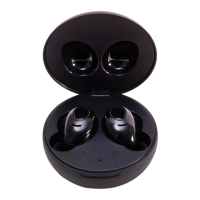
FEATURES
• High quality wireless stereo headset
• High denition, isolation and noise reduction, piston type
• The rechargeable house can be supplied to two earphones for 3 cycle recharge
• Headphones are full of electricity, which can support up to 4/5 hours of telephone or music playback time.
• You can play any audio les of the paired Wireless device.
• Built-in microphone hands-free phone
• Waterproof, antiperspirant
• Comfortabie and lightweight in-ear design
• Open Charging Box Automatic Boot-up Matching Function
• The earphone automatically turns off, and the auto charging function is put into the charging box.
• This product supports wireless charging
TECHNICAL PARAMETERS
• Play time: 4/5 hours
• Product Functions: Automatic switching function of master and slave headphones, call function, music playing
• Material Technology: ABS Environmental Protection Material
• Type of socket: USB-C charging port
• Power supply mode: built-in lithium battery / USB-C charging port
• Conventional color: 6 colours are available
• Earphone: 18.2x19.8x28.4mm
• Product size: 26x57mm
• Net weight of product: single ear 3g machine 36g
• Wireless version: 5.0
• Play format: A2DP1.3/ HFP1.6/ HSP1.2/ AVRCP1.6/ D11.3
• Specication of bayonet horn: Composite membrane Ø6mm
• Distortion rate: THD < 1%
• Wireless Distance: Effective Transmission Distance (> 15M)
• Frequency response: 20HZ-20KHz
• Sensitivity: 107 B SPL+/-3dB
• Charging parameters: earphone: 5V40mA charging seat: 5V330mA
• Battery capacity: headphones: 55mAh charging seat: 300mAh belt protection
English
French
Dutch/Belgium
German
Italian
Spanish
Portuguese
Swedish
Finnish
Danish
Norwegian
Polish
Greek
Bulgaria
ENGLISH
PACKAGE CONTENTS USB C Charging Cable / Earphone Storage Warehouse / Earphone / Instruction
1. OPERATION INSTRUCTION Turn on automatically after opening the charging bin.
2. WIRELESS PARING
A. Open the charging bin and the two headphones will match automatically. Note: The products have been
matched well when they leave the factory, if there is no self-matching situation, Please put it in the charging
bin again and charge it for 5 seconds before removing it for automatic matching.
B. Click on phone settings > Wireless
C. Click the product search code to connect the headset
D. Wireless earphones connected successfully
Find the corresponding Wireless name « Macaron » point from the Wireless list of mobile phones Click on the
connection pair, about 5 seconds voice prompt connection success, left and right headphones There will be hint
tone “bang“ light tone hint, the connection is successful.
When the same cell phone is used again, only the back hand of the earphone needs to be removed from the
charging bin.
Opportunity automatically completes the connection pairing operation. If used for another mobile phone, The
above matching steps need to be repeated.
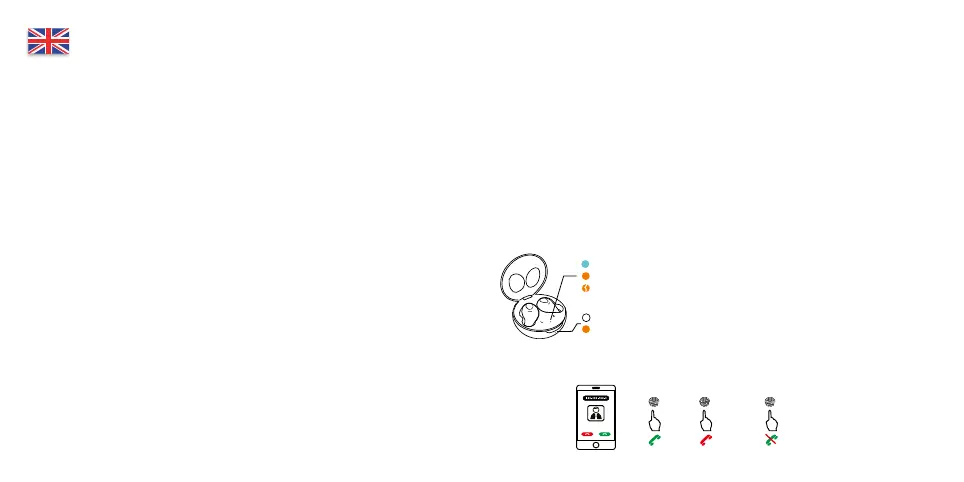
3. CHARGING INSTRUCTIONS
Work indicator light, green light indicates sucient power
Orange lights indicate insucient electricity
Orange light ickers to indicate low power
White light indicates headphone discharge indicator
Orange LED indicates charging indicator
4. POWER OFF It can shut down automatically when it is put into the charging bin.
5. CALL
1 tap
earbud
Connect
1 tap
earbud
Hang up
Long press
earbud
Refuse to accept


 To Next Page
 Loading...