Need help?
Do you have a question about the Ledwood XTREME 180 and is the answer not in the manual?
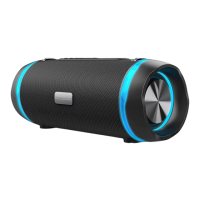
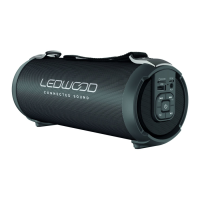
A 2.0 channel portable speaker with Bluetooth fabric design.
Water resistant (IPX6), splash-proof, rainproof, suitable for outdoor activities.
Enables true wireless Bluetooth playing with enhanced stereo sound.
Optimized for Google Assistant and Siri voice control.
Integrated microphone for making and receiving calls.
Wireless streaming from Bluetooth-enabled devices within 10 meters.
Supports music playback from USB disk and includes FM radio functionality.
Allows connection to other audio devices via line-in cable.
Built-in 3600mAh lithium rechargeable battery.
Includes a shoulder strap for easy portability.
Bluetooth version V4.2+BR.
Dual 7W speakers (14W total) with 3-inch drivers.
3.7V, 3600mAh lithium battery.
Up to 6:30 hours at 50% volume.
Frequency response from 100Hz to 20kHz.
Dimensions are 283mm (L) x 123mm (W) x 126mm (H).
Package includes speaker, charging cable, audio cable, user manual, and shoulder strap.
Instructions for turning the speaker on and off using the power button.
Steps to connect the speaker to a mobile device via Bluetooth.
Guide to pairing two speakers for True Wireless Stereo sound.
How to play music from a USB flash disk.
Instructions for using the FM radio function, including auto-search.
Connecting external audio devices via the AUX-IN port.
How to turn the RGB lighting on and off using the mode button.
Procedure to reset the speaker using the reset jack.
Notes on battery icon display, default volume, call handling, and play time variation.
Guidelines for charging the device using a standard charger or PC.
Advice on playing music during charging and volume levels.
Precautions regarding temperature, heat sources, listening volume, and cleaning.
 General
| Battery Life | Up to 10 hours |
|---|---|
| Bluetooth Version | 5.0 |
| Water Resistance | IPX5 |
| LED Lights | Yes |
| Built-in Microphone | Yes |
| Waterproof | Yes |
| Inputs | USB, Micro SD card, AUX 3.5mm |
| Connectivity | Bluetooth, AUX |

 To Next Page