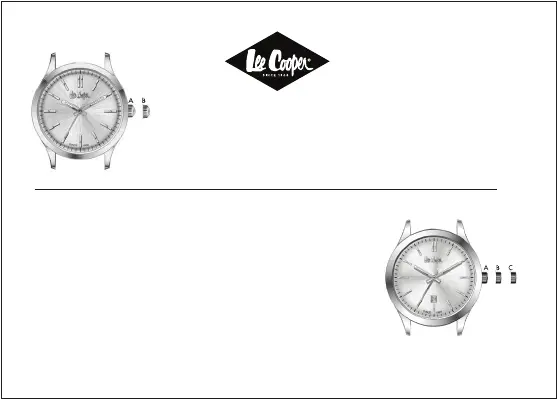
TIME SETTING
1.Bring the watch crown to the position B, and return it
back to position A after you made the time setting.
TIME SETTING WITH CALENDAR
1.Bring the watch crown to the position B for calendar
setting, and rotate it forward. Return it back to position
A after you completed the calendar setting.
2. Bring the watch crown to the position C for time
setting. Return it back to the position A after you
completed the date setting.
*In case your watch has a threaded watch crown, pull it up by loosing it before the process.
After you completed the process, press strongly and place it back by rotating it.
WATCHES


 To Next Page