Need help?
Do you have a question about the Legamaster XTX-5500UHD and is the answer not in the manual?
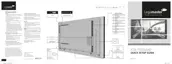
Critical warnings to prevent fire, shock, and physical damage to the unit.
Environmental, power, and placement requirements for safe and optimal installation.
Guidelines for securely mounting the display to a wall to prevent falling.
Instructions for connecting the display to an AC power outlet and identifying power controls.
Identification and purpose of all input and output ports on the display.
Steps to power the display on, off, and manage power-saving (sleep) mode.
How to change audio volume and select the active input signal for display.
A comprehensive table detailing all OSD menu items and their adjustable functions.
Instructions on how to navigate and adjust settings within the OSD menu system.
Step-by-step guide for connecting the display for touch input functionality via USB.
 General
| Display Size | 55 inches |
|---|---|
| Touch Technology | Infrared |
| Touch Points | 20 |
| Brightness | 350 cd/m² |
| Contrast Ratio | 4000:1 |
| Response Time | 8 ms |
| Viewing Angle | 178° |
| Operating System Compatibility | Windows, macOS, Linux |
| Speakers | 2 x 10W |
| Connectivity | Wi-Fi, Bluetooth |
| Weight | 32 kg |
| Resolution | 3840 x 2160 |
| Operating System | Android |
| Ports | HDMI, USB, VGA |
| Power Consumption | 150W |

 To Next Page