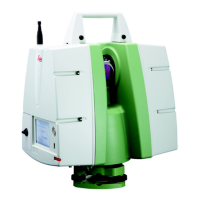
The Leica BLK ARC-UI is an autonomous laser scanning module designed for integration with robotic platforms, primarily the Boston Dynamics Spot robot. It enables autonomous reality capture by combining 3D data acquisition with robot navigation.
Function Description:
The BLK ARC-UI facilitates the planning and execution of autonomous laser scanning missions. Users can define automated scan paths, and the BLK ARC module will command the Spot robot to perform scans as needed, simultaneously using the acquired 3D data for navigation. The system is designed for broad integration across various industries and robotic carriers.
Key functionalities include:
- Autonomous Mission Planning: Users can create offline mission files using Cyclone 3DR software, defining scan paths, static scan positions, and fiducial placements.
- Pose Optimization: The system supports pose optimization during missions by utilizing a 3D model (*.obj) to improve navigation quality and fiducial localization, reducing drift in longer or less accurately initialized missions.
- Visual Initialization: For repetitive missions, BLK ARC-UI 1.3.0 and later allows for visual initialization using a 3D map (*.bytes) generated from a *.b2g file within the HxDR platform, eliminating the need for a physical fiducial.
- Docking Station Integration: BLK ARC-UI 2.0.0 enables missions to start and end at a docking station, utilizing dedicated Boston Dynamics fiducials mounted on the station.
- Manual Control: The BLK ARC-UI provides a control panel for manual operation of the laser scanner and robotic carrier, allowing users to start/stop scans and move the robot using remote joysticks.
- Data Management: The UI includes a "My Files" panel for managing collected data, allowing users to transfer, download, process, view, and upload scans to HxDR.
- Obstacle Avoidance: During missions, the robot can automatically skip unreachable waypoints and execute local obstacle avoidance by planning alternative paths using live-streamed LiDAR data.
- Return to Home: A command to return the robot to its starting point or docking station, especially useful in cases of obstacles or mission interruptions.
- Outdoor Missions (GNSS): BLK ARC-UI 2.0.0 supports outdoor missions with touch2go navigation, combining GNSS signals with GrandSLAM trajectory for accurate positioning.
Important Technical Specifications:
- Compatibility: BLK ARC-UI is compatible with Spot v3.2.x, Portainer v2.1.1 or newer, and Cyclone 3DR v2021.2 or later.
- Networking: The system offers multiple connectivity options for Spot CORE, including WiFi USB-Dongle, Spot's internal WiFi (Client-Mode), and Ethernet.
- Data Formats: Supports *.json for mission files, *.obj for 3D models (pose optimization), and *.bytes for 3D maps (visual initialization).
- Fiducial: Utilizes Fiducial 200 (printable template) for UCS orientation and mission initialization.
- SLAM Technology: Employs GrandSLAM, a combination of Lidar SLAM, IMU measurements, and Visual Inertial System (VIS) tracking for robust navigation.
- Minimum Measuring Distance (LiDAR): 50 cm.
Usage Features:
- Installation: Involves mounting BLK ARC on the Spot robot, installing BLK ARC-UI on Spot Core via Portainer, and payload authorization.
- Network Setup: Detailed instructions are provided for configuring Internet connectivity on Spot CORE using various methods (WiFi dongle, Spot's WiFi, Ethernet) and finding default gateways on Windows.
- Mission Planning Workflow:
- Workflow 1 (Autonomous Mission): Import input files (CAD, BIM, point cloud, mesh) into Cyclone 3DR, plan the mission, export as *.json, place a physical fiducial on site, load the mission file into BLK ARC-UI, and start the mission.
- Workflow 2 (Autonomous Mission with Pose Optimization): Similar to Workflow 1 but includes exporting a 3D model (*.obj) for pose optimization.
- Workflow 3 (Autonomous Mission with Pose Optimization and Visual Initialization): Involves collecting a .b2g scan, uploading it to HxDR to create a 3D map (.bytes) and 3D model (*.obj), then loading these into BLK ARC-UI for visual initialization.
- Workflow 4 (Docking Station): Utilizes GA03 & GAD130 hardware for outdoor missions, calibrates the GNSS module, and plans paths on the map.
- User Interface (BLK ARC-UI): Browser-based interface accessible from any device (smartphone, tablet, laptop) via Spot's WiFi. Features a dashboard displaying device status, battery levels, GNSS status, and access to logs, settings, mission planning, and file management.
- Mission Execution: Initialize mission, monitor robot status, pause/end missions, skip waypoints, go to the closest waypoint, or return to home.
- Static Scans: Define static scan poses (10s, 30s, 60s) at desired waypoints during mission planning or manually trigger them during manual control.
- Point Cloud Preview: View 3D previews of colored *.e57 files directly in the BLK ARC-UI.
Maintenance Features:
- Firmware Updates: It is recommended to always use the latest compatible firmware for BLK ARC, Spot, Spot CORE, and BLK ARC-UI.
- Troubleshooting:
- Service Control: BLK ARC-UI service can be controlled (start/stop/restart) via Portainer.
- Log Generation: Logs can be downloaded directly from BLK ARC-UI or generated from Portainer for support.
- Connection Issues: Steps are provided to troubleshoot cable connections (power and USB), WiFi stability, and refresh issues.
- Responsiveness: Operate BLK ARC-UI from a single mobile device and close other browser tabs to prevent unresponsiveness.
- Time Synchronization: Restart the Stack file on Portainer if time synchronization issues occur.
- Upload Failures: Restart the stack if HxDR uploads fail or get stuck.
Best Practices:
- Mission Planning: Divide long missions into shorter segments, ensure overlap between scan paths, and use the same fiducial for multiple missions.
- Fiducial Placement: Place fiducials in SLAM-friendly areas, considering the LiDAR's field of view and minimum measuring distance. Ensure the fiducial plane aligns with the wall.
- Initialization: Provide a stable environment for initialization, avoid moving objects or people near the robot, and ensure good lighting conditions.
- SLAM Performance: Move the robot gently to avoid stressing the IMU, ensuring good lighting and visual features for GrandSLAM.
- Obstacle Avoidance: Be aware of limitations in detecting very thin, high-contrast, clear, short, or moving objects, and elevated obstacles.
- Data Quality: Minimize people walking near the robot to ensure optimal point cloud quality.
- Post-Processing: Re-observe areas in harsh SLAM environments to reduce drift.
- Visual Initialization: Ensure consistent lighting conditions (natural or artificial) between reference scan capture and mission initialization. Point the camera towards scenes with diverse, non-planar visual features.

 Need help?
 General

 To Next Page