15
Getting started with new equipment
GPS Equipment User Manual -2.0.0en
Measuring with the default configuration parameters, continued
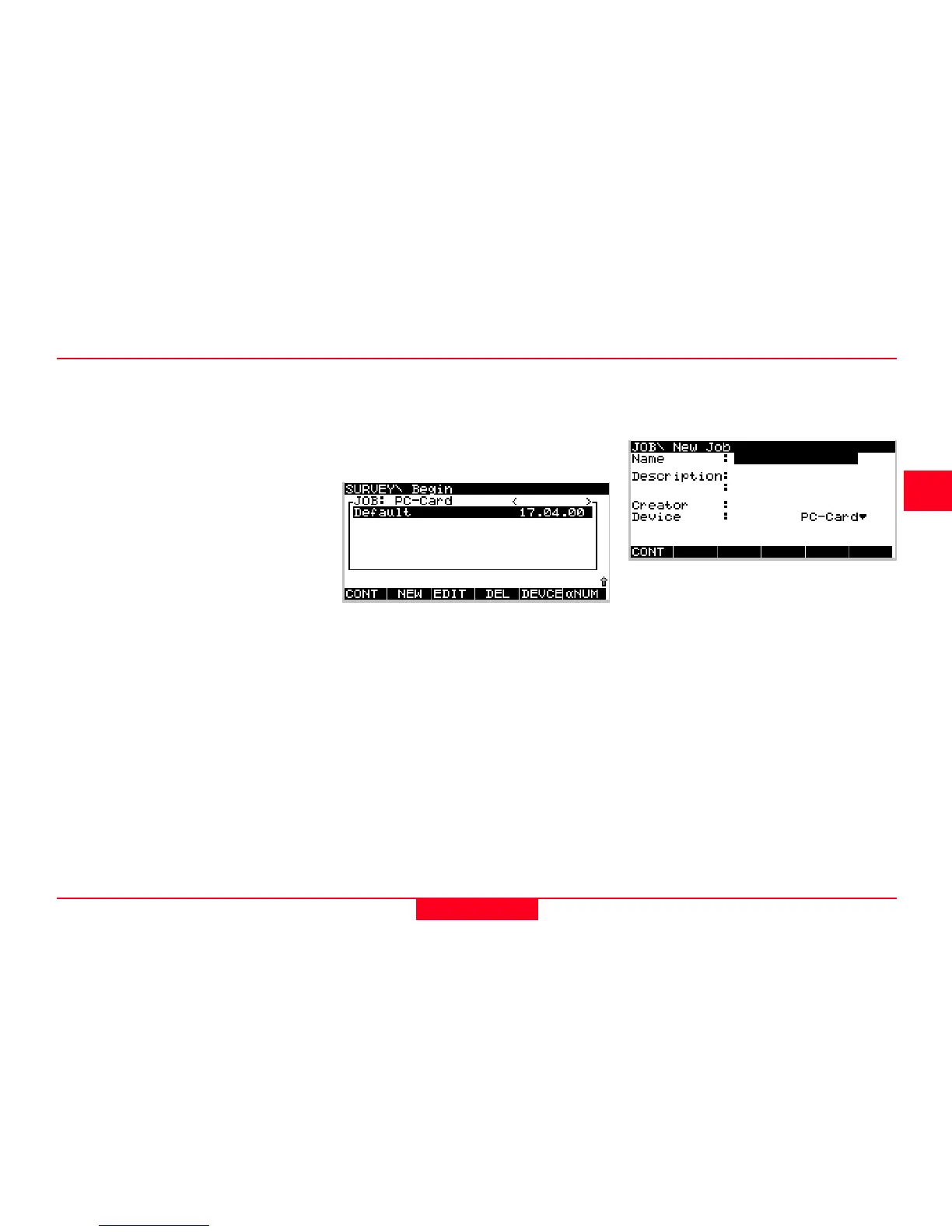
Use the cursor up or cursor down key
to highlight the input field for jobs.
Then press ENTER. The following
listbox will appear:
Now press F2 NEW. The following
panel appears:
Now use the cursor up or cursor
down key on the terminal to highlight
the PP_STAT line. Then press
ENTER or F1 CONT.
Jobs are used to organise and
structure the data you collect in the
field. Jobs can comprise an unlimited
number of points together with all
related information (raw measure-
ments, codes, point annotation, etc.).
It is suggested to create a new job
whenever you start a new project.
Upon formatting the memory device
(i.e. PC-card or internal memory) a
default job is automatically created.
You can either use this job straight
away or you can create your own job
by doing the following:



 To Next Page