16
Getting started with new equipment
GPS Equipment User Manual -2.0.0en
Measuring with the default configuration parameters, continued
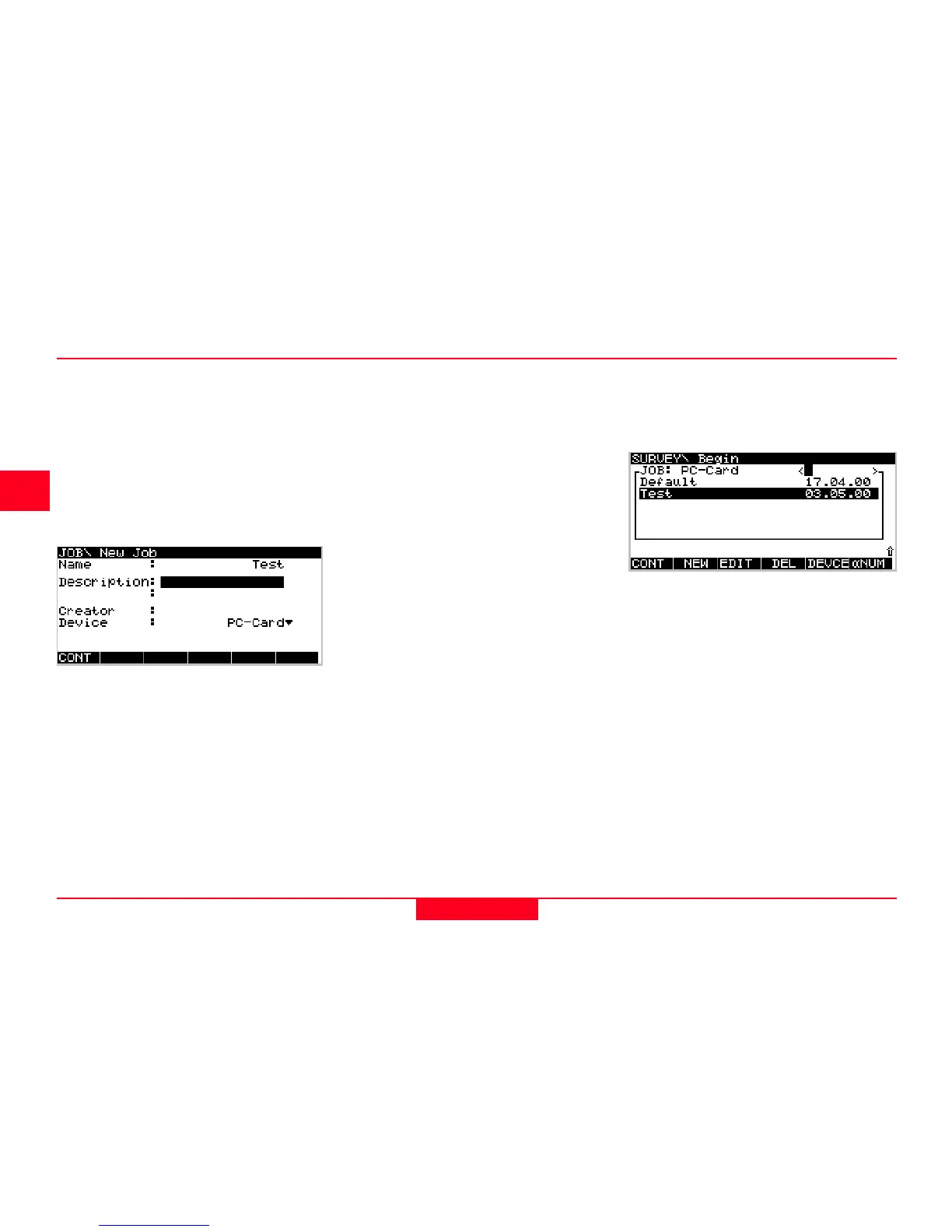
By default the new job will be as-
signed to the
PC-card
. If needed this
can be changed to
Internal
by
toggling the
Device
input field to
Internal
.
Pressing F1 CONT which confirms
the creation of a new job name and
its location. Press ESC if you want to
leave this field without creating a new
job. Pressing F6 QUIT has the same
effect.
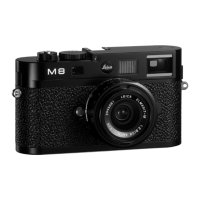
After pressing F1 CONT the list of
available jobs is updated and now
also shows the job
Test
:
You can now enter a name for a new
job; press ENTER upon completing
the input of the name. Input fields for
description and creator are optional
and can be left blank.
As an example we can create a new
job called
Test
:



 To Next Page