Leica DFC Cameras – Image Acquisition Guide 57
Proceed as follows:
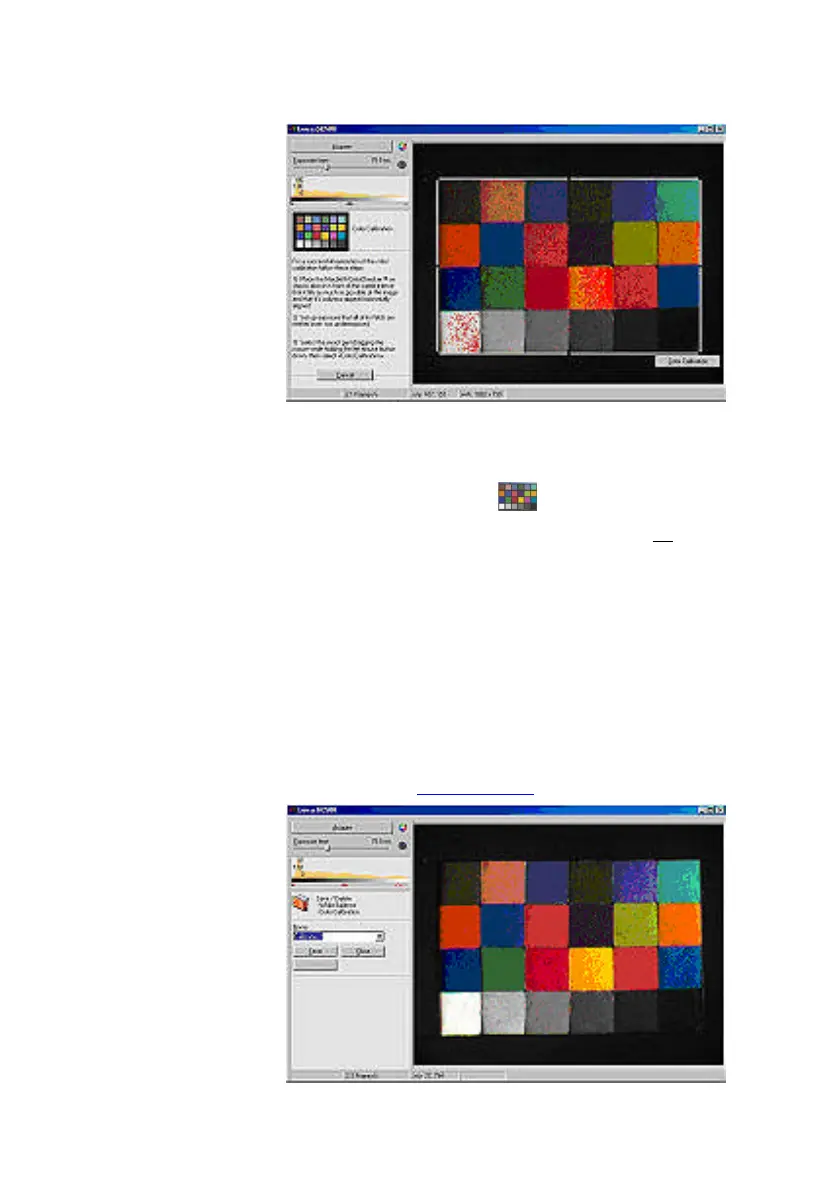
Place the ColorChecker so that it fills as much of
the image as possible. Align the columns vertically
and make sure the chart is the correct way round -
see the inset diagram .
It is important to set the exposure so that no color
pads are overexposed, but a manual white balance
is not necessary as this is incorporated.
Left-click and drag to draw the calibration template
over the live image. Cover all 24 color fields
precisely - if they are not covered, redraw the
template - and click
Color Calibration
.
Once the color calibration has completed, name the
setting and save it. This setting is now available in the
Captured Image>>White Balance
menu for image
acquisition (see White balance).


 To Next Page