EN
177
Review Mode
Displays during Review
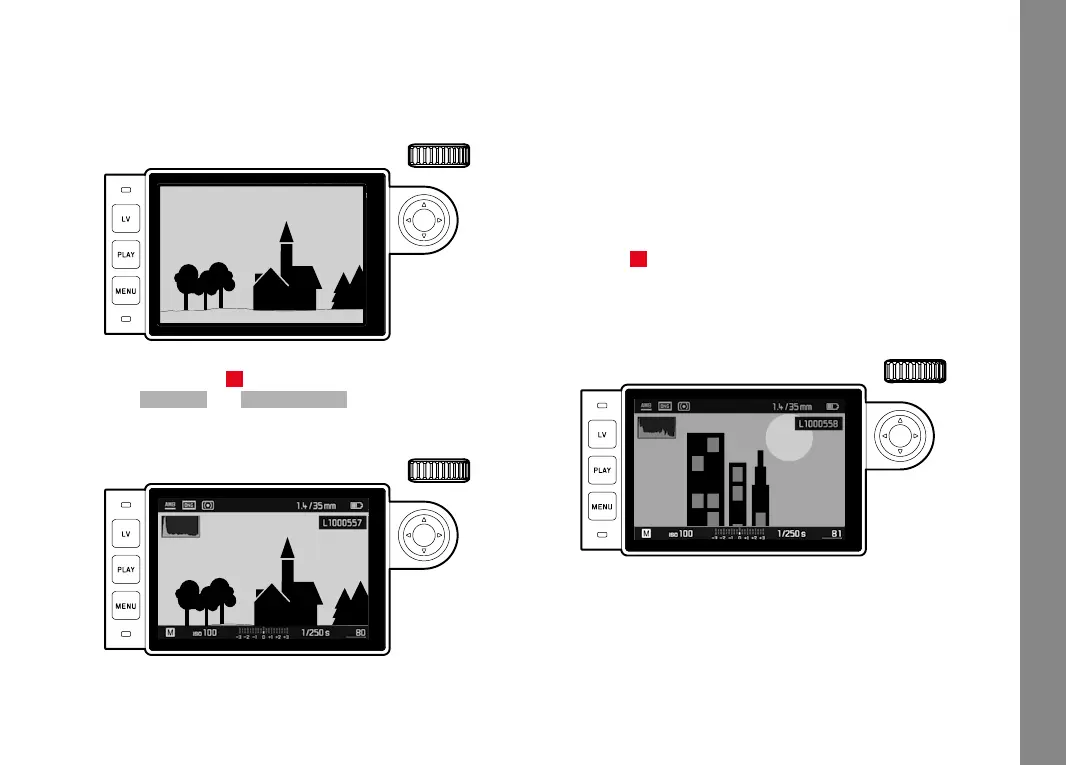
To allow unimpaired viewing of the pictures, they appear without
the information in the headers and footers in review with factory
settings.
22:45 PM 22.02.2012
999-9000
8234/999912MP
2.8F 1/8000 12500ISO EV
INFO
Press the Center button 30 to call up the headers and footers at
any time. If HistogramHistogram and Eposure ClippingEposure Clipping are switched on (see p.
162), these displays also appear.
22:45 PM 22.02.2012
999-9000
8234/999912MP
2.8F 1/8000 12500ISO EV
INFO
Notes:
• The histogram and the clipping indicators are available when
viewing both the entire picture and a section of it, but not when
simultaneously viewing 12 or 20 reduced pictures.
• The histogram and clipping indicators always relate to the detail
of the part of the picture currently being displayed.
Viewing other pictures/Scrolling in the memory
You can open other saved pictures by pressing left and right on the
direction pad 29. After the first and last picture, the series of pic-
tures begins again in an endless loop, which means you can reach
all pictures in either direction.
• The picture numbers change accordingly.



 To Next Page