RECORDING VIDEO / EXPOSURE RECORDING VIDEO / EXPOSURE
261
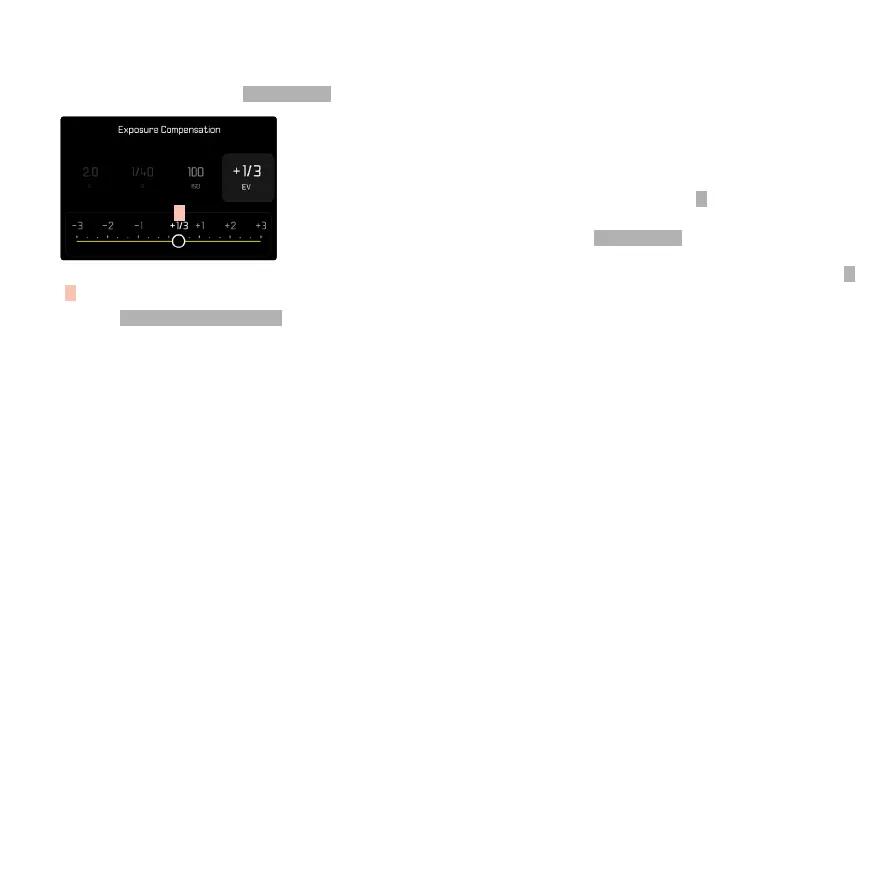
EXPOSURE COMPENSATION
Exposure compensation values can be set in the range
±3 EV (EV: Exposure Value). The available values de-
pend on the global setting E V I ncre men t (see p. 208).
A
A
Set compensation value (marks at 0 = O)
→Select
Exposure Compensation in the main menu
• A scale appears as a submenu item on the LCD
panel.
→Set the value on the scale
• The set value is displayed above the scale.
• While setting the value, you can see the eect on
the screen image, which becomes darker or lighter.
Notes
• This function is assigned to one of the setting wheels in
the three (semi) automatic exposure modes and there-
fore quickly accessible (see p. 73).
• The set exposure compensation is indicated by a mark
on the exposure compensation scale in the footer line
(see p. 28).
• The following applies for set compensation values, no
matter how they were initially set: They remain eective
until they are manually reset to
0 , even if the camera is
switched o and on again in the meantime.
• Changes to the
E V In crem ent setting (see p. 208)
lead to the cancellation of a compensation that has
been set, i.e. in such cases it is automatically reset to
0 .



 To Next Page