EasyManua.ls Logo

Leica T - Live-View & Play Mode; Live-View; Play Mode; Image Navigation & Zoom

Leica T
8 pages
Print Icon
To Next Page IconTo Next Page
To Previous Page IconTo Previous Page
Loading...
LIVE-VIEW & PLAY MODE
DURATION REPEAT
PLAY ALL
FAVORITE ONLY
VIDEOS ONLYPICTURES ONLY
WLAN
3. Enter Password
Slide show Mark as favorite
Protect Select memory
Copy data for Play mode
4. Connect
MENU
Browse menus Touch to enter function / change settings
MyCamera MenuStart Screen
INFO
1/80002.8F 12500ISO EV
P
-3 2 1 0 21 3+
823412MP
1
2
PERSONALIZE MYCAMERA-MENU
GESTURES
PERSONALIZE SOFT DIALS
INFO
1/80002.8F 12500ISO EV
A
-3 2 1 0 21 3+
823412MP
ISO F
Select
function
Change aperture value in
Aperture Priority mode (
A )
or
Change shutter speed in
Shutter Priority mode (
S )
2. Select Network
1. Turn WiFi on
Enter exposure/
scene modes
Enter
camera settings
Exit
Enter MyCamera
Status
Grid
Histogram
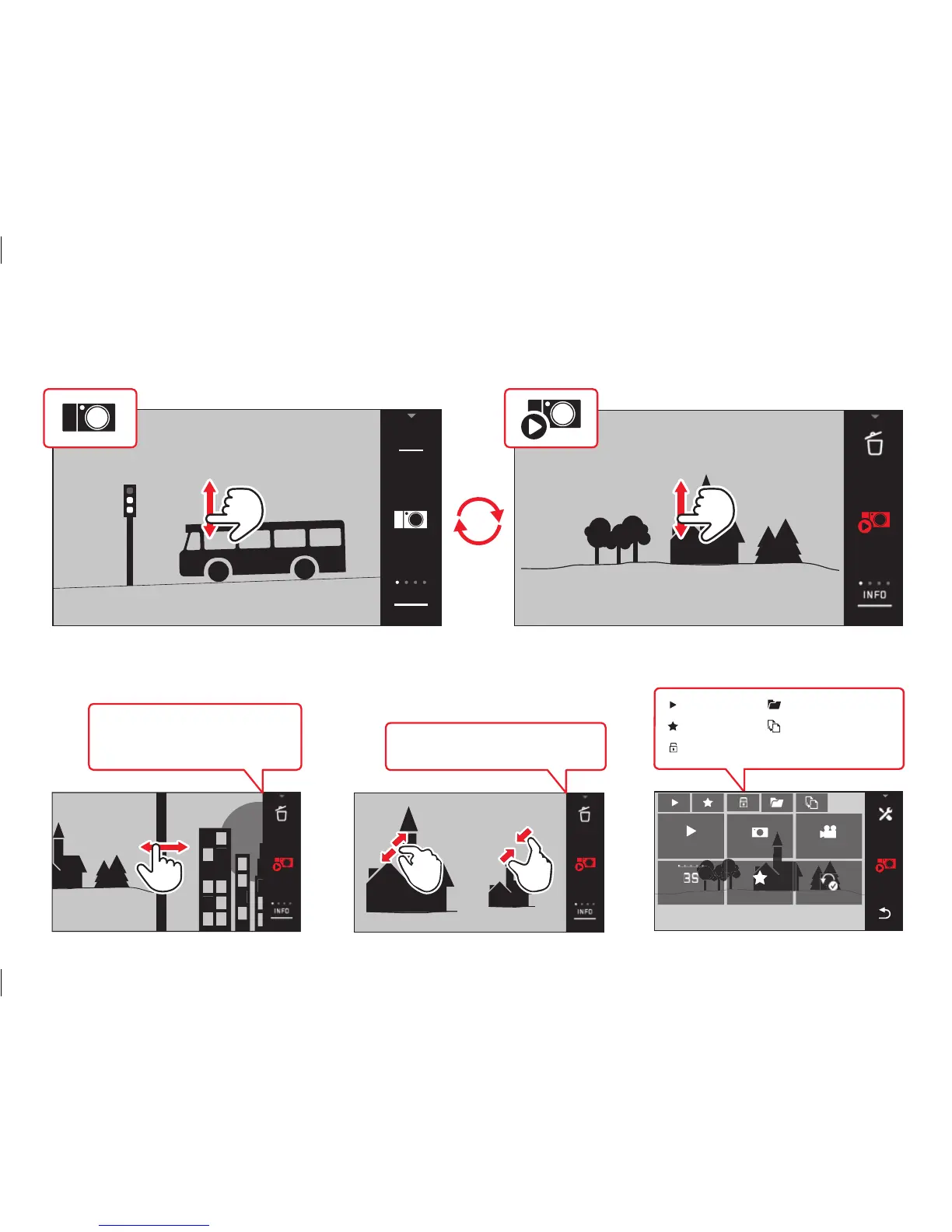
Swipe horizontally to browse
your images in Play mode
INFO
1/80002.8F 12500ISO EV
A
-3 2 1 0 21 3+
823412MP
Live-View
Play Mode
1 Enlarge / 2 Reduce image
touch
double touch
long touch,
drag & drop
swipe vertically swipe horizontally reduce enlarge
DURATION REPEAT
PLAY ALL
FAVORITE ONLY
VIDEOS ONLYPICTURES ONLY
DURATION REPEAT
PLAY ALL
FAVORITE ONLY
VIDEOS ONLYPICTURES ONLY
DURATION REPEAT
PLAY ALL
FAVORITE ONLY
VIDEOS ONLYPICTURES ONLY

Other manuals for Leica T

Related product manuals