24
Corresponding settings can be changed via the setup menu (see page 25).
• Internal control (closed loop)
– Set the temperature using the red potentiometer (3).
– Set the air volume using the blue potentiometer (4).
• External control (closed loop)
– Set the temperature using the external controller.
– Set the air volume using the external controller..
• Internal control (open loop)
– Set the power set-point using the red potentiometer (3) for
the temperature.
– Set the air volume set-point using the blue potentiometer (4)
for air volume.
• External control (open loop)
– Set the power set-point using the external controller for
temperature.
– Set air volume set-point using the external controller
for air volume.
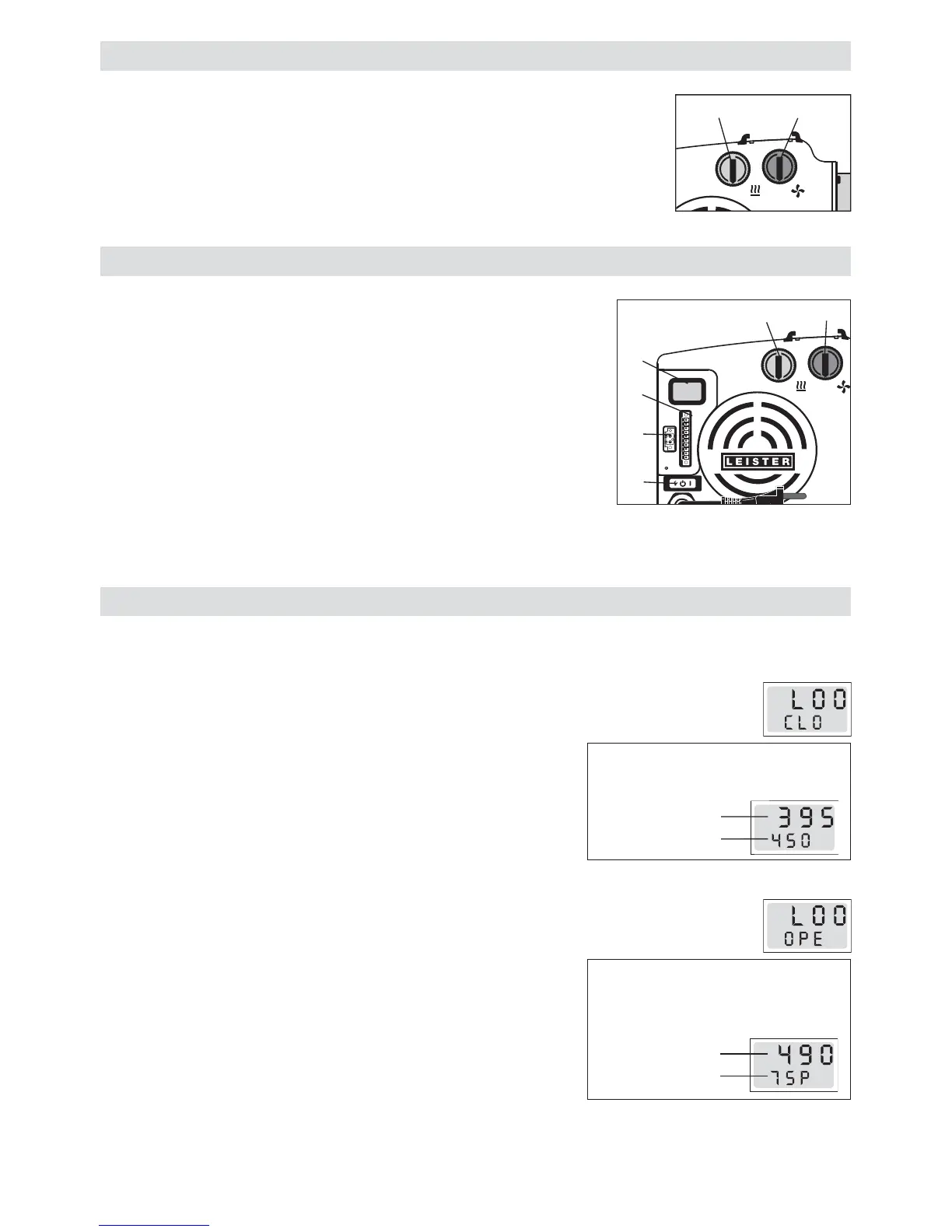
HOTWIND SYSTEM display (10)
• Set the temperature using the red potentiometer (3).
• Set the air volume using the blue potentiometer (4).
HOTWIND PREMIUM operation
Potentiometer
• Set the temperature using the red potentiometer (3).
• Set the air volume using the blue potentiometer (4).
System interface
• The temperature and the air volume can be controlled via the system in-
terface (12). The alarm can be connected via the units’ alarm relay
output (11).
The potentiometer for temperature (3) and the potentiometer for
air volume (4) no longer function.
• For switching between potentiometer or interface, see configuration, page 25.
HOTWIND SYSTEM operation
10
9
8
7
6
5
4
3
2
1
0
10
9
8
7
6
5
4
3
2
1
0
43
10
9
8
7
6
5
4
3
2
1
0
10
9
8
7
6
5
4
3
2
1
0
4
3
2
10
11
12
Actual value
Set point value
°C
Actual value
Set point value %
The display shows the actual and
set point of the temperature
The display shows the capacity
set point in % and the actual value
of the temperature
°C
Closed Loop
Open Loop



 To Next Page