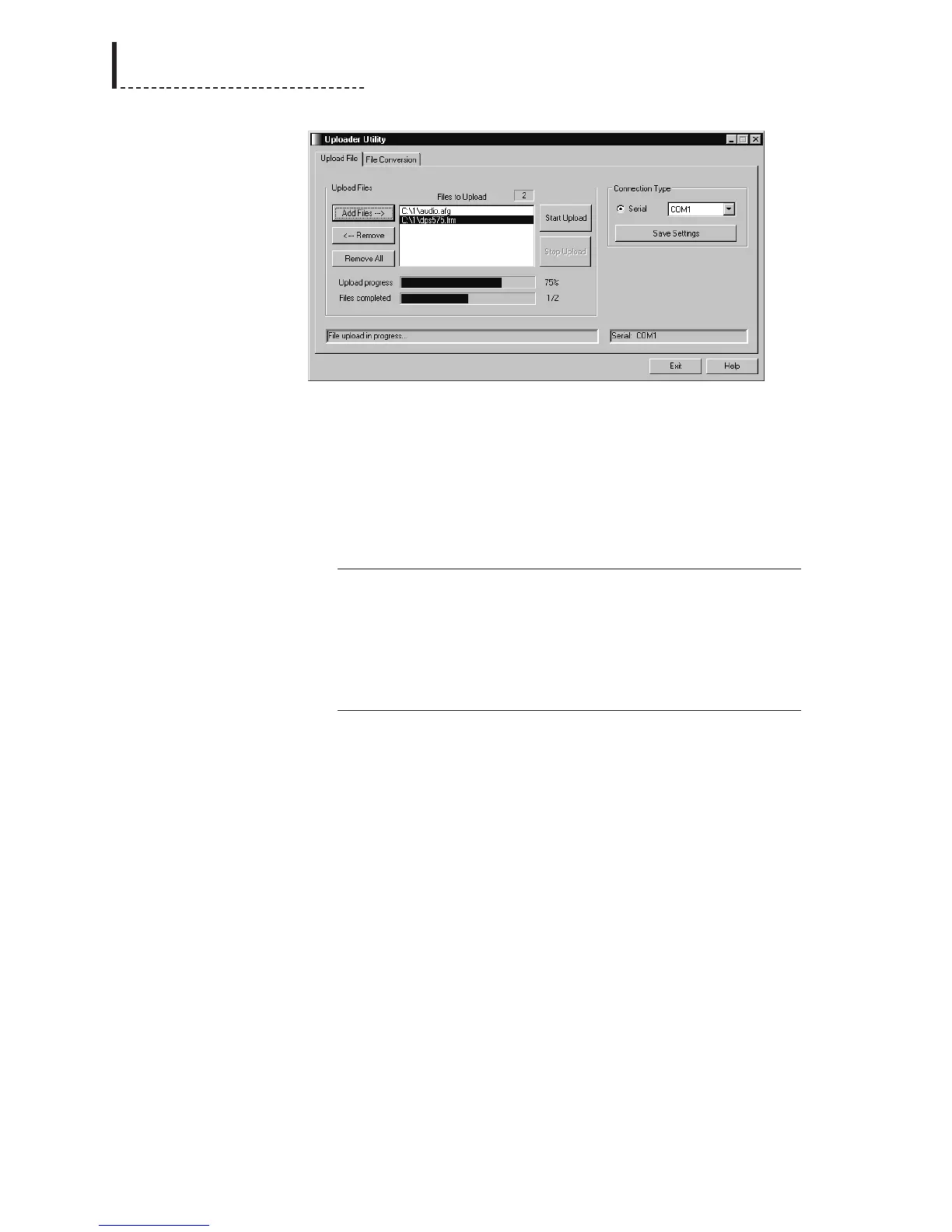
The first time you run the Uploader software, you will need to set your serial port
configuration in the Connection Type section. Select the serial port on your computer
to which you have connected the DPS-475/575. Once you have chosen the correct
serial port, click the Save Settings button; your serial port choice will then be
remembered whenever you run the software.
The following file types can be uploaded directly to the DPS-475/575. The unit
recognizes file types based on their filename extension. For example, with the
filename filename.ext, the following types are recognized, where .ext is one of:
.afg Audio FPGA upgrade file
.vf5 Video FPGA upgrade file (525-line/NTSC)
.vf6 Video FPGA upgrade file (625-line/PAL)
.frm Firmware upgrade file
.htdb Ethernet control upgrade file
.dst 8-bit video still image file
.dts 10-bit test pattern file
.dan Animation file
Note that if you have downloaded upgrade files from the DPS web site, you will have
to unZIP them before they can be uploaded to the unit (see above).
The number of files that can be transferred to the DPS-475/575 is contingent on the
amount of free memory available in the unit. As the files are stored in a compressed
form, file sizes will vary from image to image. For example, a file that consists of
solid black will compress easily, and take up less memory in the unit than a
complicated image.
NOTE: When upgrading the firmware of the unit (.afg, .vf5, .vf6, or .frm files), if
the unit’s memory is almost full, it may be necessary to delete the existing firmware
files from the unit before uploading the new ones. This is a side effect of a safety
mechanism of the firmware upgrade process — old firmware is not deleted from the
unit until it is confirmed that the new firmware file has been received successfully in
its entirety. As a result, uploading firmware requires there to be sufficient free space
to store the new firmware files as well as the old ones; once the new firmware files
are validated, the old firmware files will be deleted. In cases where available memory
is limited and there are multiple firmware files to be uploaded, it is advantageous to
upload them one at a time (instead of as a batch); deletion of old firmware files is
done only after all files in a batch are uploaded, so a batch upload would require
enough free memory to store all new files.
To delete old firmware files prior to uploading new ones, use the Flash Memory
Mgmt option of the System Config menu (see Chapter 12, “Menus: System Config”
202
DPS-475/575 Service Manual



 To Next Page