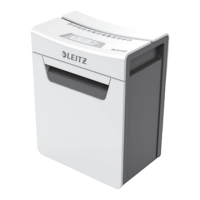
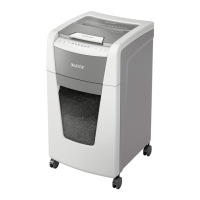
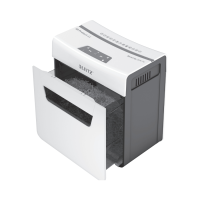
This document describes the Leitz IQ Office Pro series of shredders, including models P6+, P5+, P5, and P4. These shredders are designed for office use, offering various levels of security and shredding capacities.
Function Description
The Leitz IQ Office Pro shredders are designed to destroy sensitive documents by cutting them into small, unreadable pieces. They feature an automatic start/stop function when paper is inserted and a reverse function to clear paper jams. The shredders are equipped with an indicator panel that provides visual feedback on their operational status, including power on, shredding in operation, cooling down, auto jam clearance, bin full, and door open. A key feature is the quiet shredding technology, allowing for discreet operation in office environments. The devices are intended for indoor use only and are designed for easy mobility with integrated casters.
Important Technical Specifications
The IQ Office Pro series offers different cut levels and sheet capacities, all designed for 80 gsm paper:
- IQ Office Pro P6+: P6 cut level, 5 sheets capacity.
- IQ Office Pro P5+: P5 cut level, 7 sheets capacity.
- IQ Office Pro P5: P5 cut level, 15 sheets capacity.
- IQ Office Pro P4: P4 cut level, 20 sheets capacity.
All models share common specifications:
- Duty Cycle: 240 minutes on / 60 minutes off. This indicates the maximum continuous operation time before a cooling period is required.
- Bin Size: 30 litres.
- Volts / Hz: 220-240V AC / 50Hz.
- Amperage: 2.3A.
The shredders are capable of shredding stapled paper (25mm within the corner, using 26/6 and 24/6 or smaller staples), small/medium paperclips (max. wire thickness = 0.9 mm), and thick paper or card (<200gsm). They can also handle glossy paper or sheets with print on both sides, and multiple folded sheets (A3 folded in half).
Usage Features
The shredders are user-friendly with clear operational indicators.
- Power On/Off: A dedicated button to turn the shredder on and off. The "shredding in operation" indicator flashes blue every 3 seconds when ready.
- Shredding Process: Insert paper into the feed slot 'e'. The motor starts automatically, and the "shredding in operation" icon remains illuminated. Once shredding is complete, the cutters stop.
- Auto Reverse: If the paper thickness exceeds the shredder's capacity, the auto reverse icon flashes red, and the motor runs in reverse to prevent jamming. Users should remove some sheets and re-try.
- Manual Reverse Function (R button): For clearing persistent jams or retrieving documents, a reverse button allows the cutters to change direction. This function only operates while the button is pressed.
- Power Save Mode: If left idle for more than 15 minutes in operational mode, the shredder automatically switches off to save power.
- Overheat Protection: If the shredder is used continuously for 120 minutes or more, it may overheat, and the overheat icon will illuminate red. The shredder requires approximately 60 minutes to cool down before it can be used again.
- Casters: The shredders come with casters for easy movement. To install, turn the shredder upside down, place a castor in each corner's location hole, push until a click is felt, and then return the shredder to an upright position.
Maintenance Features
Regular maintenance is crucial for optimal performance and longevity.
- Bin Emptying: The "bin full" symbol illuminates and flashes red when the 30-litre bin is full. The shredder will not function until the bin is emptied. Users should pull out the bin, empty it, push it back in, and press the On button to resume shredding. It is important to empty the bin when full to prevent paper jams and increased noise levels.
- Door Open Safety: If the shredder door is opened during operation, the shredder instantly stops, and the "door open" symbol flashes red as a safety precaution. Shredding resumes once the door is closed and the On button is pressed.
- Troubleshooting: A basic troubleshooting guide is provided for common issues like the shredder not starting. Checks include power connection, switch position, paper jams, motor overheating, bin position, and door closure.
Safety Instructions
The manual emphasizes several critical safety instructions:
- Use only for its intended purpose and connect to the specified supply voltage.
- Connect to an easily accessible socket outlet; avoid multiple adaptors or extension cables.
- Do not attempt to service or repair the unit.
- Separate paper and credit card shreds for recycling.
- Do not use if the cable or plug is damaged.
- Be careful when moving the equipment to avoid unleveled surfaces.
- The device is for indoor use only; keep away from moisture.
- Be vigilant and avoid operating under the influence of drugs, alcohol, or medication.
- Do not open, modify, or repair the device; do not drop, puncture, break, or expose to high pressure.
- Check for visible damage, strong odors, or overheating before use. Unplug immediately if any of these occur.
- Disconnect from the power source if not used for an extended period.
- Do not use spray cleaners or lubricants due to flash fire risk.
- Warnings: Sharp edges and moving parts – do NOT touch cutters.
- Never bypass the safety interlock.
- Do NOT use metal objects (scissors, letter openers, etc.) to clear jams.
- Keep loose jewelry, ties, loose clothing, and long hair clear of the feed slot.
- Do not reach into the opening.
- This equipment is not intended for use by children.
- No CDs, DVDs, or credit cards should be shredded by models not designed for them.
- Cannot shred heavy-duty staples (leg length >6mm), large clips (length >32mm), bulldog clips, bound documents, magazines or documents with multiple staples, adhesive labels, plastic sheets, laminated documents, or plastic folders.
- No aerosols or oil should be used near the shredder.
For warranty registration and service addresses, users are directed to www.leitz.com.

 Need help?
 General

 To Next Page