Inserting the lens
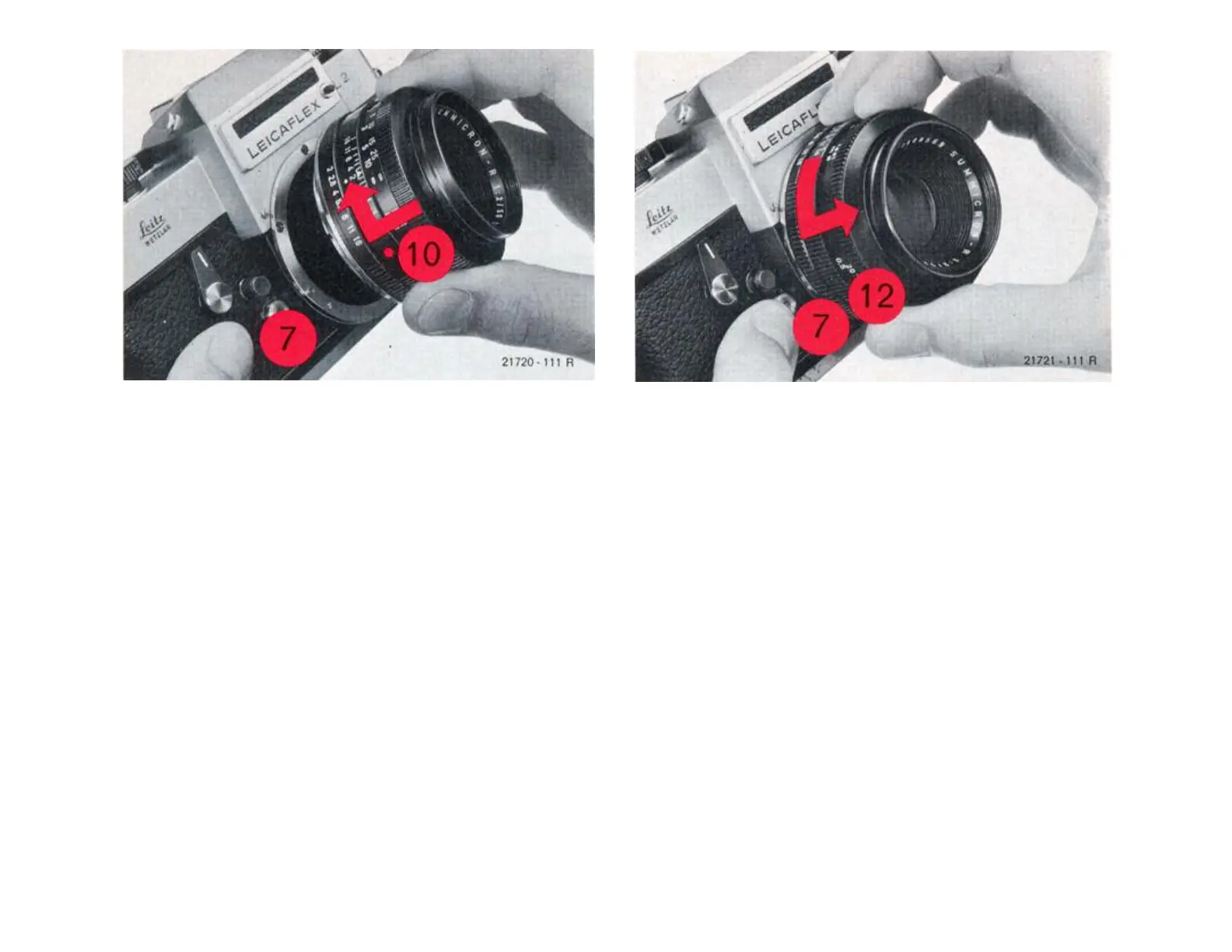
For insertion of the lens in the bayonet ring
on the camera body the red dot (10) on the
lens mount must face the bayonet lock (7)
marked in red. After a slight turn to the right
the lens clicks into position.
Change lenses in the shadow of your body.
Taking out the lens
Irrespective of the distance and diaphragm
settings the LEICAFLEX lenses are
changed as follows:
Grip the lens on the fixed ring (12), de-
press the bayonet lock (7), turn the lens
to the left and take it out.
Not For Resale – Free Download at http://www.joe-chan.com/manuals
6



 To Next Page