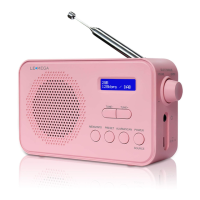
3
2) When your PR2 is using power adapter, press POWER button to
switch ‘on’ and ‘standby’ to fig.2. Unplug the power adapter to turn off your PR2 completely.
3) When your PR2 is using batteries, press POWER button to switch ‘on’
and ‘off’.
2. SOURCE: Briefly press to cycle through the sources: DAB, FM.
1) In FM mode, PR2 will tune to the start of the available FM range (87.50MHz)
or the last FM station listed to fig.3.
2) To manually change the FM frequency, make sure that you have not selected
any other sub-menus. Turn the TUNE+/TUNE- to change the frequency by
0.05MHz.
3. ALARM/SCAN: Briefly press alarm button to cycle through Alarm 1 setup and Alarm 2 setup, Rotate and
press the Volume knob in to adjust and set the hour and minutes and press in to set and move to the next
setting.
In DAB/FM mode, press and hold SCAN button, it will automatically scan for the available radio stations.
4. PRESET:Preset 20 DAB stations and 20 FM favorite stations.
1. Store a station to the preset list - to store a station, selected your
desired radio station, then press and hold the PRESET button for a
seconds until the LCD display “Preset store #:(Empty)” to fig.17, or“#:
saved radio station” to fig.18. There are 20 DAB presets and 20 FM presets.
Either press the TUNE+/TUNE- button to select your desired station preset
number, Push on the ENTER button to confirm your selection, the
display will show “Preset # Stored” to fig.19.
Recall a station from the Preset list
1. To recall a preset station, press the “PRESET” button once, or rotate the
TUNE+/TUNE – button to select presets station that you have stored. When the
display shows your desired preset number push ENTER button to confirm.
Note: If you choose a preset that hasn’t been allocated a station, then “Empty” will be displayed.
5. Menu/Info: When in DAB mode, briefly press repeatedly to view DLS (Dynamic Label Segment), signal
strength, PTY (Programme Type), ensemble, frequency, signal quality, bit rate codec, time, date. In FM mode,
view radio text, PTY (Programme Type), PS (Programme Service), stereo/mono, time, date etc.
6. TUNE+/TUNE- :Choosing radio stations or options
If the PR2 is in DAB mode, press TUNE+/TUNE- button to cycle through the radio station list when you are
listening. Or press TUNE+/TUNE- button to cycle through the menu list for options.
If the PR2 is in FM mode, press TUNE+/TUNE- button to manually adjust the frequency by 0.05MHz. Or you can
press and hold TUNE+/TUNE- button to auto-scan stations. Or press TUNE+/TUNE- button to cycle through the
menu list for options.
7. VOLUME +/VOLUME- button: Turn the Volume dial to increase or decrease the volume. The volume knob
may also be used to navigate when in the station List.
DAB mode
1. If the DAB Digital Radio is in DAB mode, press and hold MENU/INFO button to enter the menu list to fig.4.
Press the TUNE+/TUNE- button to select option through the list of menu. Then, stop at your preferred option
and Push the ENTER button to confirm. The menu options are: full scan, manual tune, DRC, prune, system.
2. Full scan – under menu list, press the TUNE+/TUNE- button to select “Full
scan“through the list of menu, Push ENTER button to confirm and full scan starts


 To Next Page
 Loading...