6
Backup battery
In the event of a power failure, the battery can retain the set clock/alarm time and the stored radio
station.
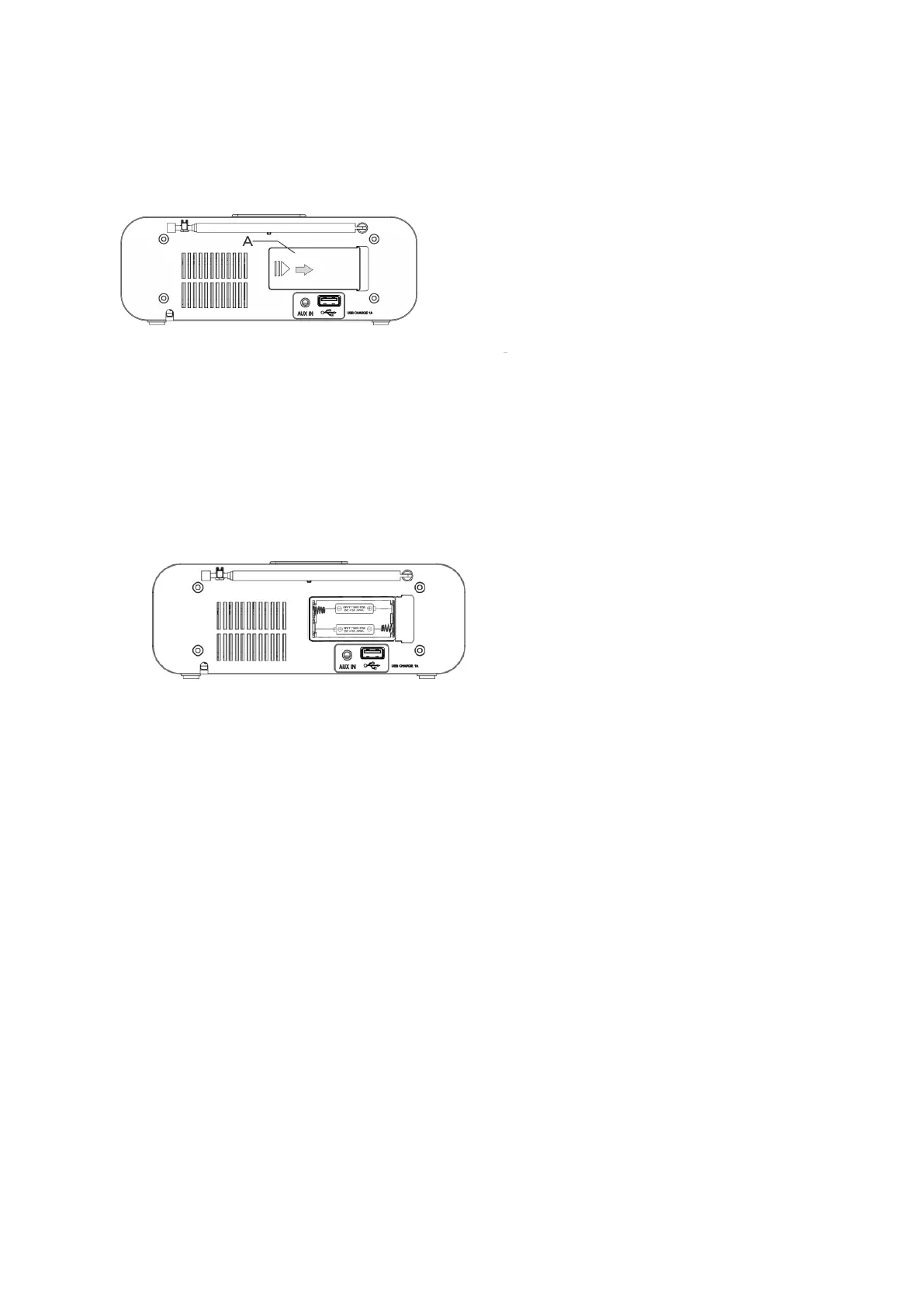
Figure 2: Opening the battery compartment
1. Remove the power plug.
2. Turn the device to open the battery compartment on the back. Be careful not to damage the buttons
on the front of the device.
3. Push the latch (A) in the arrow direction to open the battery case, as shown in Figure 2.
4. Install new batteries or remove old batteries if necessary.
5. Clean battery contacts and device contacts with a dry cloth before inserting a new battery.
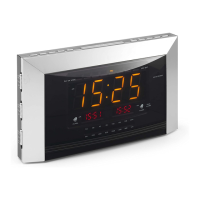
Figure 3: Loading the battery 1. Load the new battery. • Requires 2 alkaline batteries, type AAA/1.5V (not
included in the supply).
• Note the correct polarity when inserting, as shown in Figure 3. Secondly close the battery compartment
cover carefully. The retainer on the cover must be engaged with the housing.
Auxiliary (AUX) Playback
Connect external audio sources (AUX). The sound of external devices can be played through the speaker of
the unit.
1. Use the audio cable (with 3.5mm plug) to connect the audio output of the external device to the audio
input AUX IN.
2. Start playing the audio/video on an external device.
3. Adjust the volume of the two devices.
Smartphone charge



 To Next Page