13
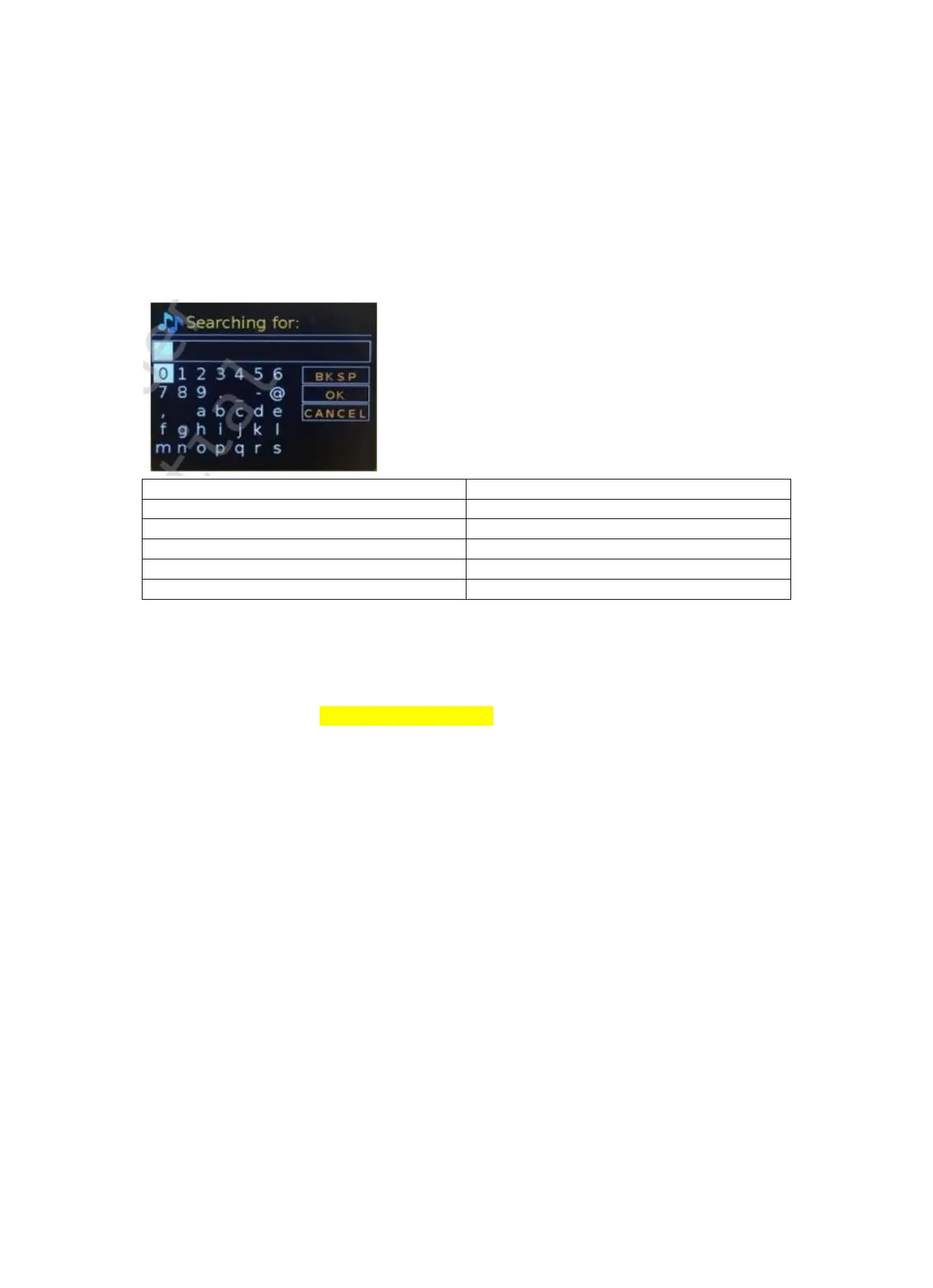
Note: A short cut is available to reduce the amount of scrolling when selecting commands and
characters. Press the Info key to jump to the BKSP (Backspace) command option, from anywhere in
the character loop. To enter a string of characters, select each character in turn. As each character is
selected, the key is built up and displayed in the field at the top of the display. The three options –
Backspace, OK and Cancel are included in the selection loop. These can be accessed just using the
knob control, press the Info key, to jump to the BKSP (backspace) option.
0123456789._-@,abcdefghijklmnopqrs
0123456789._-@,abcdefghijklmnopqrs
5.5 Presets
In each of DAB, FM and Internet radio, up to 40 preset stations can be stored and recalled.
To store the current station as a preset, press and hold FAV until the display shows the Save to
Preset screen. Select one of the 40 presets to save the currently playing station and press OK to
confirm. To select a preset, short press the FAV button, then select one of the listed preset stations.
When a preset station is playing, its preset store number Pn (P1, P2, etc) is shown in the bottom of
the screen.
6. Settings
All the settings parameters for radio are available on the System settings menu.
System settings menu options:
⚫ Equaliser
⚫ Standby Clock
⚫ Network
⚫ Time/Date
⚫ Language
⚫ Factory reset
⚫ Software update
⚫ Setup wizard
⚫ Info
⚫ Privacy policy



 To Next Page