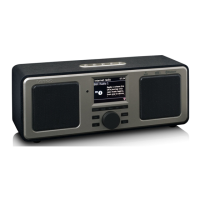
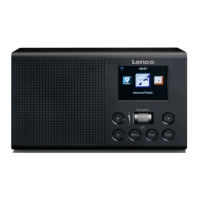
Select “Turn On” to set specific station playing time.
○ Turn on
Repeat: You can select “Everyday”, “Once”, “Mon”, “Tue”, “Wed”, “Thu”,
“Fri”, “Sat”, “Sun” as repeat date, then press “Navigate/OK/VOL” button to
confirm.
Time: Set the playing time (HH:MM).
Sound: You can select one station as sound from the saved Internet stations
or FM stations or DAB/DAB+ stations.
○ Turn Off
English, Deutsch, Español, Français, Português, Nederlands, Italiano, Pусский,
Svenska, Norskbokmål, Dansk, Magyar, Český, Slovenský, Polski, Türkçe,
Suomi, Ελληνικά.
This option configures when the DIR-141 should go into standby mode.
You can select Turn off/5 minutes/15 minutes/30 minutes.
When configured, the DIR-141 will switch to standby when no music is played
for the configured time.
Use the Turn off setting to ignore the standby function.
Turn off or set the sleep timer of 15/30/60/90/120/150/180minutes. Once
the time is set, there will be a bed icon with the remaining minutes at the top
right corner of the display and the device will turn to standby after the
configured time.
(You also can use the Sleep button on the remote control to use this function)
Activate/deactivate the weather forecast on the standby display. Choose
your preferred temperature unit (°F or °C) and then proceed by entering your
location. When activated, the weather forecast is shown in turns with the
clock display on the standby screen (it changes every 10 secs).
FM Mode: Set Mono/Set Stereo
FM Sensitivity: Strong/Default/Week
DAB Sensitivity: Strong/Default/Week
Service following (FM/Wi-Fi): Enable/Disable
Service following (DAB/Wi-Fi): Enable/Disable
There is a shortcut Local Radio under Internet Radio so that you can easily go
to the station list of your location. You may Manual Setup your location, or
let the system Auto Detect your current location. The system detects the
location according to the IP address of your connected network. Press Local
Station to enter this local radio list directly.
FM (IR) and DAB (IR) option (listen to local FM/DAB radio channels on
Internet)
To activate the FM (IR) and DAB (IR) option, first you need to enable FM (IR)
and DAB(IR) function.



 To Next Page