17
•
•
•
• View
View
View
View settings
settings
settings
settings
View the information of the current connected network:
Active connection, MAC address, Wlan region,
DHCP,
SSID, IP
address, Subnet mask, Gateway address, Primary DNS and
Secondary DNS.
•
•
•
• Wlan
Wlan
Wlan
Wlan region
region
region
region
Select the Wlan region to obtain the optimal Wlan
connectivity: Canada, Spain, France, Japan, Singapore,
Australia, and Republic of Korea.
•
•
•
• Manual
Manual
Manual
Manual settings
settings
settings
settings
Choose a wireless network connection and enable or disable
DHCP (Dynamic Host Configuration Protocol).
•
•
•
• Network
Network
Network
Network profile
profile
profile
profile
The device has memory function to memorize the last four
wireless networks that it has been connected to. The device
will automatically connect to one of them whichever could be
found and is available.
The list of registered networks will be displayed. You can
delete some unwanted networks by turning and pressing OK
and then choose YES to confirm.
•
•
•
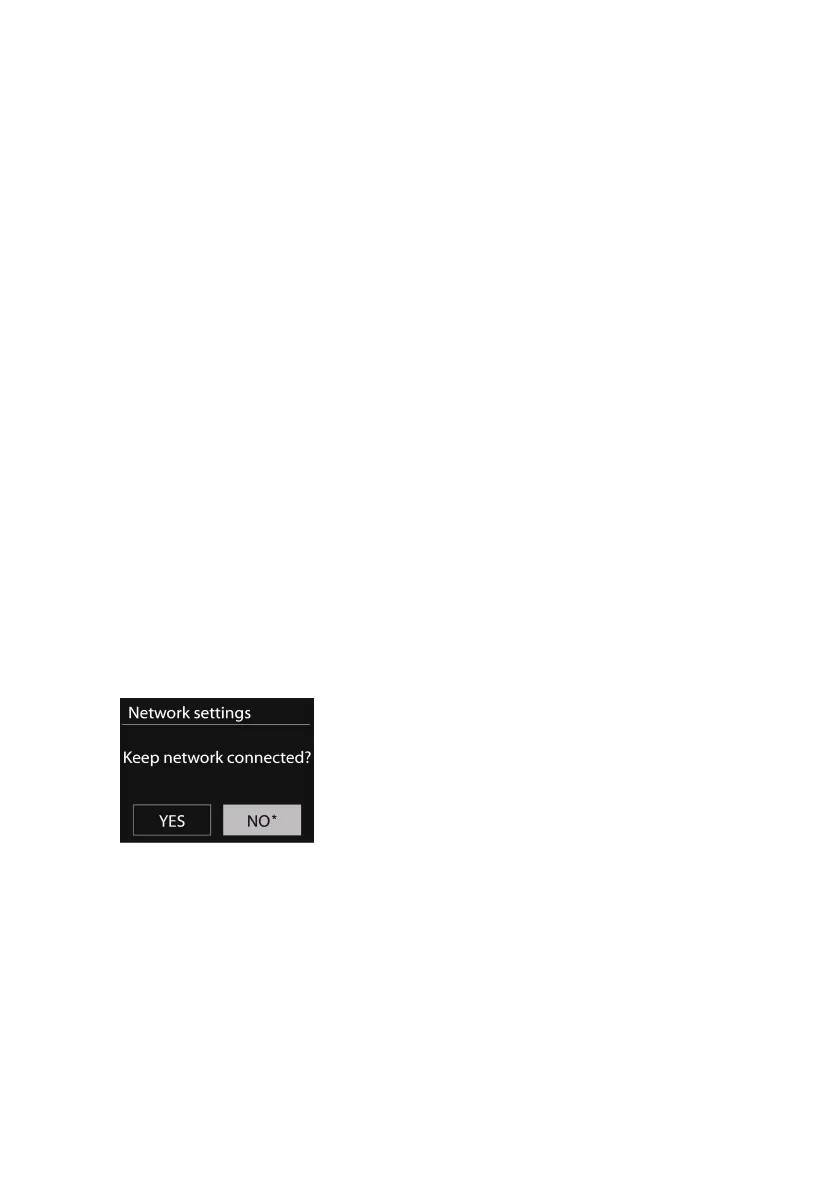
• Keep
Keep
Keep
Keep the
the
the
the network
network
network
network connected
connected
connected
connected
If you choose to keep the network connected, the WiFi will not
disconnect even if the device is in standby mode. Otherwise, the
connection will only available when the device is switched on. This
option allows the device to be ready for DLNA streaming in any
operating mode. Details for DLNA streaming, please refer to Section
5.6 .



 To Next Page