10
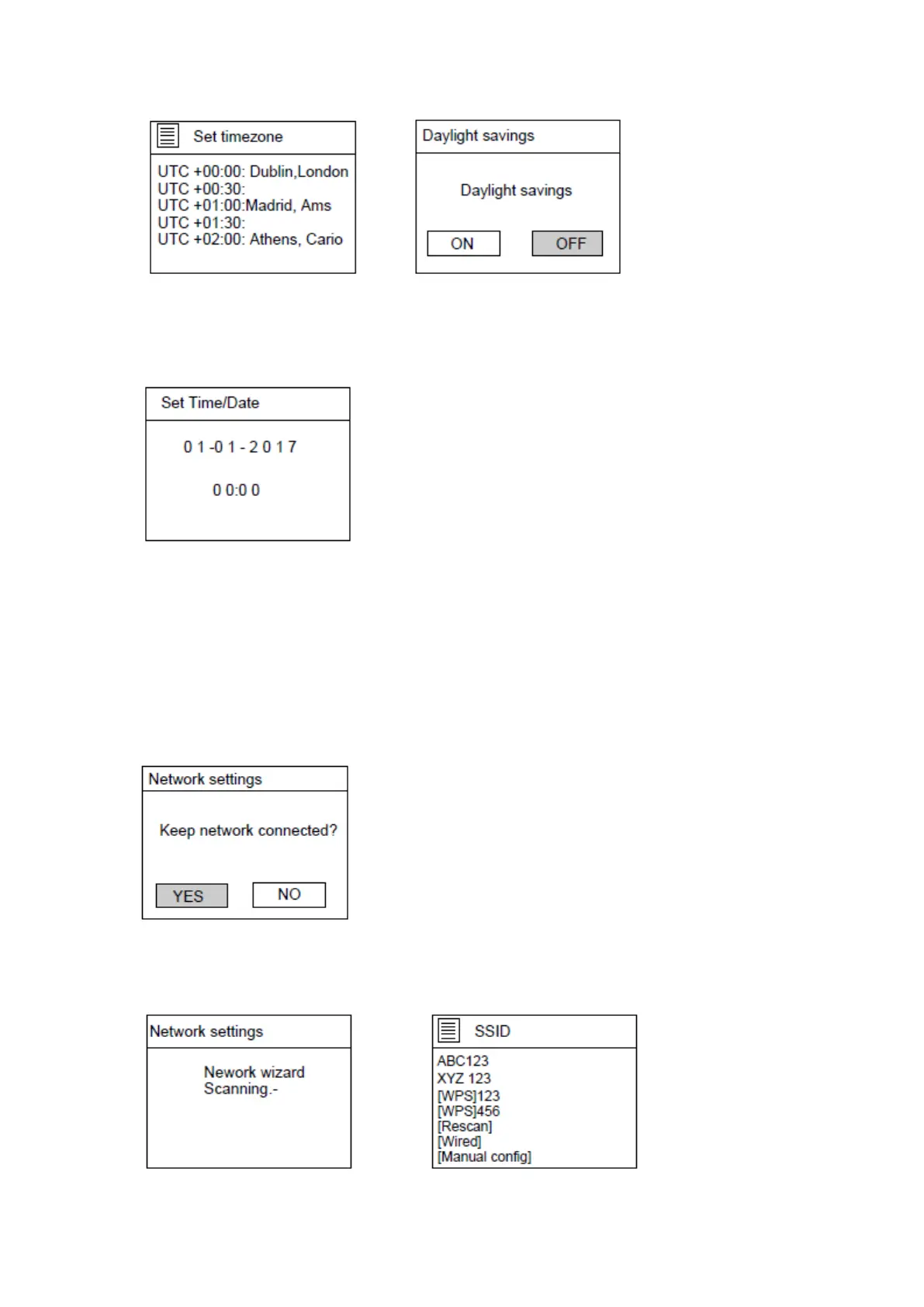
If ‘No update’ is selected:
Set the date and time manually.
The day number will flash, Turn the NAVIGATE knob on the unit or use the navigate buttons
on the remote control to set the desired day, then press the ‘OK’ button on the unit or the
remote control to confirm. Now the month number will flash. Use the same procedure as
setting the day, then do the same to set the year and time. Go ahead to next setup page.
5. The Network settings page will appear as below. Turn the NAVIGATE knob on the unit or
use the navigation buttons on the remote control to select ‘YES’ or ‘NO’.
Press the “OK” knob on the unit or remote control to continue.
6. The screen will be as below. On the SSID page, choose one of the wireless networks
from the list or choose one of the network with the prefix [WPS]…



 To Next Page