11
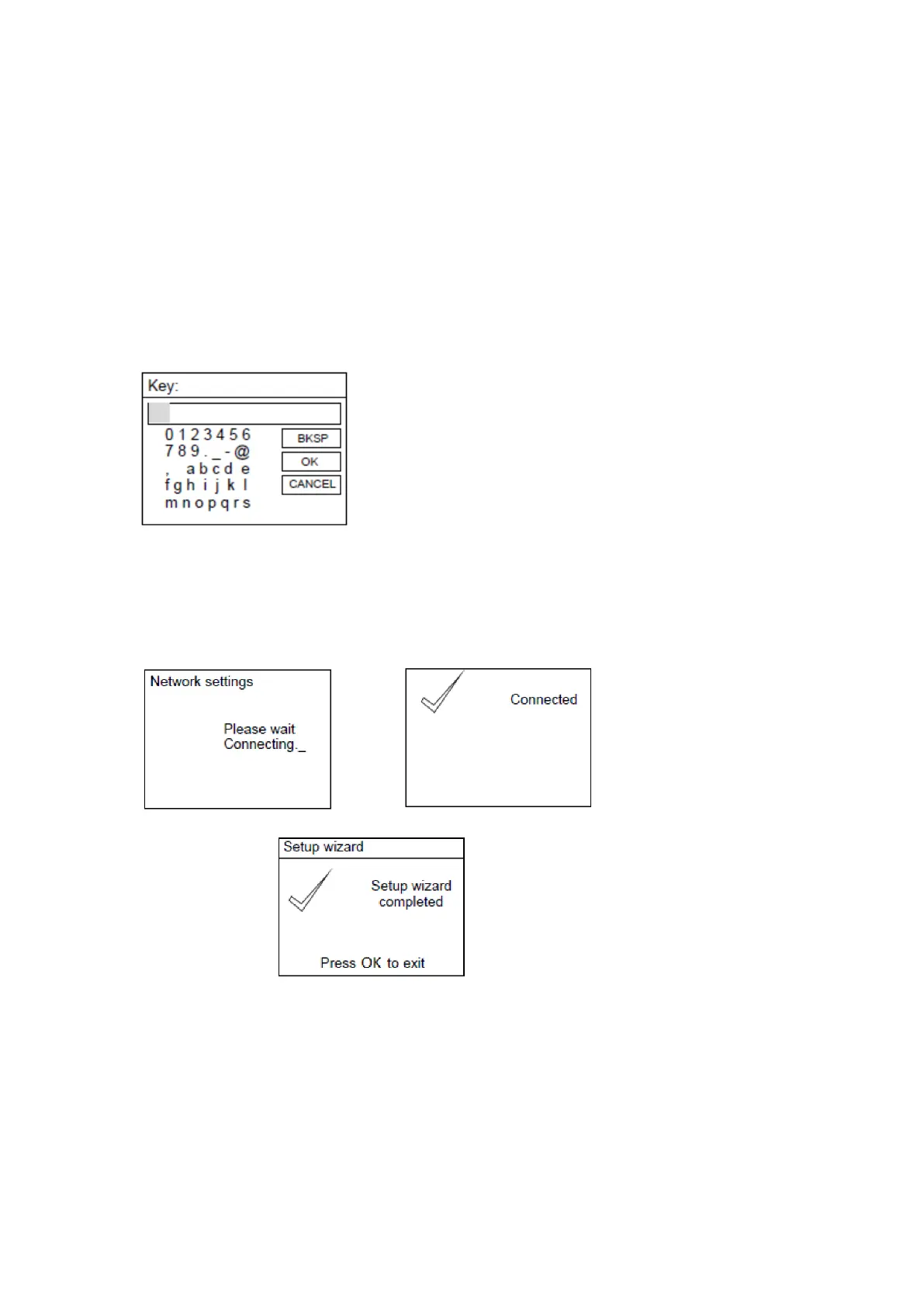
If for example. the wireless network ABC123 is selected, the Key page will pop up.
Turn the NAVIGATE knob on the unit or using the navigate button on remote control to
highlight the character needed, press the ‘OK’ button on the unit or remote control to
continue to the next character and repeat the above to complete your WIFI password.
BKSP = delete the last entered character
OK = confirm the password
CANCEL = cancel entering the password
After completing the correct password, select the OK on the display and press the ‘OK’
button on the remote control to continue. The next pages will appear as below.
NOTE: You can also use the number buttons on the remote control to enter the WIFI
password.
When setup wizard completed, press the NAVIGATE knob or press the OK button on remote
control to exit
In the SSID page, if for example the network [WPS] 123 is selected, the WPS Menu page will
appear.
NOTE: to use the WPS function you will need a WPS compatible WIFI router!



 To Next Page