12
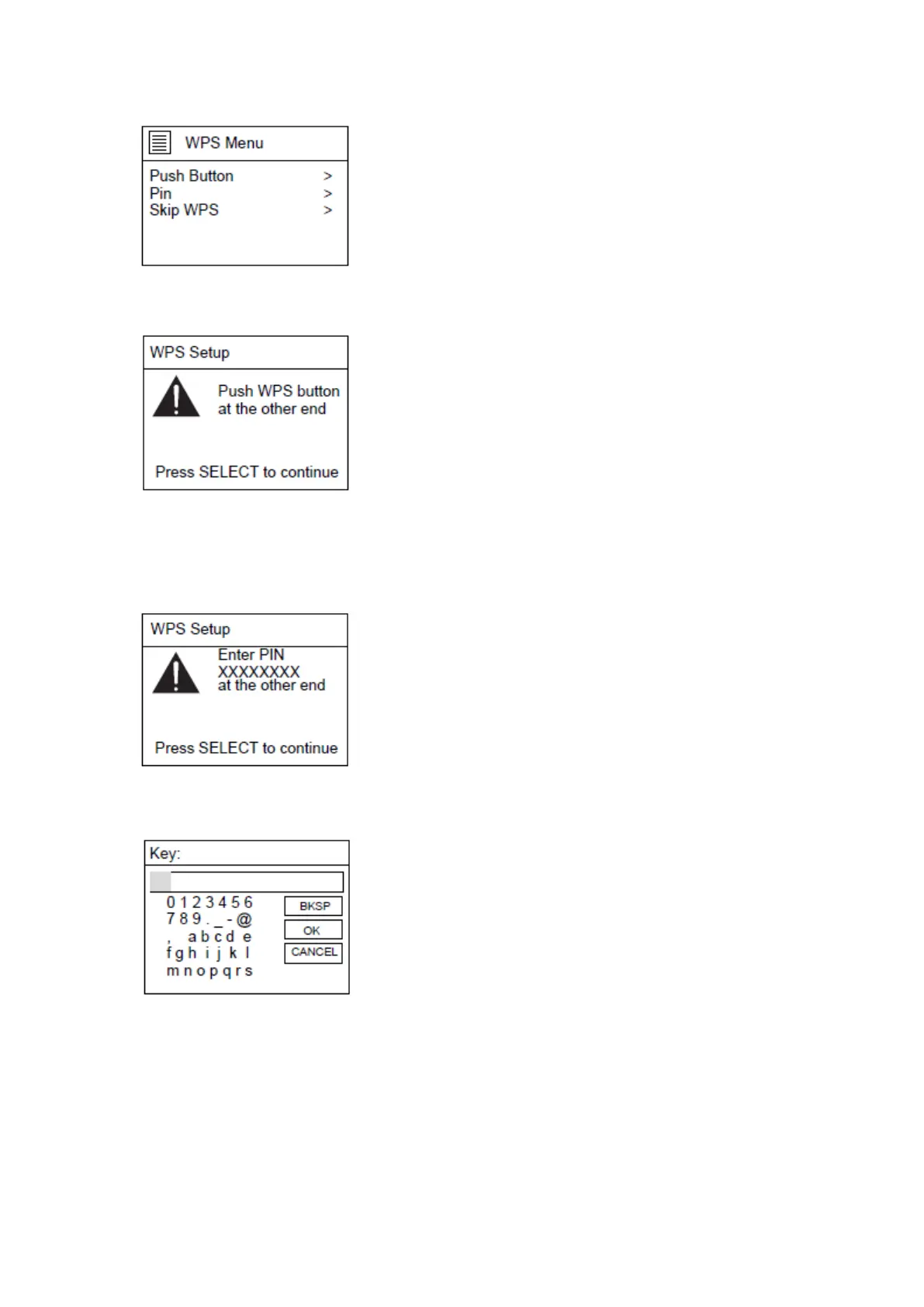
If "Push Button" is selected, the below page will appear. Press the WPS connect button on
your router and then press the OK knob on the unit or the remote control.
If “Pin” is selected, the unit generates an 8-digit code number which you have to enter in
your wireless router/accesspoint configuration menu. (check the manual of your router if
you need help)
When "Skip WPS" is selected, the below page will appear. Enter your WIFI network passkey
Turn the NAVIGATE knob on the unit or using the navigate button on remote control to
highlight the character needed, press the ‘OK’ button on the unit or remote control to
continue to the next character and repeat the above to complete your WIFI password.
BKSP = delete the last entered character
OK = confirm the password
CANCEL = cancel entering the password



 To Next Page