EasyManua.ls Logo

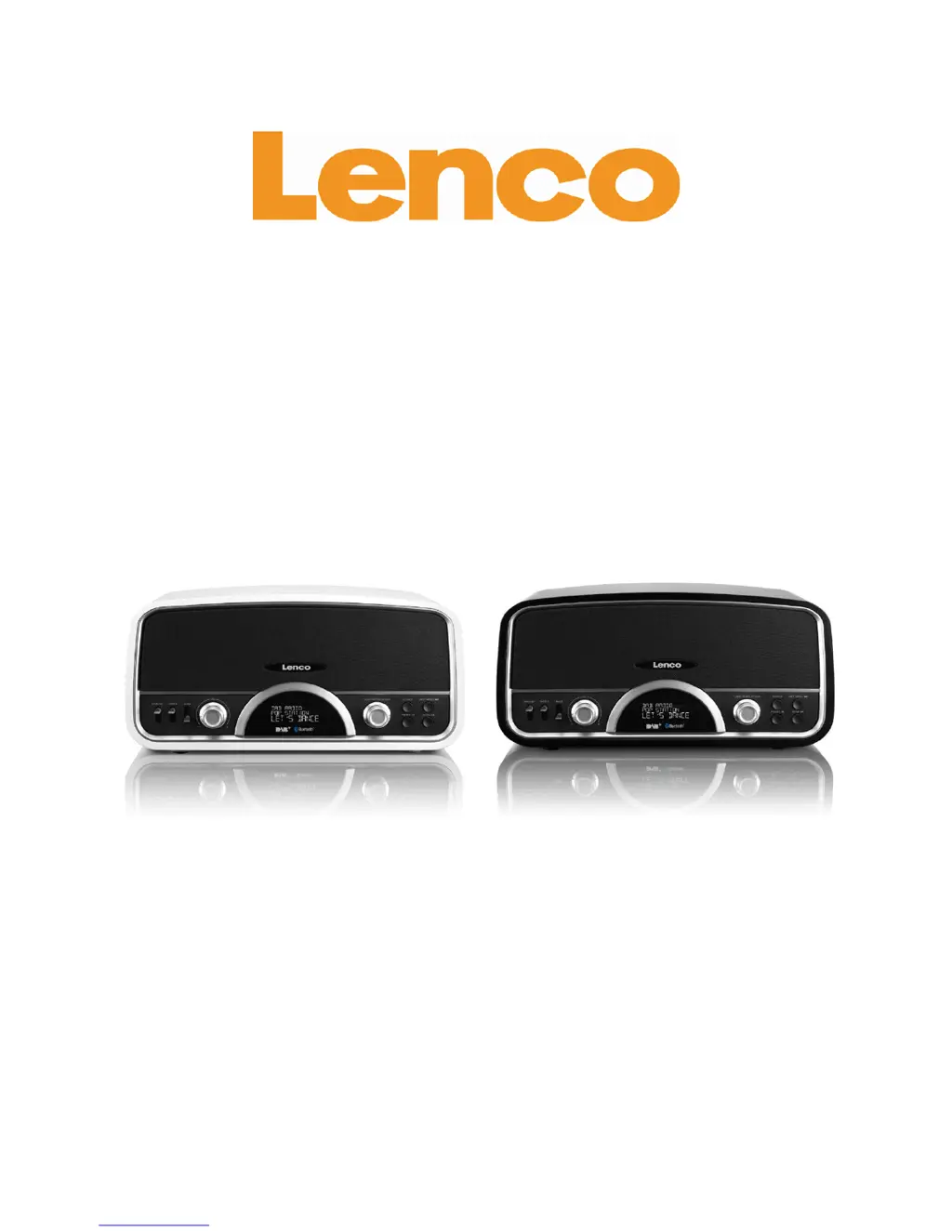
LENCO DR-05 BT - User Manual

LENCO DR-05 BT
91 pages
Print Icon
To Next Page IconTo Next Page
Loading...
DR-05 BT
w w w
.lenco.com
®
User's Guide
Retro Radio with Bluetooth and DAB+

Questions and Answers

  • J
    justinthompsonJul 30, 2025
    What to do if there is no sound from the LENCO Radio speaker?
    • E
      Emily CruzJul 30, 2025
      If you experience no sound from the speaker, this could be due to a weak signal reception. Try adjusting the radio's position to improve reception. Also, ensure that the volume is turned up. If you're using a Bluetooth device, verify that it is properly paired with the radio.
  • E
    Erika JonesAug 13, 2025
    Why is the sound weak or poor quality on my LENCO DR-05 BT Radio?
    • J
      Jeffrey HernandezAug 14, 2025
      If the sound is weak or of poor quality, or if you hear a burbling noise, it might be due to interference from other devices like TVs. Try moving the radio away from other devices. Also, the radio reception might be too weak, so try repositioning the unit to get a strong radio signal.

Summary

Important Safety Instructions

General Safety Precautions

Essential safety guidelines for operating the Lenco DR-05 BT unit.

Safety Warnings

Comprehensive Safety Guidance

Detailed warnings and precautions for safe use and operation of the device.

Cautionary Notes and Symbols

Device Cautions and Symbol Explanations

Understanding safety symbols and specific cautions for device operation.

Front Panel Overview

Rear Panel Overview

Remote Control Guide

Basic Operation

Setting the Time and Date

Step-by-step guide to setting the unit's time and date manually or automatically.

DAB Radio Operation

FM Radio Operation

Bluetooth Connectivity

Pairing and Playback

Steps for pairing Bluetooth devices and controlling music playback.

Auxiliary Input Operation

Troubleshooting Guide

Common Problems and Solutions

Assistance for common issues encountered with the device and their resolutions.

LENCO DR-05 BT Specifications

General IconGeneral
Radio typePersonal
Tuner typeDigital
PLL synthesizer-
Supported radio bandsDAB, DAB+, FM, PLL
Radio Data System (RDS)Yes
Preset stations quantity20
RMS rated power30 W
Number of built-in speakers2
Display typeLCD
USB 2.0 ports quantity1
Product colorBlack
Input voltage12 V
Apple docking compatibilityNot supported
Weight and Dimensions IconWeight and Dimensions
Depth151 mm
Width330 mm
Height163 mm
Weight3100 g

Related product manuals