SYSTEM SETUP
Down sampling
Select down sampling function on or off.
ON: System will down sampling rate for high sampling rate audio(more than 96K).
OFF: Disable this function.
Smart sound
Select different music effect whiling listening music.
RATING SETUP
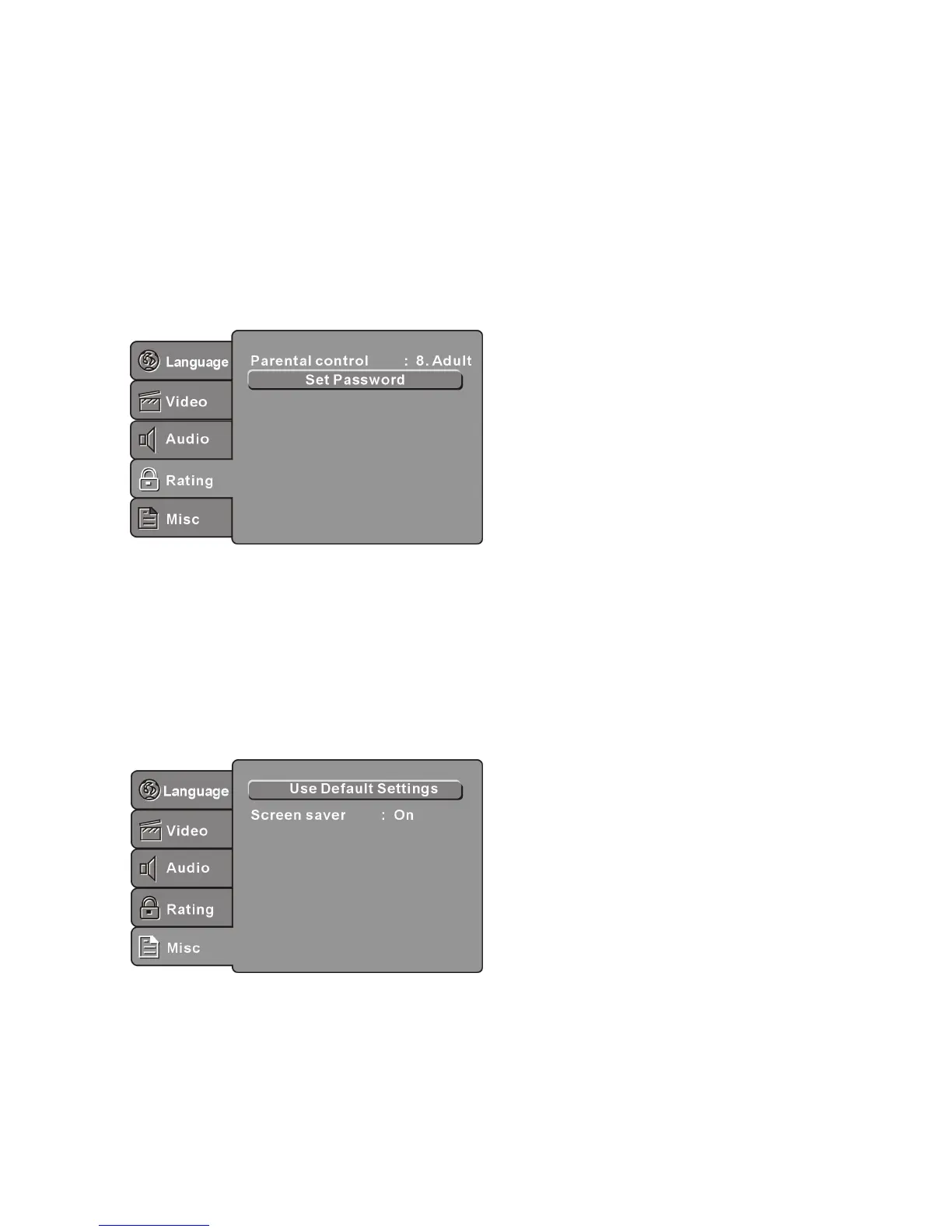
Select Rating in the setup menu, and display the Rating submenu:
Parental Control
Set the parental control feature of the player
Note: Password is needed before setting Parental Control.
Set Password
Input four digits (password), then press OK to confirm.
Note: If you forget your password, please use the universal password 6666 to unlock.
MISC SETUP
Select MISC in the setup menu, and display the submenu:
Use Default Settings
Reset setup data to factory default value.
Screen Saver
Enable/disable the screen saver function.



 To Next Page