SYSTEM SETUP
MENU OPERATION
Press the SETUP button on the remote control, the SETUP MENU will be displayed.
Use the up/down buttons for up and down movement trough the menu Press RIGHT
direction button to enter the submenu and press left direction button to go back to the
previous menu. Confirm the adjust settings by pressing the OK button
LANGUAGE SETUP
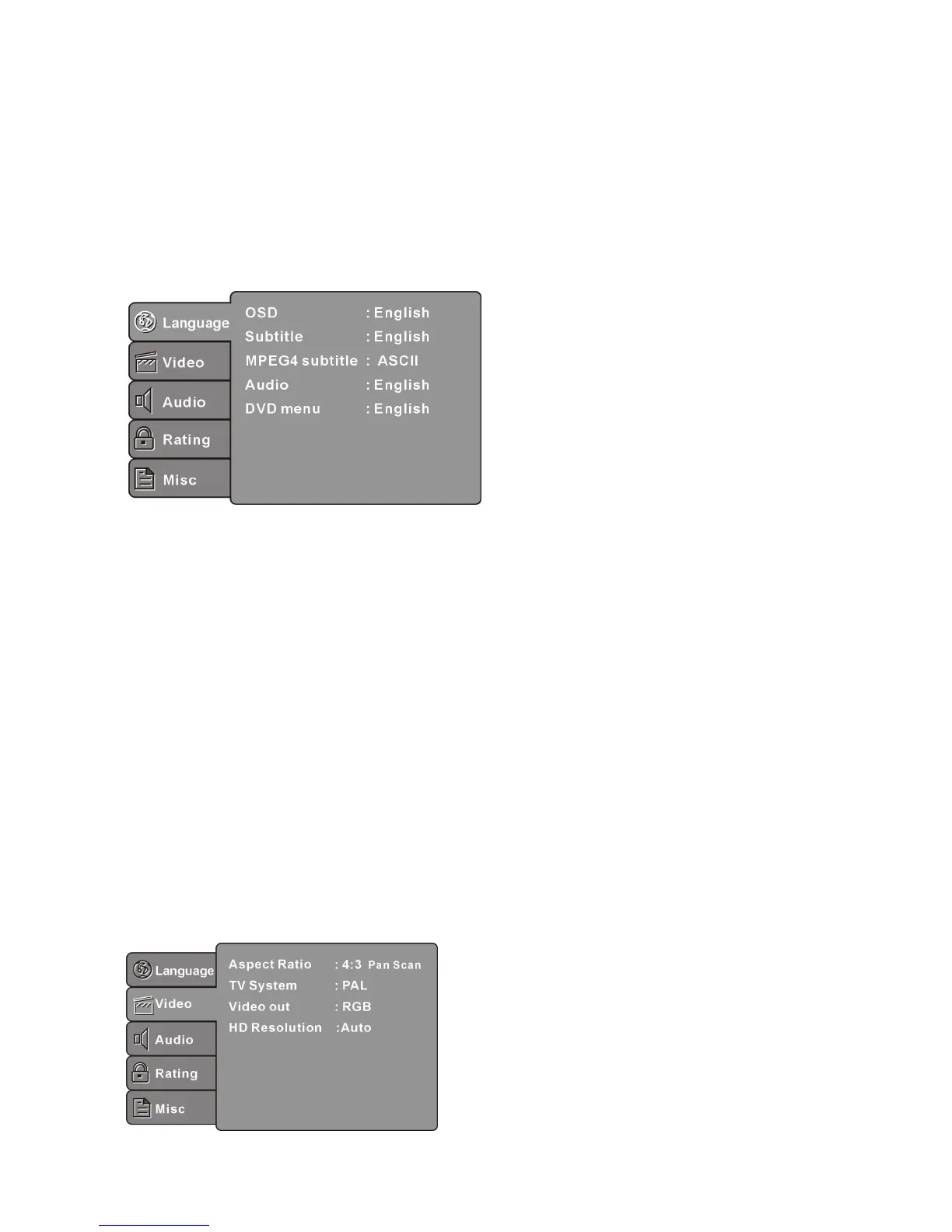
Select Language in the setup menu, and display the Language submenu:
OSD
Use this item to select the language of the setup menu and screen display.
Subtitle
Use this option to select the default subtitle language.
Note: Not all discs support this option.
MPEG4 Subtitle
Select different MPEG4 subtitle encoding option.
Note: Not all discs support this option.
Audio
Use this option to select the default disc language.
Note: Not all discs support this option.
DVD Menu
Use this option to select the default menu language.
Note: Not all discs support this option.
VIDEO SETUP
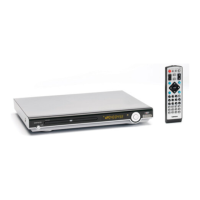
Select Video in the setup menu, and display the Video submenu:



 To Next Page