11
TVscreen.
4:3 LETTERBOX: ifyouhav eanormalTV.Inthiscase,awide picturewithblackbandsontheupperandlower
portionsoftheTVscreenwillbedisplayed.
16:9:widescreendisplay.
TFTDISPLAY:SelectstheTFTdisplayto16:9or4:3.
AngleMark
Displayscurrentanglesettinginformation
ontherighthandcorneroftheTFTscreenifavailableonthedisc.
OSDLanguage
Youcanselectyourownpreferredlanguagesettings.
ClosedCaptions
Closed captions are data that are hidden in the video signal of some discs.Before you select this
function,pleaseensurethatthedisccontainsclosedcaptions
informationandyourTVsetalsohasthisfunction.
ScreenSaver
ThisfunctionisusedtoturnthescreensaverOnorOff.
AutoStandby
Thisfunctionisusedtoselectautostandbysettingsafter3or4hours.
3HOURS:theunitwillturntostandbymodeafter3hoursif
thereisnointeractionfromuserwithinthisperiodof
time.
4HOURS:theunitwillturntostandbymodeafter4hoursifthereisnointeractionfromuserwithinthisperiod
oftime.
OFF:theautostandbyfunctionisdisabled,andunitwillsta yin“on”modeeven
ifnointeractionfromuser.
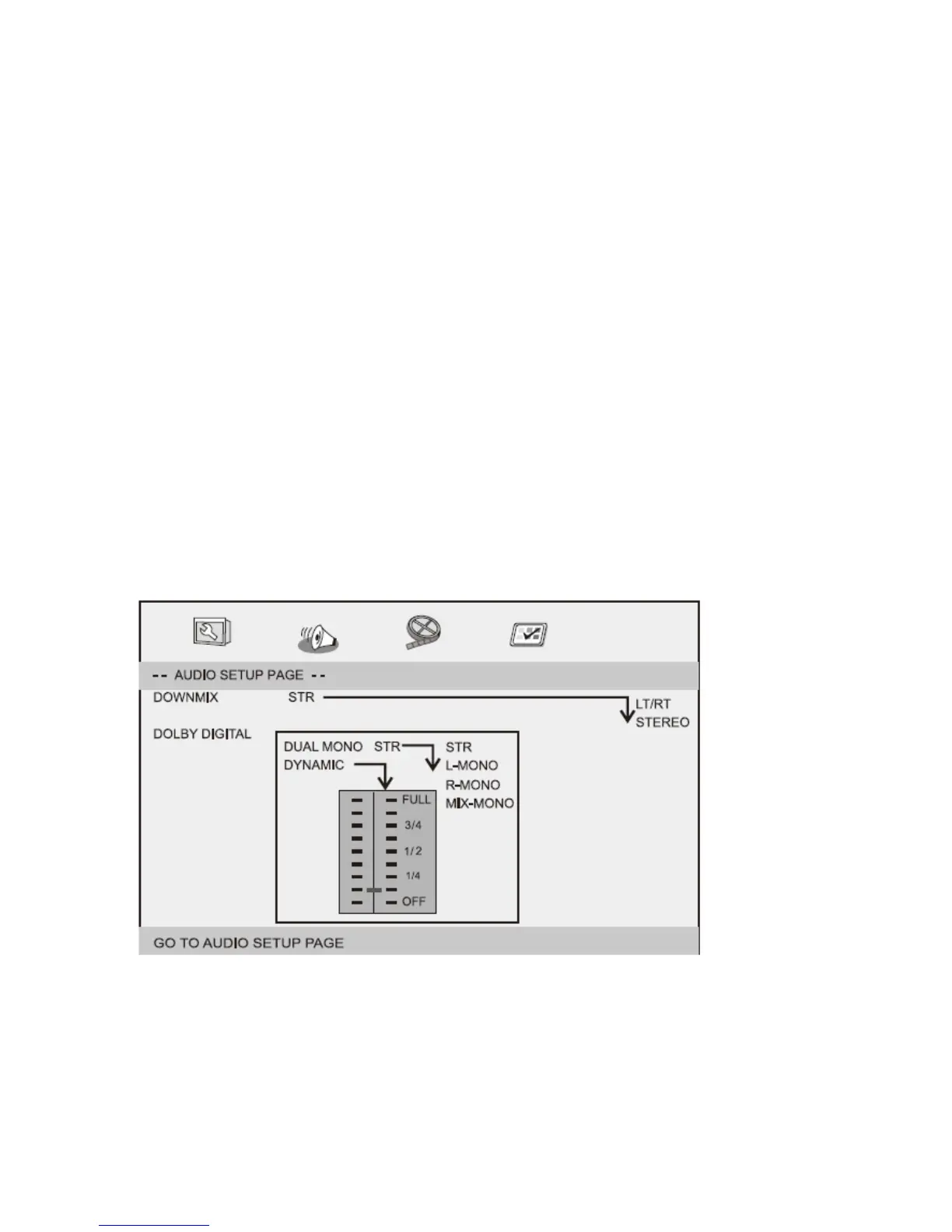
AudioSetupPage
Downmix
ThisoptionsallowsyoutosetthestereoanalogoutputofyourDVDPlayer.
→LT/RT:SelectthisoptionifyourDVDPlay erisconnectedtoaDolbyProLogicdecoder.
→Stereo:Selectthisoptionwhenoutputdeliverssoundfromonlythe
twofrontspeakers.
Dolbydigital
TheoptionsincludedinDolbyDigitalSetupare:'DualMono'and'Dynamic'.


 To Next Page