1
2
6
5
8
7
3
4
9
11
10
12
13
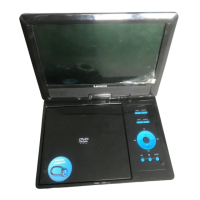
Identificación de controles
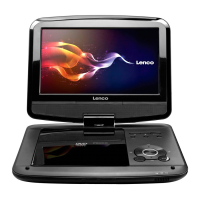
Unidad principal
5
1.Abrigo TFT
2.Altavoces
3.MENU(DVD),PBC(VCD)
4.SOURCE
Seleccionar la fuente de entrada,
DVD, tarjeta, USB.
5.Exhibición
6. Silencio
7.OK(ENTER)
Confirma las selecciones del menú.
8. (Left/right/up/down)
Select an item in the menu.
When playing ,VCD,DVD,if available:
Arriba:Adelantado rápido
Abajo: Retroceso rápido
Izquierda:Pista anterior
Derecha:Pista siguiente
Insertar la batería
9. SETUP
10. STOP ( )
Suspendido Repetición
11. Play/pause.
12.Open
13.TARJETA
14.USB
15.VOL+/VOL-
16.Tomas para auriculares
17.SALIDA AV OUT
18.Interruptor Power ON/OFF
19.ENTRADA DC IN 9-12V
Saque la batería durante el almacenamiento o cuando no use el
reproductor DVD en mucho tiempo.
2. Inserte la batería.
N
NOTAS:
1.Abra la puerta de baterías
14 15 1 6 17 18 19
Cuando use el mando por primera vez, no olvide quitar la tarjeta de
Orificio
plástico.


 To Next Page