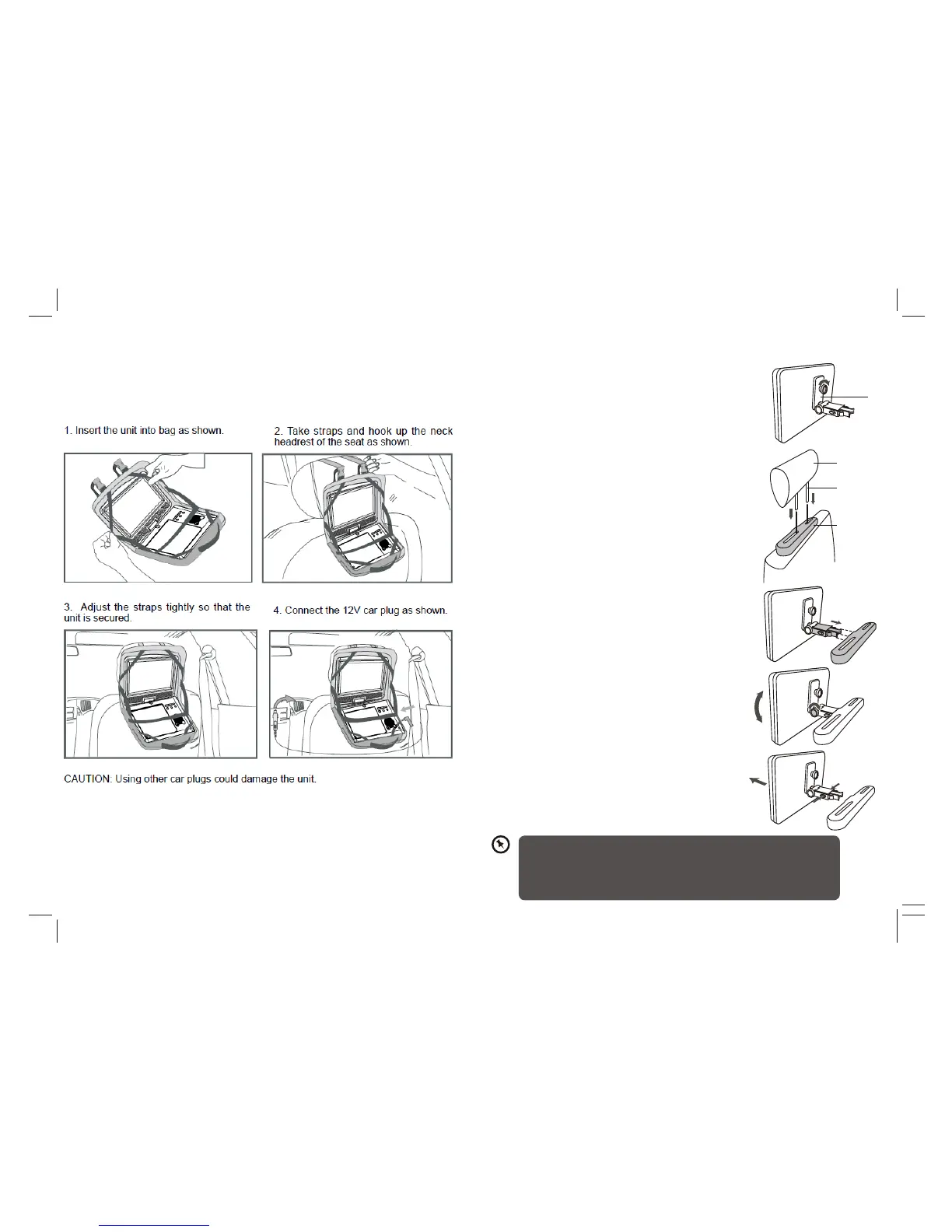
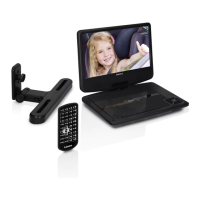
6. Mounting Bag
10
1. Align the angled support’s bolt to the screw
hole on the back of the DVD unit. Turn the bolt
clockwise and secure the support.
Mounting the DVD in a Car
Use the supplied mounting kit to install the DVD players on the back of the
vehicle’s headrests.
2. Lift the headrest off its leg supports. Align the
horizontal support with the headrest leg slots and
ensure the horizontal support rests securely on the
top of the car seat. Reattach the headrest.
3. Grip the DVD firmly with both hands and slot the
angled support firmly into the support bar. It will
click. Ensure the entire unit is secure.
4. Adjust the angle of the DVD unit, then secure by
tightening the bolt on the right.
Support
Headrest
Leg
support
Horizontal
support bar
• This unit should never be used by the vehicle’s driver or left unsecured in the vehicle while
driving.
• If this unit is being used in your vehicle, be sure that it is secured or held safely, and does not
obstruct any safety device, including air bags or seat belts.
• All passengers should wear seat belts when using this unit in a moving vehicle.
• If in doubt, please contact your vehicle manufacturer for further advice.
5. To remove the DVD from the horizontal support
bar, support the DVD unit with one hand. With the
other hand, firmly squeeze the release buttons
either side of the angled support and pull.



 To Next Page