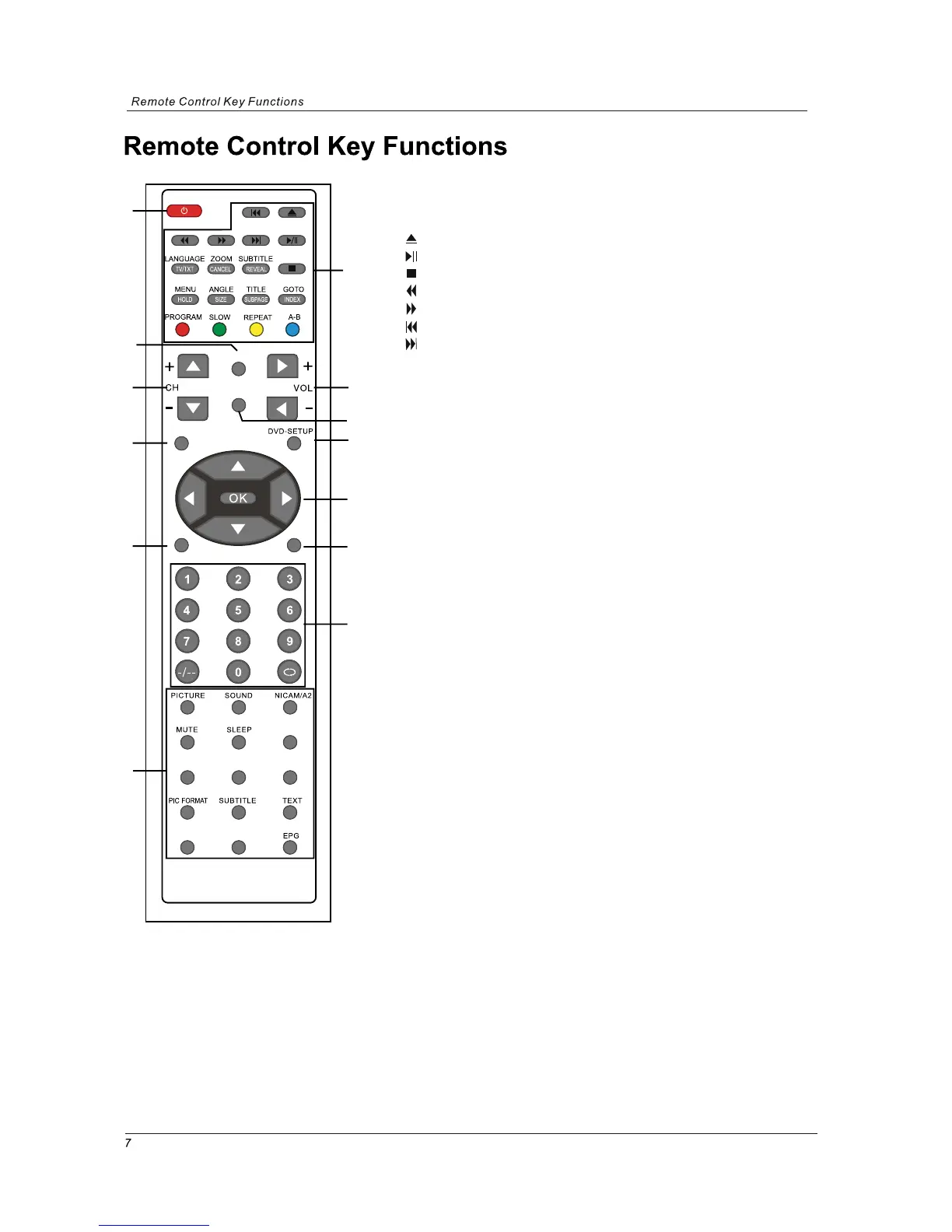
1. POWER:
Turn the TV on/standby.
4. INPUT: Press to display the input source menu.
6. VOL+/-: Adjust the volume.
5. CH+/-: Scan through channels.
9. Cursor left/right up/down: Cursor buttons used in menus.
OK:CONFIRM BUTTON for menu.
3. SYS-MENU: System setup menu.
Colour buttons: short cuts-follow the coloured links in
the text.
(In DTV mode, press red key to switch between TV and radio.
Green key, yellow key and blue key are invalid.)
INPUT
SYS-MENU
SYS-EXIT
DVD
DVB
FAV FAV+ FAV-
DISPLAY LANGUAGE
1
3
6
8
4
9
11
12
5
7
10
13
2
: Load/eject DVD disc
: Play/pause DVD program
: Stop DVD program
: DVD fast reverse
: DVD fast forward
: DVD previous chapter
: DVD next chapter
2. buttons for DVD operation
2.buttons for DVD operation
LANGUAGE: Select DVD disc language
ZOOM: Adjust picture size in DVD mode
SUBTITLE: Turn on/off the DVD subtitle display
MENU: DVD play list/Disc menu
ANGLE: Select DVD picture angle
TITLE: DVD title
GOTO: DVD search, Tracks or Chapters
PROGRAM: Edit the program and play
SLOW: play DVD programs at slow speed
REPEAT: Play the title or chapter once again
A-B
: Select and play the preferable paragraph of DVD program
by pressing this key twice at the beginning and end of it.
8. DVD-SETUP: DVD system setup
2. buttons for TELETEXT
TV/TXT: Teletext on/off
CANCEL: Turn off the Teletext display
REVEAL: Reveal any hidden text, for example-quiz answer
HOLD: Hold or carry on the current subpage
SIZE: Press to see top half of page double size, Press
again to see the bottom half of page double size,
Press again for normal size
SUBPAGE: press to subpage, again to cancel.
INDEX: go to index.
7. DVD: switch to DVD
TV/RADIO



 To Next Page