EasyManua.ls Logo

LENCO HELLO KITTY MP3 - User Manual

LENCO HELLO KITTY MP3
4 pages
Print Icon
To Next Page IconTo Next Page
Loading...
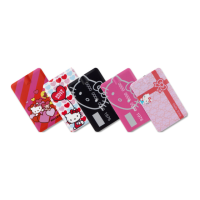
4 buttons credit card-MP3
Instruction Manual

Other manuals for LENCO HELLO KITTY MP3

Questions and Answers

  • A
    adamskristineAug 10, 2025
    What to do if my LENCO MP3 Player cannot download music files normally?
    • M
      Matthew BrennanAug 10, 2025
      If your LENCO MP3 Player is not downloading music files, verify that the USB cable isn't damaged and is correctly connected to the player. Also, check that the drive program is properly installed and that there is enough memory available.
  • S
    Samantha JenningsAug 23, 2025
    Why is there no voice in the earphone of my LENCO MP3 Player?
    • G
      gdicksonAug 23, 2025
      If you can't hear any sound in your LENCO MP3 Player's earphone, ensure the volume isn't set to 0 and that the earphone is properly connected and clean. A damaged MP3 file can cause noises or prevent music playback, so ensure the file is integrated.

LENCO HELLO KITTY MP3 Specifications

General IconGeneral
BrandLenco
ModelHello Kitty MP3
CategoryMP3 Player
FM RadioYes
DisplayLCD
Audio Formats SupportedMP3
Headphone JackYes
ConnectivityUSB

Related product manuals