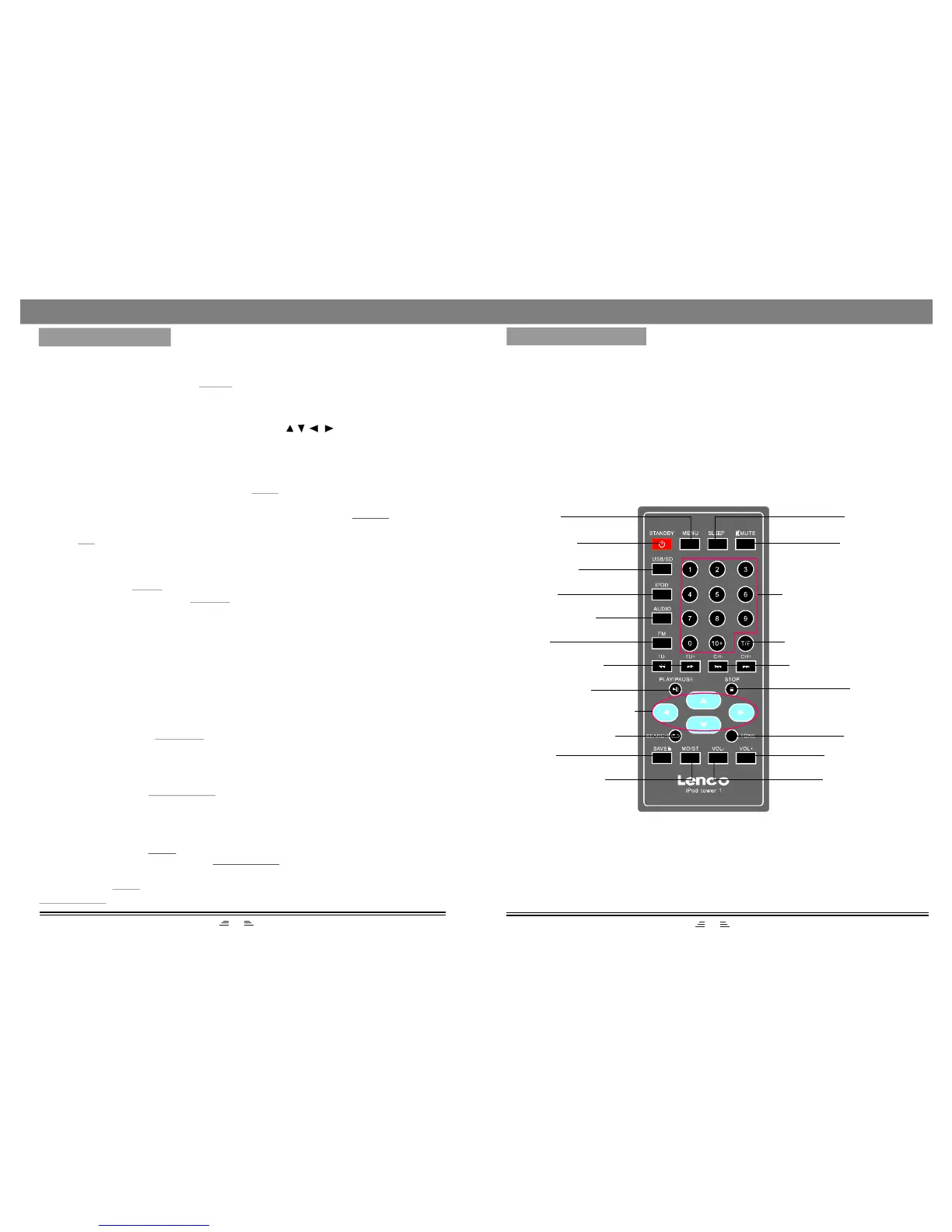
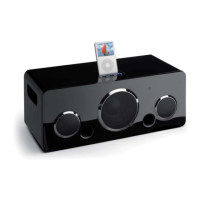
REMOTECONTROL
NOTE:
1.Aligntheremotecontroldirectlyattheremotecontrolsensorofthedevice.
2.Therangeoftheremotecontroldependsonthechargeofthebattery.
3.Brightlight(sunorartificiallight)shouldnotfalldirectlyattheremotecontrol
sensor.Brightlightcannegativeinfluencetheefficacyoftheremotecontrol.
4.Makesurethattherearenoobstaclesbetweentheremotecontrolandthe
remotecontrolsensor.
MENU
STANDBY
USB/SD
IPOD
AUDIOINPUT
FM
TUNE-/+
F.RWD/F.FWD
PLAY/PAUSE
DIRECTIONBUTTONS
SEARCH/REPEAT
SAVE
MONO/STEREO
SLEEP
MUTE
NUMBERBUTTONS
TIME/FREQUENCY
CHANNEL-/+
PREVIOUS/NEXT
STOP
TONE
VOLUME+
VOLUME-
4
7
STOPBUTTON
Inplaystatus,pressthebuttononce,theplayerwillstopplaying;thestopSTOP
positionwillbememorized.Pressthebutton,theplayerwillplayfrom
thepreviousstopposition.
PLAY/PAUSE
Ifyoupressthebuttontwice,stoppositionwillnotbememorised,presstheSTOP
PLAY/PAUSEbutton,theplayerwillplayfromthebeginning.
BASICOPERATION
PLAY/PAUSEBUTTON
Inplaystatus,pressthebuttontopause,pressthisbuttonagainto
continuetheplaying.
PLAY/PAUSE
MENUBUTTON
WhileplayingtheIPOD,pressthebuttontoreturnthemainmenustatus.MENU
NUMBERBUTTONS
InRadiostatus,pressthebuttonstoinputthenumberoftherequired
frequencyorband.Formoreinformation,seeRADIOOPERATION.
NUMBER
DIRECTIONBUTTONS
WhileplayingtheIPOD,presstheDirectionbuttonstomovethecursor
toselecttheitemyouwant.
IPOD,AUDIO,FMBUTTONS
1)ConnecttheIPODwiththisunit,thenpressbuttonontheremotecontrolto
entertheIPODmode.
2)Correctlyconnectaudiofacility(eg.PC)withthisunit,thenpressbutton
ontheremotecontroltoenjoyouteraudioinputsourcesfunction.
3)Pressbuttonontheremotecontroltoenterradiomode.
IPOD
AUDIO
FM
TONEFUNCTION
Inplaystatus,pressbuttonontheremotecontroltoswitchtheBassor
Trebleadjustingmode;pressthebuttontoadjusttheeffectofBassorTreble.
TONE
VOL.+/-
SEARCH/REPEATBUTTON
InIPODstatus,pressthisbuttononcetorepeatthecurrenttrack;presstwicetorepeat
allthetracks;pressagaintocancelrepeat.
InRadiomode,pressthethisbuttontosearchbandsautomatically;pressagaintostop
searching.


 To Next Page