OSD Manual
• Use down arrow button to highlight CONTRAST. Navigate using the arrow buttons to increase or
decrease contrast intensity.
【▼】 【◄ 】 /【 ►】
• Use down arrow button to highlight BRIGHTNESS. Navigate using the arrow buttons to increase or
decrease overall brightness.
【▼】 【◄ 】 /【 ►】
• Use down arrow button to highlight COLOR. Navigate using the arrow buttons to increase or decrease
color intensity.
【▼】 【◄ 】 /【 ►】
• Use down arrow button to highlight TINT. Navigate using the arrow buttons to adjust colors toward
green or reddish tint.
• Use down arrow button to highlight SHARPNESS. Navigate using the arrow buttons to soften or view
crisper edges in the picture.
• Use down arrow button to highlight COLOR TEMP.. Navigate using the arrow buttons to select COOL
(more bluish tone), NORMAL or WARM. The default setting is NORMAL.
【▼】 【◄ 】 /【 ►】
【▼】 【◄ 】 /【 ►】
【▼】 【◄ 】 /【 ►】
• Use down arrow button to highlight NOISE REDUCTION. Navigate using the arrow buttons to select
it ON or OFF.
【▼】 【◄ 】 /【 ►】
MENU
MOVE
EXIT
SELECT
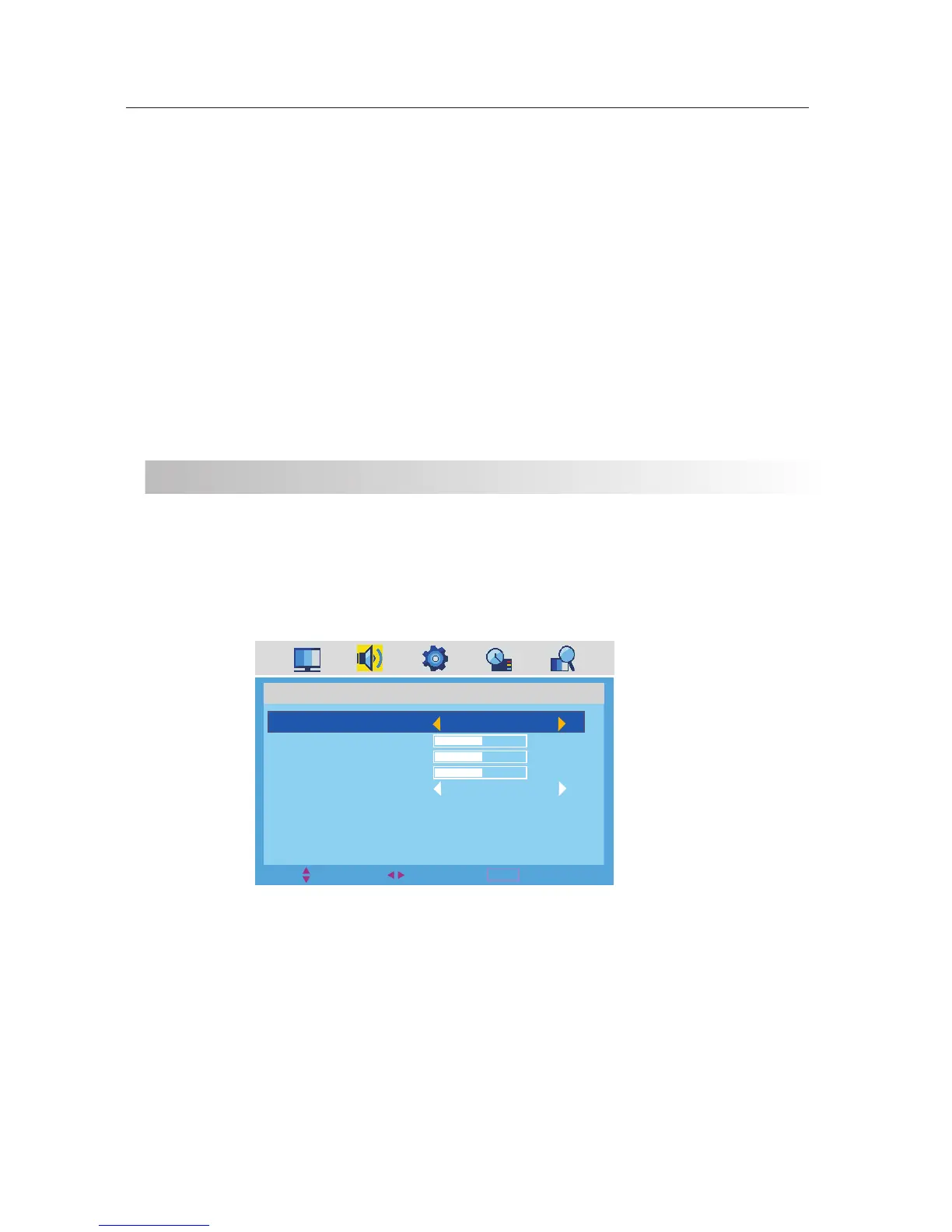
SOUND
SOUND MODE
BASS
TREBLE
BALANCE
AVL
STANDARD
50
50
50
ON
The SOUND menu offers options to make sound enhancements while listening through the built-in speakers
SOUND
How to Navigate:
Press the MENU button on the remote control. Navigate using arrow buttons to select . Press the
arrow button to highlight SOUND MODE, then press the arrow button to select your sound preference
from 4 factory options: > MOVIE >MUSIC > PERSONAL.
【◄ 】 /【 ►】 SOUND
【▼】 【◄ 】 /【 ►】
STANDARD
To make more critical sound adjustments based on your own preferences in PERSONAL:
• Use down arrow button to highlight Bass. Navigate using the arrow buttons to increase or decrease
low frequency intensity.
• Use down arrow button to highlight TREBLE. Navigate using the arrow buttons to increase or decrease
high frequency intensity.
• Use down arrow button to highlight BALANCE. Navigate using the arrow buttons to adjust sound
towards the left or right speaker.
【▼】 【◄ 】 /【 ►】
【▼】 【◄ 】 /【 ►】
【▼】 【◄ 】 /【 ►】
• Use down【 ▼】arrow button to highlight AVL. Navigate using the【◄ 】 /【 ►】arrow buttons to select it ON or OFF.
11


 To Next Page
 Loading...