12
Update from Network: The time will be synchronized from the Internet/network signal
No update: Time and date have to be set manually
Turn the navigation knob on the unit or use the navigation buttons on the remote control to
highlight one of the options
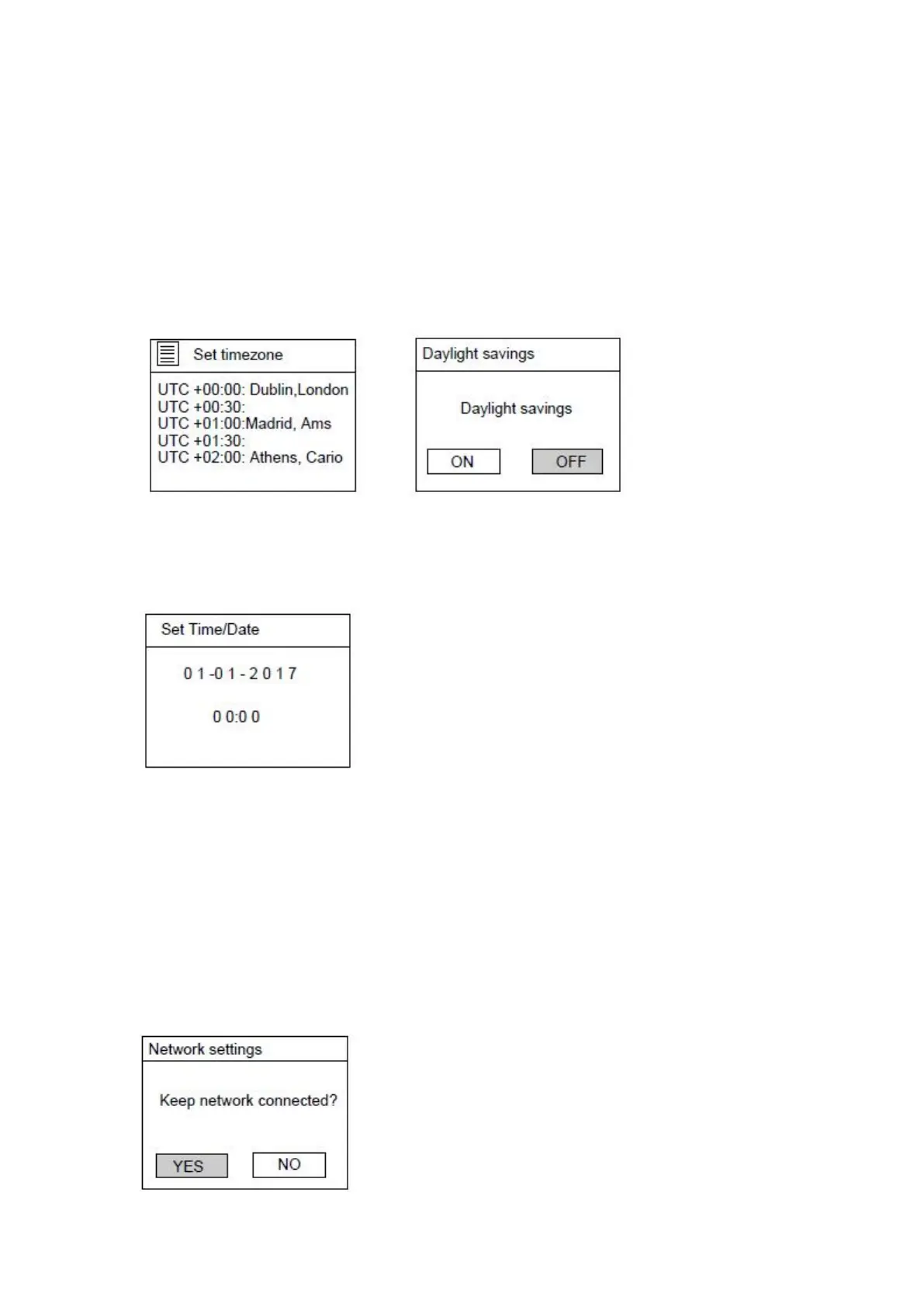
If ‘Update from network’ is selected:
Set the local time zone and set the Daylight savings to ON or OFF.
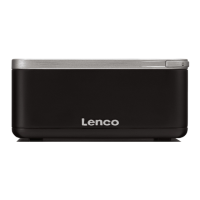
If ‘No update’ is selected:
Set the date and time manually.
The day number will flash, turn the navigation knob on the unit or using the navigation
buttons on the remote control to set the desired day, then press the ‘OK’ button on the unit
or the remote control to confirm. Now the month number will flash. Use the same procedure
as setting the day, then do the same to set the year and time. Go ahead to next setup page.
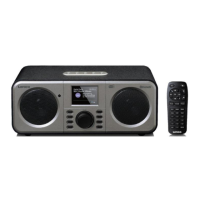
5. The Network settings page will appear as below. Turn the navigation knob on the unit
or using the navigation buttons on the remote control to select ‘YES’ or ‘NO’.
Press the “OK” knob on the unit or remote control to continue.


 To Next Page