EasyManua.ls Logo

LENCO MES-202 - User Manual

LENCO MES-202
10 pages
Print Icon
To Next Page IconTo Next Page
Loading...
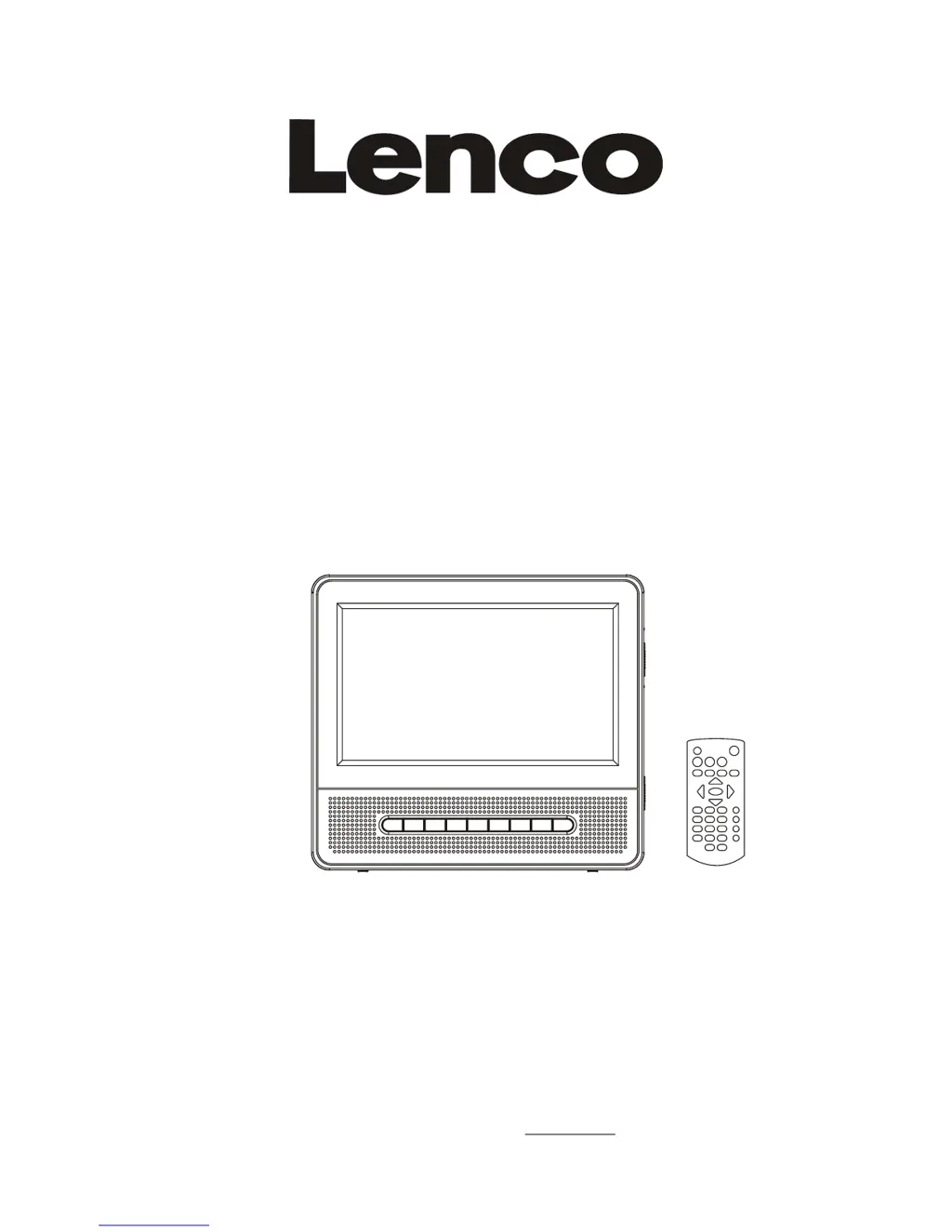
Operating Manual
PORTABLE LCD DVD PLAYER
Model: MES-202
READ THESE INSTRUCTIONS INCLUDED IN THIS IM THOROUGHLY PRIOR TO CONNECTING AND OPERATING.
PLEASE RETAIN THIS MANUAL IN CASE YOU MAY NEED IT FOR FUTURE REFERENCE.
THE ILLUSTRATIONS & GRAPHICS HEREIN ARE FOR REFERENCE ONLY AND SUBJECT TO CHANGE WITHOUT NOTICE.
For information and support, www.lenco.eu

Other manuals for LENCO MES-202

Questions and Answers

  • W
    William FrederickAug 6, 2025
    What to do if there is no picture or sound on my LENCO MES-202 Portable DVD Player?
    • J
      Jonathan VargasAug 6, 2025
      If you're not getting any picture or sound on your LENCO Portable DVD Player, try these steps: * Ensure the A/V cables are securely connected. * Make sure you are using a compatible disc, such as a DVD (region 2 or all), DVD-RW, or AUDIO CD. * Use a clean disc without scratches or dirt. * Confirm that the label-side of the disc is facing up. * If viewing with a TV, check that the TV channel is set to VIDEO or AV. * If the problem persists, the pick-up lens of the DVD player may be dirty. Contact the service center for lens cleaning.
  • L
    Logan AveryAug 10, 2025
    Why is there no sound on my LENCO MES-202 Portable DVD Player?
    • M
      mleeAug 10, 2025
      If there's no sound coming from your LENCO Portable DVD Player, here are a few things to check: 1. Ensure the display panel is open, as audio will not output to the speakers when closed. 2. Verify the volume setting is not set to zero; increase the volume level if needed. 3. Make sure headphones are not plugged into the PHONES socket, as speakers cannot be used simultaneously with headphones.
  • R
    Raymond BrownAug 15, 2025
    How to fix a LENCO MES-202 that won't turn on?
    • D
      Donna JohnsonAug 15, 2025
      If your LENCO Portable DVD Player isn't powering on or is suddenly turning off, ensure the car adapter is securely plugged into the cigarette lighter socket. Also, try turning the power off and then back on.
  • N
    nicoledavidsonAug 19, 2025
    What to do if my LENCO Portable DVD Player has no picture or sound?
    • J
      James TaylorAug 19, 2025
      If your LENCO Portable DVD Player isn't showing a picture or playing sound, try these steps: Ensure the A/V cables are securely connected. Verify the disc is a compatible DVD (region 1 or all), DVD-RW, or AUDIO CD. Make sure the disc is clean and without scratches, and that the label-side is facing up when inserted. If using a TV, confirm it's set to VIDEO or AV. If these steps don't work, the DVD player's pick-up lens may be dirty and require professional cleaning.
  • S
    sandra49Aug 23, 2025
    Why is there no sound from my LENCO Portable DVD Player?
    • K
      kelly89Aug 23, 2025
      If you're not getting any sound from your LENCO Portable DVD Player, first ensure that the display panel is open, as the speakers won't work when it's closed. Check the volume level and increase it if it's set to zero. Also, make sure headphones aren't plugged into the PHONES socket, as this will disable the speakers.
  • T
    torresrobertAug 27, 2025
    What to do if my LENCO Portable DVD Player has no picture and sound?
    • A
      Anita FrancisAug 27, 2025
      If your LENCO Portable DVD Player is showing no picture and producing no sound, check that the battery is properly installed and the AC Adapter is properly connected.
  • A
    Ashley RogersAug 31, 2025
    Why is the video or sound distorted on my LENCO MES-202 Portable DVD Player?
    • G
      Gwendolyn PachecoSep 1, 2025
      If the video or sound is distorted on your LENCO Portable DVD Player, try using a disc that doesn't have any scratches or dents.

Summary

Basic Connection

Connecting to a stereo TV set

Connect the DVD player to a stereo TV set using AV cables for audio and video output.

Connecting to an affiliated screen

Connect the player to another screen, typically for in-car entertainment.

Operations

Getting Started and Basic Controls

Steps for initial setup, disc insertion, volume, mute, and skip functions.

Advanced Playback Functions

Includes stop, slow-motion, repeat, scene search, and fast scanning for DVDs.

Media Playback Options

How to play MP3, MP4, and view images from discs.

Display and Setup Adjustments

Adjusting screen brightness, color, and initial system settings.

Initial Settings

Common Setup Procedures

General steps to access and modify player settings.

System Configuration

Settings for TV display, audio, video quality, and system options.

External Memory Media Operation (USB &SD;MMC Card)

Disc Handling Precautions

Troubleshooting

Specifications

Installation of the Portable DVD Player in a Vehicle

LENCO MES-202 Specifications

General IconGeneral
Screen size7 inches
Media typeDVD, CD
Power sourceAC adapter, rechargeable battery
Region CodeRegion Free
Resolution480 x 234 pixels
Supported formatsDVD, CD, MP3, JPEG
ConnectivityAV output
Accessories includedRemote control, AC adapter, car adapter, AV cable

Related product manuals