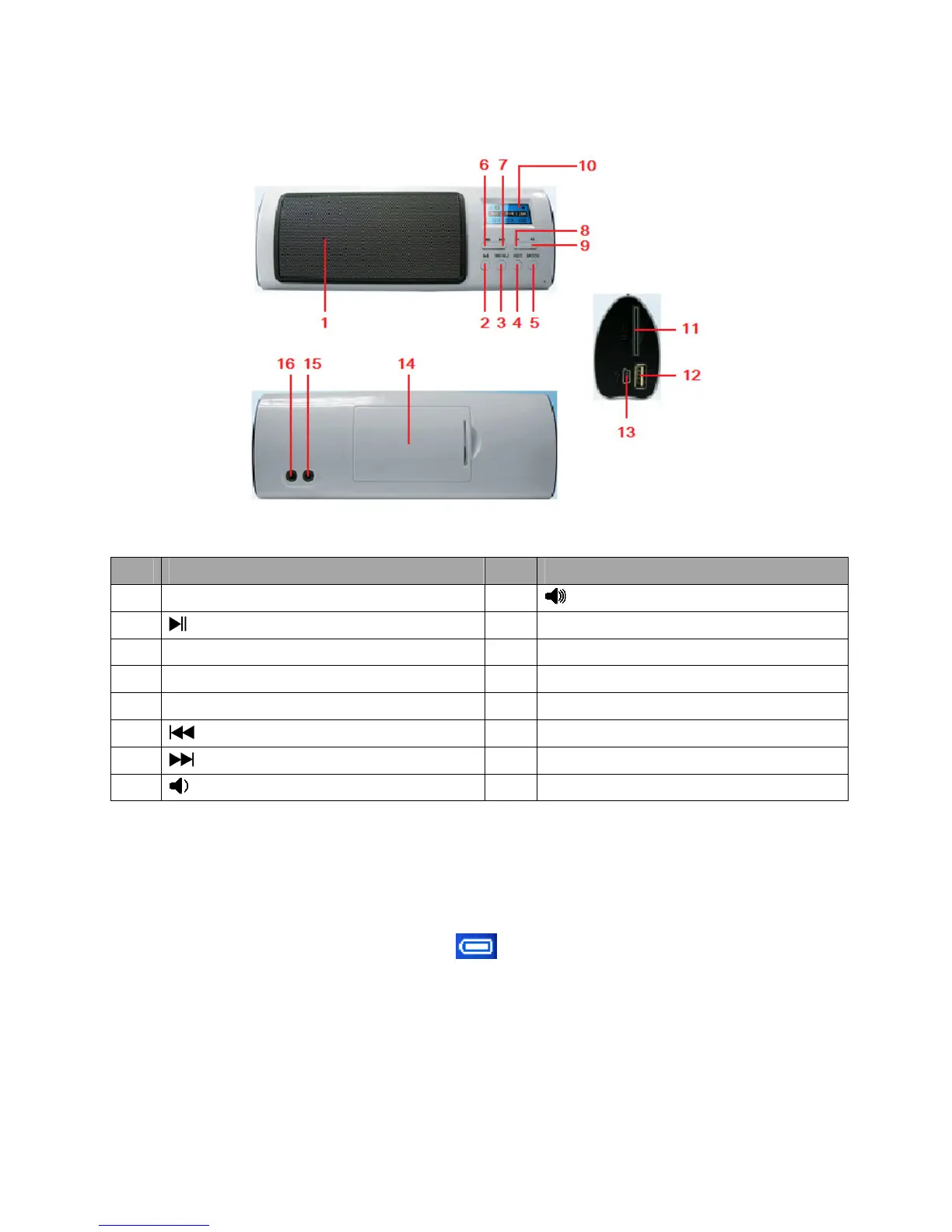
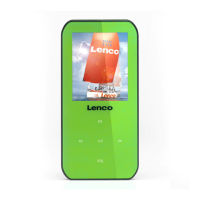
Description Item Description
1 Speaker
(Mono)
9
Button
(Volume Up)
2
Button
(Play/ Pause, Power On/Off)
10
LCD Display
3
MENU Button (Menu / Enter)
11 Memory Card Slot
(SD Card)
4
REC Button
(Record, Record Stop and Save)
12 USB Port
(for USB Disk)
5
MODE Button
(Change mode)
13 Mini USB Port
(PC Connection / Charge)
6
Button
(Back, Fast-Backward, Down)
14 Battery Compartment
7
Button
(Next, Fast-Forward, Up)
15 Line In Jack
8
Button
(Volume Down)
16 Earphone
2. Detachable Rechargeable Battery
The player comes with a detachable rechargeable lithium battery. When using the device for
the first time, charging it for 3 - 4 hours or until the battery icon is show the battery is in full.
Battery Is In Full
A. Install the Rechargeable Battery:
• Open the cover door of battery compartment which located at the back of the player. And then
place the rechargeable lithium battery into battery compartment.
• Make sure contact plate is inserted into the pins connector correctly.
• Close the cover door.


 To Next Page