EasyManua.ls Logo

LENCO PA-85 - User Manual

LENCO PA-85
11 pages
Print Icon
To Next Page IconTo Next Page
Loading...
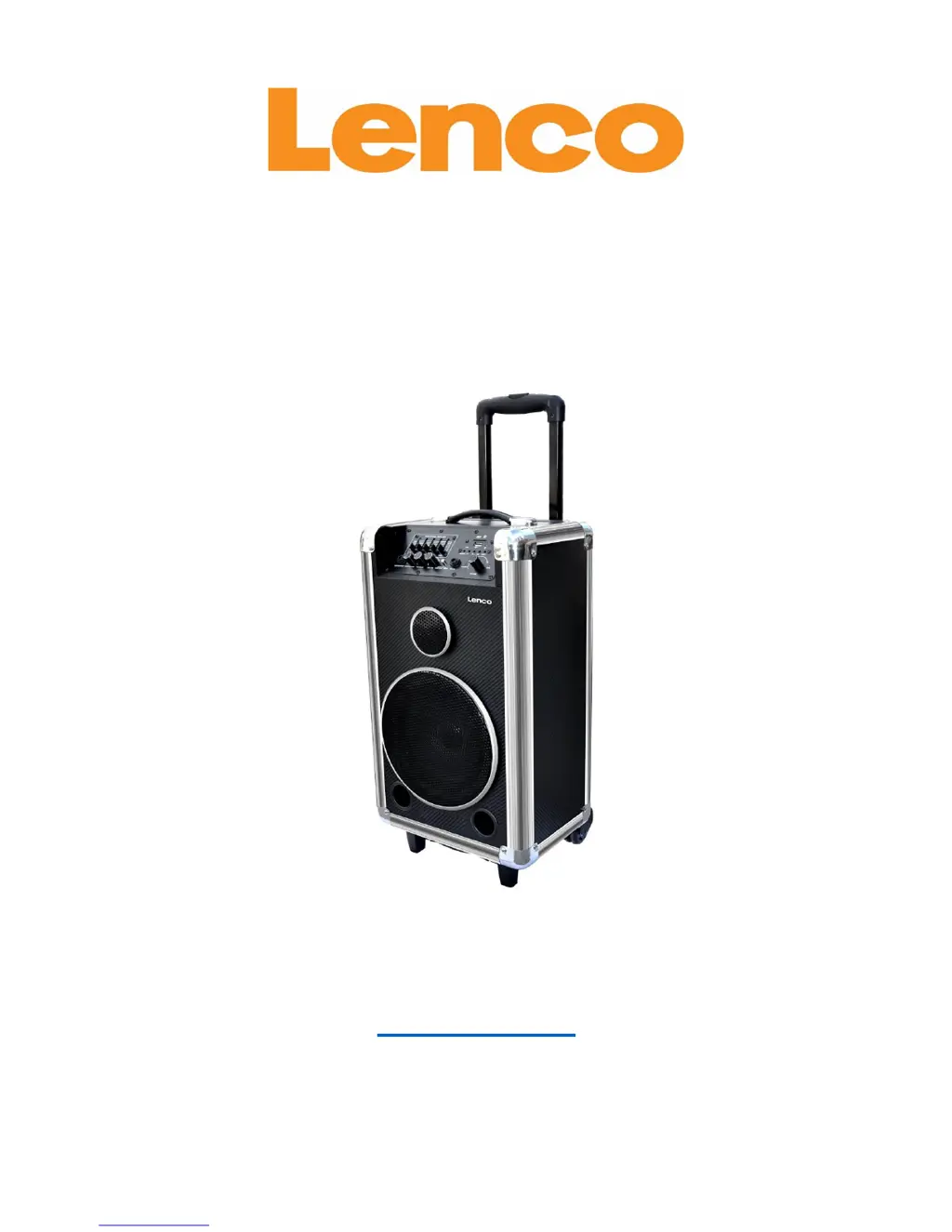
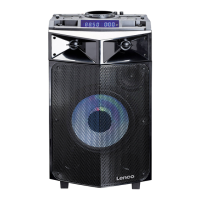
PA-85
Portable Sound System with Bluetooth
®
USER’S MANUAL
www.lenco.com

Questions and Answers

  • S
    Suzanne MartinAug 2, 2025
    Why do my LENCO Speakers whine when I use the microphone?
    • L
      Lynn BrownAug 2, 2025
      If you're experiencing whining sounds when using microphones with your LENCO Speakers, it could be because the MIC volume is too loud, or the microphones are too close to the speaker. Try turning down the MIC volume first. If the issue persists, ensure the microphones are at least 2 meters away from the speaker.
  • W
    wendyweissAug 10, 2025
    What to do if my LENCO PA-85 have power but no sound?
    • D
      David TaylorAug 10, 2025
      If the power indicator is on but there's no sound from your LENCO Speakers, first, turn off the speaker and double-check all audio cable connections to ensure they are properly connected. If the connections are correct, try increasing the master volume to your desired level.
  • B
    Brandy KnightAug 18, 2025
    Why do my LENCO PA-85 have static or noise?
    • J
      Jessica GonzalezAug 18, 2025
      If your LENCO Speakers are producing sound with noises, the issue might be due to improper audio-cable connections or cross talk. First, turn off the speaker and check all audio cable connections to ensure they are correctly connected. If the cables are well connected, the noise could be from external cross talk from your audio equipment; try turning down the volume to reduce the noise.
  • J
    James HowellAug 25, 2025
    How to fix LENCO PA-85 Speakers when there is no power and no sound?
    • M
      Melinda OlsonAug 25, 2025
      If the power indicator is off and no sound is coming from your LENCO Speakers, it could be due to two reasons: either the AC power button is off, or the battery has run out of power. To resolve this, first, ensure the AC power button is turned on. If that doesn't work, connect the power cord to an AC 220V/50Hz outlet to test if the speaker works and to recharge the battery.

Summary

General Safety Warnings

Battery Heat Exposure

Batteries shall not be exposed to excessive heat such as sunshine or fire.

Electrical Safety Precautions

Equipment is Class II, avoid opening for electric shock risk.

Product Disposal Guidelines

Proper disposal to prevent environmental harm and promote resource reuse.

General Operational Cautions

Device Handling and Environment

Instructions for power supplies, ventilation, heat, liquids, and servicing.

Battery Specific Cautions

Battery Charging and Maintenance

Guidelines for initial charging, regular charging, and replacement.

Product Features

Key Features Overview

Highlights portable Bluetooth, multiple power modes, equalizer, and inputs.

Product Specifications

Technical Specifications

Details power consumption, driver unit, frequency response, and power supply.

Speaker Connections

Connecting Audio Sources and Inputs

Instructions for USB/SD, audio input, microphone, and guitar connections.

Bluetooth Operation

Pairing and Connecting Bluetooth

Steps to enable Bluetooth, search, and link with a device.

Power Supply Selection

Using AC, DC, and Charging Modes

Guide to operating the speaker using AC, external DC, or internal battery.

Battery Panel Information

Battery Replacement Procedure

Instructions for replacing the battery, emphasizing qualified service.

Speaker Operation Instructions

Equalizer and Indicators

Description of equalizer controls and status indicators.

Input and Playback Controls

Details on SD/USB input, repeat, track selection, and pause/play.

Operation Reference Table

Power Source and Indicator Guide

Table detailing power source, indicators, management, and unit operation.

Troubleshooting Guide

Common Issues and Solutions

Addresses no sound, noise issues, and gear whines with troubleshooting steps.

Accessory List

Included Accessories

Lists the items included with the speaker: speaker, power cord, mic, manual.

Service and Support

Warranty and Repair Information

Details on service, warranty, and contacting local dealers for repairs.

CE Marking and Recycling

Information on CE compliance, directives, and product/battery disposal.

LENCO PA-85 Specifications

General IconGeneral
BrandLENCO
ModelPA-85
CategorySpeakers
LanguageEnglish

Related product manuals