12
connection port on the speaker using an audio cable (not included)
11.3. Music play
When you are playing music,
11.3.1. Press “ (07)” or “ (08)” button to adjust the desired volume
level.
11.3.2. Start or stop playback on the playback device.
12. Troubleshooting
If a fault occurs, first check whether you can resolve the problem yourself.
You might find this overview useful.
CAUTION!
Risk of injury!
Opening the device can cause injuries.
- If the device has been disrupted by a
thunderstorm, a static charge or another external
factor, follow this procedure to resolve the
problem: Power off this device and power on it
again 10 seconds later.
- The volume may be set too low or in mute mode.
- In Bluetooth / AUX in mode: Set the volume of the
external device to the maximum and then control
the volume by using “ (07)” or “ (08)” button.
- If necessary, select another location to improve the
radio signal.
- Adjust the telescopic antenna to optimize the radio
reception.
- Take care to ensure that all settings have been
made correctly on all devices. The Bluetooth®
function may be deactivated on the external
device. (re) activate it, if necessary.
- Check whether the device to be connected is
switched on and is in search mode.
Device freezed
(no reaction on
buttons/screen)
- Take use a small paperclip and insert it carefully
into the reset hole on the back until you feel a click.
This will do a soft reset. (all presets and setting will
remain).
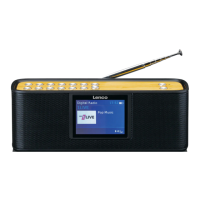
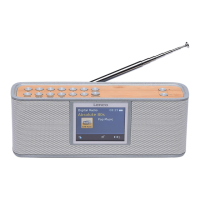
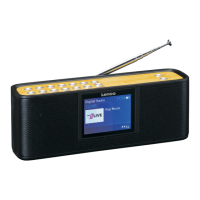
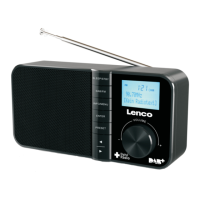
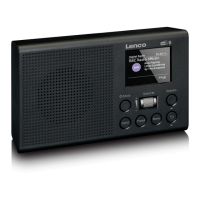
Device: Portable Bluetooth DAB Radio
180 (L) *55mm (W) *68mm (H)
Band III; 174.928MHz
– 239.2MHz
PC’s USB port Power or DC 5V, 2A
Lenco offers service and warranty in accordance to European law, which
means that in case of repairs (both during and after the warranty period) you
should contact your local dealer.
Important note: It is not possible to send products that need repairs to Lenco
directly.
Important note: If this unit is opened or accessed by a non-official service
center in any way, the warranty expires.
This device is not suitable for professional use. In case of professional use, all
warranty obligations of the manufacturer will be voided.
Updates to Firmware and/or hardware components are made regularly.
Therefore some of the instruction, specifications and pictures in this
documentation may differ slightly from your particular situation. All items
described in this guide for illustration purposes only and may not apply to
particular situation. No legal right or entitlements may be obtained from the
description made in this manual.
Disposal of the Old Device


 To Next Page
 Loading...