EasyManua.ls Logo

LENCO PO DO-153 - Get to Know Player Controls; Player Battery Information

LENCO PO DO-153
27 pages
Print Icon
To Next Page IconTo Next Page
To Previous Page IconTo Previous Page
Loading...
3
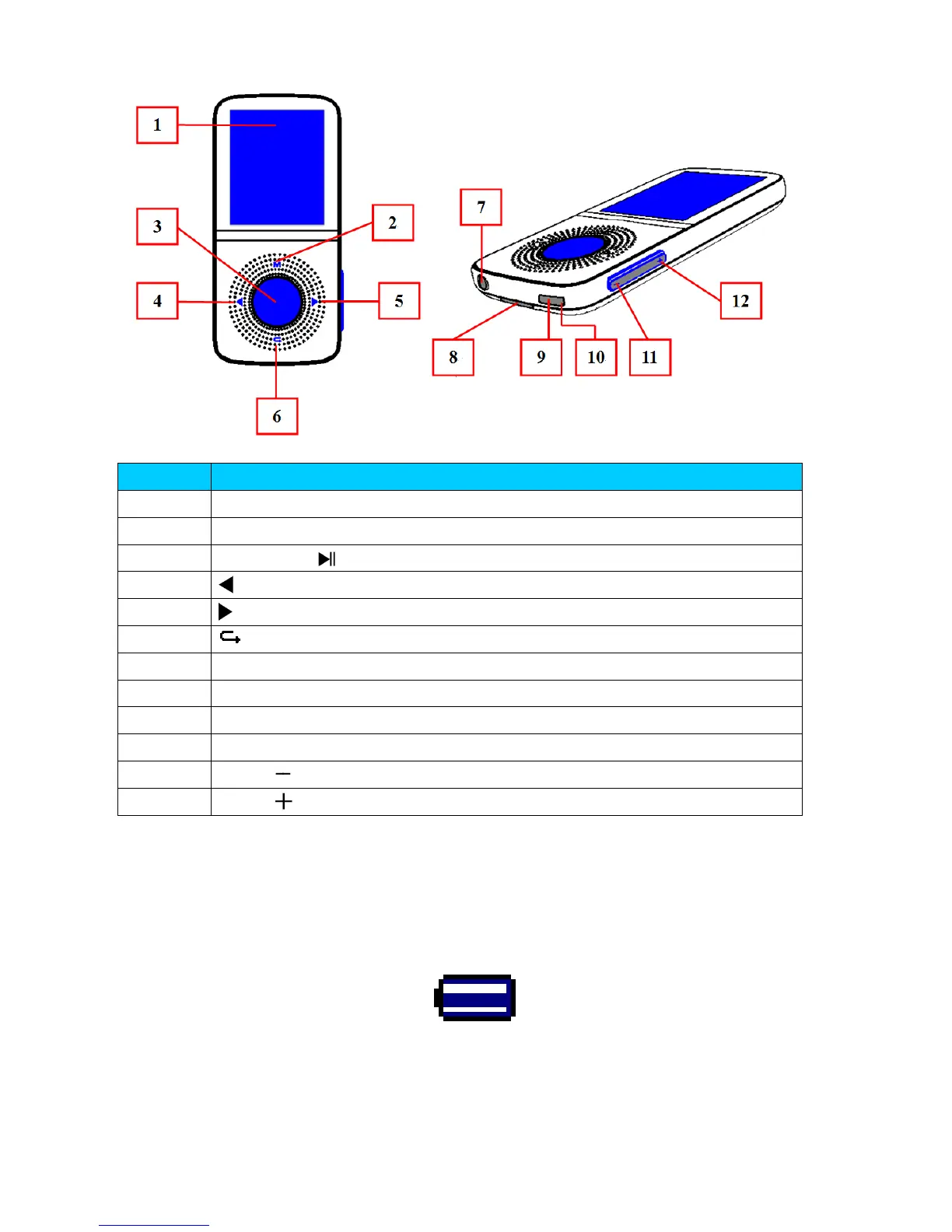
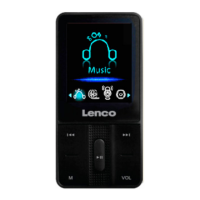
1. Get to know the controls on Player
Item
Description
TFT LCD Display
M
Button (
Call
Menu)
Center
(
)
Button (On / Off, Play / Pause,
Enter
)
Button (Previous / Fast
-
Rewind)
Button
(
Next / Fast
-
Forward)
Button (Previous Menu / Exit)
Earphone Output Jack (3.5mm Stereo)
Micro SD Memory Card Slot
Micro USB Port (PC Connection / Charge)
10
Microphone Position (mono, inside USB port)
11
VOL
Button (Volume
Down
)
12
VOL
Button (Volume Up)
2. About Player Battery
Player has an internal, non–user-replaceable battery. For best results,
the first time you use player, let it charge for about 2 ~ 3 hours or until the
battery status icon in the “Connect” screen shows that the battery is in full.
Battery is in full
Note: Player may continue use battery power after it’s been turned off. For
maintain the battery life and performance, if unit isn’t used for a while, the
battery need to be recharged, recharging the battery at least once per
month.

Related product manuals