REPEAT
Press “REPEAT” Button to choose the different function in CD mode as follows:
1. Repeat One = Repeat indicator on
2. Repeat All = Repeat indicator flashing
3. Normal Playback = No Repeat indicator
FM RADIO
1. Select the FM Radio mode.
2. Adjust the “TUNING” knob to the desired station
* FM Stereo indicator on = Stereo broadcast program is received
AUX IN
1. Select the Aux mode.
2. Use 3.5mm jack Aux In cable (not included) to connect the Aux in jack and external audio player
Control the music from the external audio player
3. Change the volume level on this item or External Music Device separately
HEADPHONE JACK
Use 3.5mm headphone plug (not included) to connect the 3.5mm headphone jack
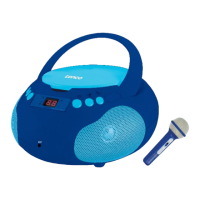
MICROPHONE JACK
1. Use 3.5mm microphone plug to connect the 3.5mm microphone jack
2. Control the music from the device
3. Change the volume level on this item
4. Enjoy the singalong function
ENERGY SAVING
To comply with the energy saving requirement this device will automatically switch to standby mode
when no music has been playing for 15 minutes.


 To Next Page