Version: 1.0
2. IfPlay/Pausebutton(18)ispressedduringplayback,systemgotopausemodeandthepauseindicatorwilllightupat
theLCDdisplay(8).Pressagaintoresumenormalplayback.
Stopmode
1. IfStopbutton(10)ispressedduringplayorpausemode.GotostopmodeanddisplaytotalnumberoftrackontheLCD
display(8).
Skipmode(skipup /skipdown )
1. Duringplaymode,ifskipupbutton(19)ispresseditwillgotonexttrackanddisplaythetrackno.
2. Duringplaymode,ifSkipdownbutton(11)ispressed,itwillgobacktothebeginningofthetrack,sametrackno.
3. Afterstep2,press
skipdownbutton(11)again,itwillgototheprevioustrackandplaybeginningofthetrack.
ForMP3disc/file
1. PlacetheMP3‐CDtoCDcompartment.Afterfocussearchisperforming,thetotalnumberoftrackwillbeshownontheLCD
display(8).
2. PressSkipup orSkipdown(11/19)buttontoselectthetracknumber.
3. Whenthedesiredtrackandalbumisbeingselected,press
the“Play/Pause ”button(18)tostartplayback.
Remark
- Press“Folderup ”button(20)onmainunitcanselecttheMP3folderupwarddirectly.
- ThetracknumberwilldisplayonLCD(8)andthenitwillplaytothenumberofthetrackwhenpressPlay/Pausebutton
(18).
Repeat/Randommode
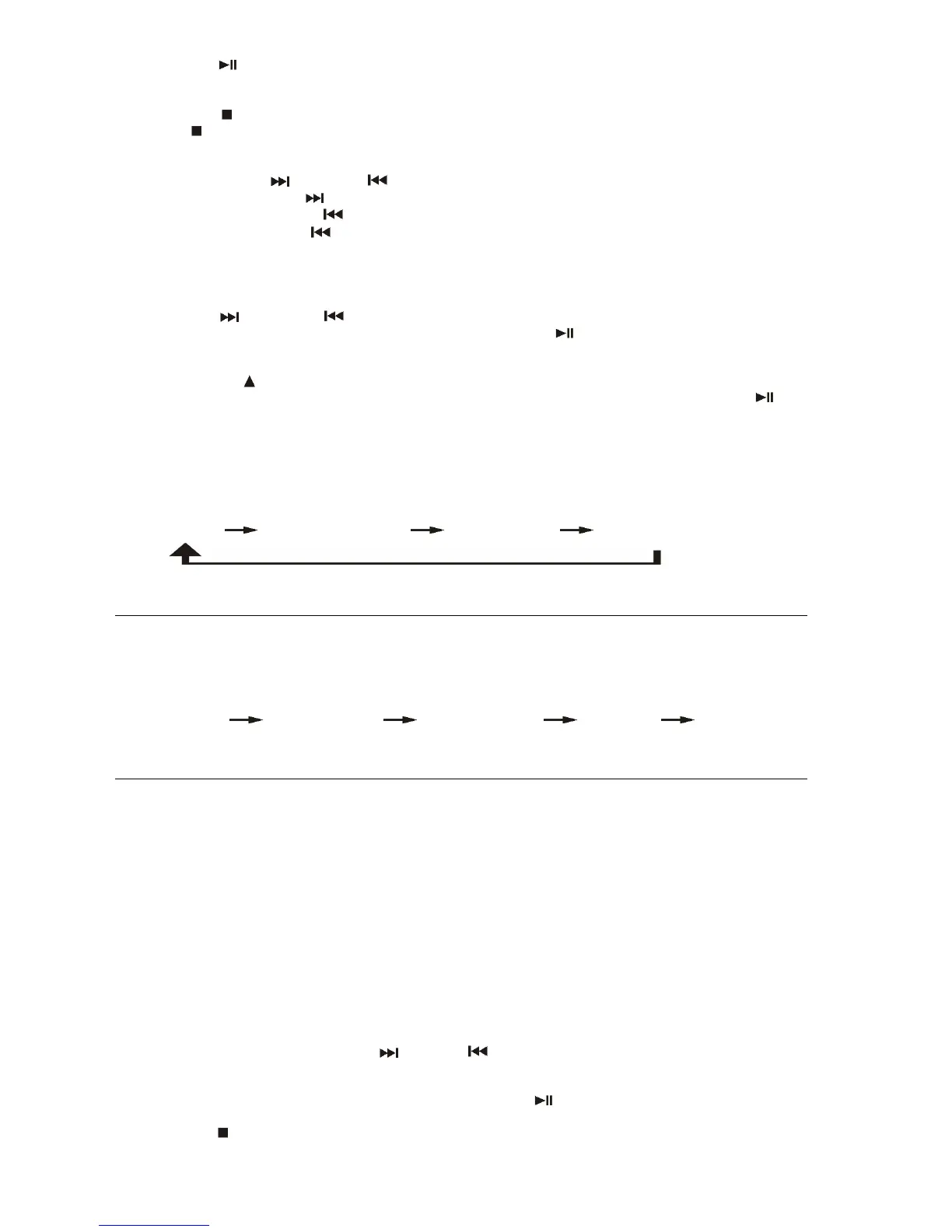
Pressthe“Playmode”button(21)duringplaybacktoselectrepeatandrandomfunction,asingletrack,singlefolder(MP3only)
orallthetrackscanbeplayedindifferencemodeasfollow:‐
ForCD
(1) Repeat1
(2) Repeatalltrack (3) Random (4) Offmode
Indicator
Playmode onLCDdisplay
Repeattrack Rep1
Repeatall RepA
Random Rand
Offmode ‐‐‐‐‐‐‐‐‐‐‐‐‐
ForMP3disc/file
(1) Repeat1(2) Repeat1folder (3) Repeatalltracks (4) Random (5) Offmode
Indicator
Playmode onLCDdisplay
Repeatsingletrack Rep1
Repeatsinglefolder RepF
Repeatalltracks RepA
Random Rand
Offmode ‐‐‐‐‐‐‐‐‐‐‐‐‐‐‐‐‐
Repeatplay
Youcanlistenthedesiredtracksorfolderrepeatedlybythisfunction.
Randomplay
Youcanlistenallthetracksinarandomorderbythisfunction
CD/MP3discprogramming
Upto20tackscanbeprogrammedfordiscplayinanyorder.Beforeuse,besuretopressthestopbutton.
1. SetinCDmode.
2. PresstheMemorybutton(12),“P01&T000”willappearonLCDdisplay(8).
3. SelectadesiredtrackbyusingtheSkipup
/Skipdownbuttons(19/11).
4. PresstheMemorybutton(12)toenterthetrackintothememory.
5. Repeatsteps3and4toenteradditionaltracksintothememoryifnecessary.
6. Whenallthedesiredtrackshavebeenprogrammed,press“Play/Pause ”button(18)toplaythedisc
intheorderyou
haveprogrammed.
7. Press“Stop ”button(10)toterminateprogramplay.


 To Next Page
 Loading...