27
Basic operations
13
5
SD-MMC MODE
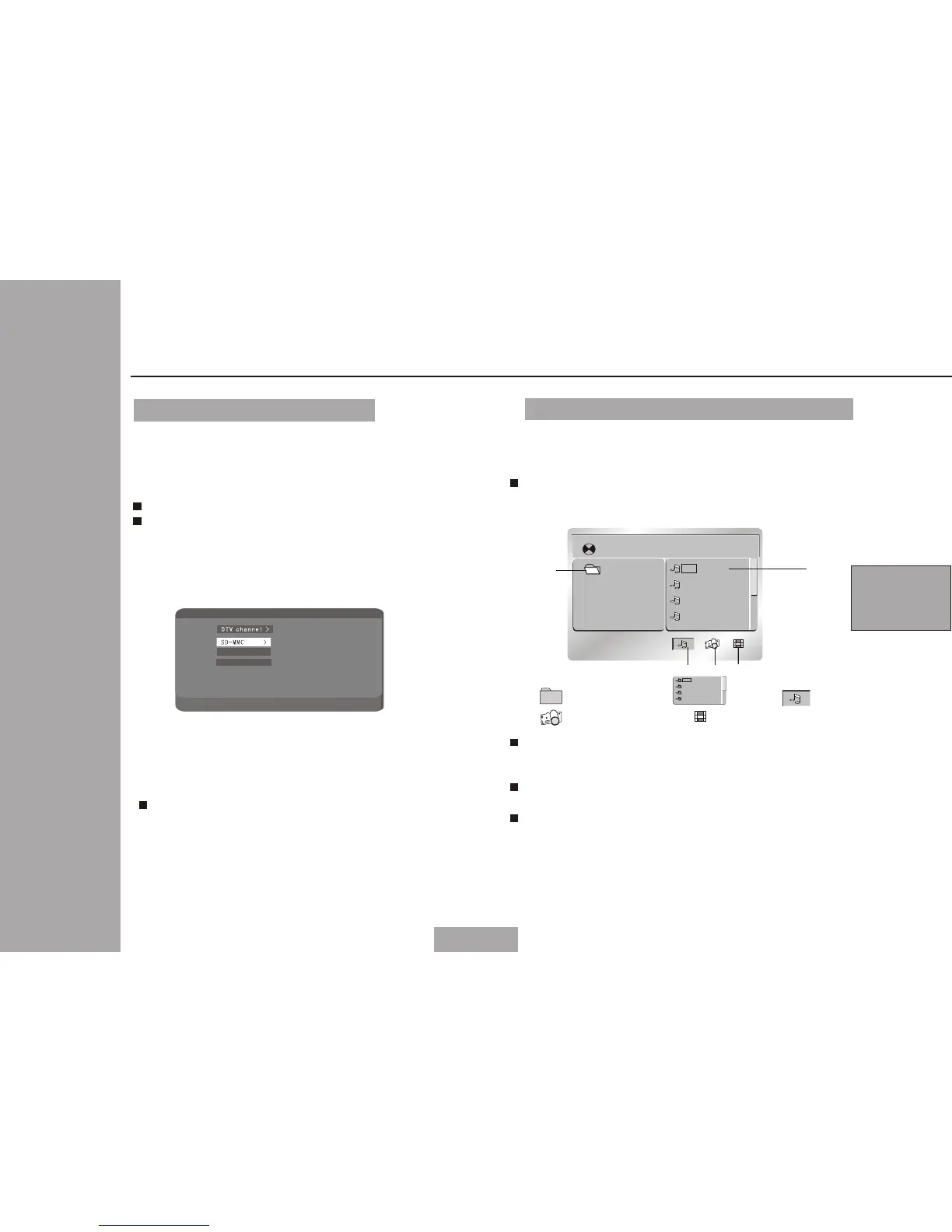
When press MENU ,the unit will be in
DVB-T setup status.Use cursor up/down
to select SD-MMC.The main menu is as
following:
You could use OK to con firm.
You could use ME NU to e xit .
“READ CARD” will be shown in LCD and
the files will be display in the LCD
when the unit finished the reading.
Playing the file storing in a memory card
Please insert the card (SD,MMC) into the
socket. The file will be played automatically
in SD-MMC mode.
The SD and MMC can be read in this unit.
Note:
[MP3_1] 1001.MP3
0 1 . M P 3 _ 1
0 1 . 1 0 0 1
0 2 . 1 0 0 2
0 3 . 1 0 0 3
0 4 . 1 0 0 4
1 2
3 4
1. 2. File 3. Mp3 icon
4. JPEG icon 5. Mp4 icon
0 1 . 1 0 0 1
0 2 . 1 0 0 2
0 3 . 1 0 0 3
0 4 . 1 0 0 4
Directory
Using left/right /up /down to move the
cursor to the directory, file, MP3 icon
or JPEG icon or Mp4 icon.
Selecting MP3 icon/JPEG icon/MP4 icon and
press OK if you want to play MP3/JPEG/MP4.
Selecting a file and press OK if you want
to play the file.
5
DT V c ha n ne l
DT V ch an ne l >
SD -M MC >
Us e 'R ig ht /L ef t' t o se le ct
Ra d io c h an . >
EP G >
TV c h an . >
Ga me >
Se tt in g >
SD - MM C
DT V ch an ne l >DT V ch an ne l >
SD -M MC >SD -M MC >
Pr es s 'E nt er ' to c on fi rm s el ec ti on
Ga me >
Se tt in g >


 To Next Page
 Loading...
